
Multi sensor node - Rc433MHz, 2xRelay, DHT11
-
Hi!
This is my last fast project.
With this I can control 3x Rc433 MHz wall plugs, 2 relays and to measure room temperature and humidity with a single node.
This is very simple to make for almost everyone, with some small, like me, soldering skills!
This is how it looks like:
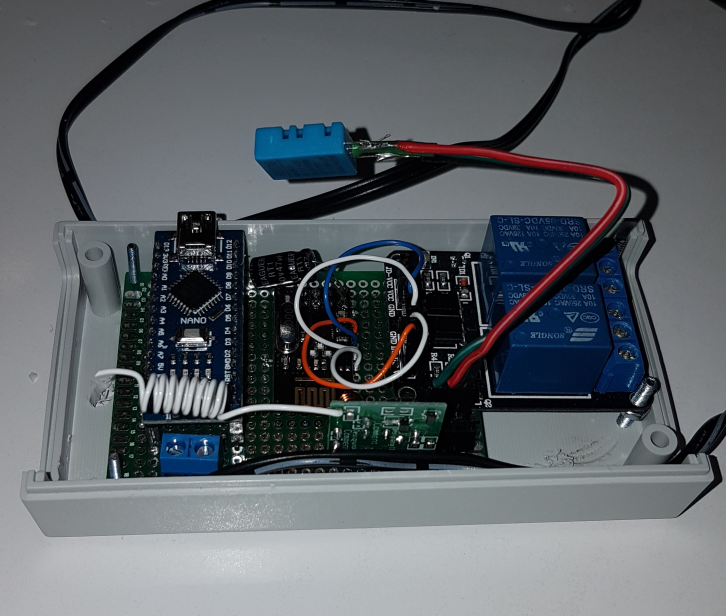
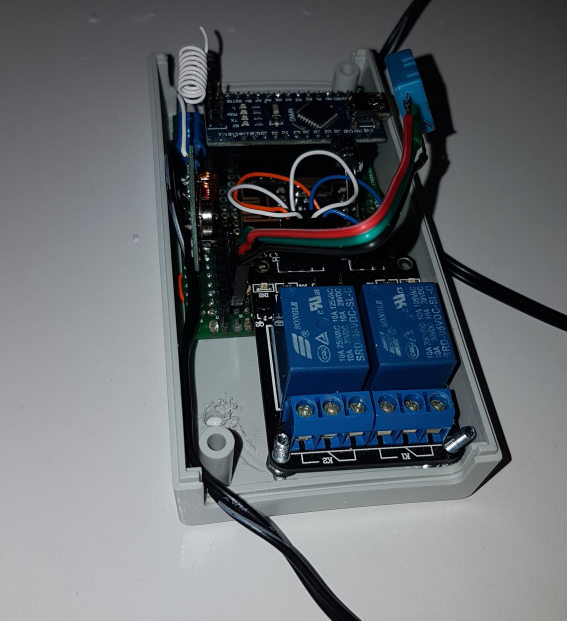
The box was drilled to use motion sensor as well - but i change my mind ;)
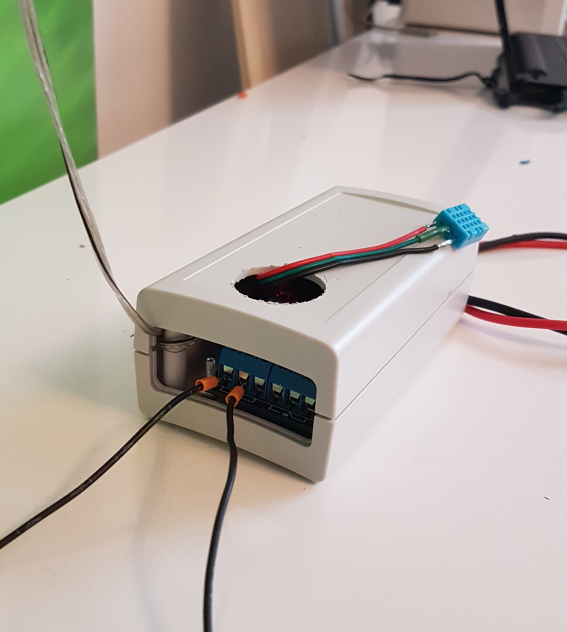
Below you can find sketch:
/**
 * The MySensors Arduino library handles the wireless radio link and protocol
 * between your home built sensors/actuators and HA controller of choice.
 * The sensors forms a self healing radio network with optional repeaters. Each
 * repeater and gateway builds a routing tables in EEPROM which keeps track of the
 * network topology allowing messages to be routed to nodes.
 *
 * Created by Henrik Ekblad <henrik.ekblad@mysensors.org>
 * Copyright (C) 2013-2015 Sensnology AB
 * Full contributor list: https://github.com/mysensors/Arduino/graphs/contributors
 *
 * Documentation: http://www.mysensors.org
 * Support Forum: http://forum.mysensors.org
 *
 * This program is free software; you can redistribute it and/or
 * modify it under the terms of the GNU General Public License
 * version 2 as published by the Free Software Foundation.
 *
 *******************************
 *
 * REVISION HISTORY
 * Version 1.0 - Henrik Ekblad
 * Version 2.0 - Marek Dajnowicz (Rc433, DHT11 upgrade)
 *
 * DESCRIPTION
 * Example sketch showing how to control physical relays.
 * How to control Rc433 MHz wall plugs and usage of DHT11

 */

// Enable debug prints to serial monitor
#define MY_DEBUG

//#define MY_NODE_ID 16
// Enable and select radio type attached
#define MY_RADIO_NRF24


#define CHILD_ID_HUM 1 // DHT11
#define CHILD_ID_TEMP 2 // DHT11
#define HUMIDITY_SENSOR_DIGITAL_PIN 3 // where DHT is coneccted
#define RELAY_1 4
#define RELAY_2 5
#define CHILD_ID_L1 6 // for Rc433 PLUG 1
#define CHILD_ID_L2 7 // for Rc433 PLUG 2
#define CHILD_ID_L3 8 // for Rc433 PLUG 3

#define RELAY_ON 0  // GPIO value to write to turn on attached relay
#define RELAY_OFF 1 // GPIO value to write to turn off attached relay
#define NUMBER_OF_RELAYS 2 // Total number of attached relays


#include <SPI.h>
#include <MySensors.h>
#include <DHT.h>
#include <NewRemoteTransmitter.h>

DHT dht;
float Temp;
float Hum;
boolean metric = true;

MyMessage msgHum(CHILD_ID_HUM, V_HUM);
MyMessage msgTemp(CHILD_ID_TEMP, V_TEMP);
MyMessage msgL1(CHILD_ID_L1, V_STATUS);
MyMessage msgL2(CHILD_ID_L2, V_STATUS);
MyMessage msgL3(CHILD_ID_L3, V_STATUS);
MyMessage msgR1(RELAY_1, V_STATUS);
MyMessage msgR2(RELAY_2, V_STATUS);

// Create a transmitter on address xxxxxxxx, using digital pin 6 to transmit,
// with a period duration of 260ms (default), repeating the transmitted
// code 2^3=8 times.
NewRemoteTransmitter transmitter(60548078, 6, 260, 3); // address got by ShowReceivedCode.ino from Arduino IDE

boolean receivedConfig = false;
const unsigned long tUpdate = 60000; // update interval 60sec
unsigned long t0;

void setup() {

  dht.setup(HUMIDITY_SENSOR_DIGITAL_PIN);
  t0 = millis();
  ServerUpdate();
}

void ServerUpdate() {
  dht.readSensor(true);
  Hum = dht.getHumidity();
  delay(20);
  Temp = dht.getTemperature();
  delay(20);
  send(msgTemp.set(Temp, 1));
  delay(20);
  send(msgHum.set(Hum, 1));
  delay(20);
  t0 = millis();
}

void presentation() {
  // Present locally attached sensors
  sendSketchInfo("Multi Node", "2.0.0");
  present(CHILD_ID_HUM, S_HUM, "HUM");
  present(CHILD_ID_TEMP, S_TEMP, "TEMP");
  present(CHILD_ID_L1, S_LIGHT, "PLUG_1");
  present(CHILD_ID_L2, S_LIGHT, "PLUG_2");
  present(CHILD_ID_L3, S_LIGHT, "PLUG_3");
  present(RELAY_1, S_BINARY, "Relay 1");
  present(RELAY_2, S_BINARY, "Relay 2");

}

void before()
{
  for (int sensor=1, pin=RELAY_1; sensor<=NUMBER_OF_RELAYS; sensor++, pin++) {
    // Then set relay pins in output mode
    pinMode(pin, OUTPUT);
    digitalWrite(pin, RELAY_OFF);
  }

}

void loop()
  {
  if ((millis() - t0) > tUpdate) ServerUpdate();
  }


void receive(const MyMessage &message) {

  if (message.type == V_STATUS) {
    int incomingLightState =  message.getBool();
    int incomingOutlet = message.sensor;

    Serial.print("Outlet #: ");
    Serial.println(message.sensor);
    Serial.print("Command: ");
    Serial.println(message.getBool());

// Rc433 Plugs
    if ((incomingOutlet == 6) && (incomingLightState == 1))
    {
      transmitter.sendUnit(15, true);
    }
    if ((incomingOutlet == 6) && (incomingLightState == 0))
    {
      transmitter.sendUnit(15, false);
    }

    if ((incomingOutlet == 7) && (incomingLightState == 1))
    {
      transmitter.sendUnit(14, true);
    }
    if ((incomingOutlet == 7) && (incomingLightState == 0 ))
    {
      transmitter.sendUnit(14, false);
    }

    if ((incomingOutlet == 8) && (incomingLightState == 1))
    {
      transmitter.sendUnit(13, true);
    }
    if ((incomingOutlet == 8) && (incomingLightState == 0))
    {
      transmitter.sendUnit(13, false);
    }
// RELAYS
if (incomingOutlet == 4) {
      if (incomingLightState == 1) {
        // Turn on  Relay 1
        digitalWrite(incomingOutlet, RELAY_ON);}

      if (incomingLightState == 0)  {
        // Turn off Relay 1
        Serial.println("Turn off Relay 1");
        digitalWrite(incomingOutlet, RELAY_OFF);}}

    if (incomingOutlet == 5) {
      if (incomingLightState == 1) {
        // Turn on  Relay 2
        digitalWrite(incomingOutlet, RELAY_ON);}

      if (incomingLightState == 0)  {
        // Turn off Relay 2
        Serial.println("Turn off Relay 2");
        digitalWrite(incomingOutlet, RELAY_OFF);}}


  }
}

Hello! It looks like you're interested in this conversation, but you don't have an account yet.
Getting fed up of having to scroll through the same posts each visit? When you register for an account, you'll always come back to exactly where you were before, and choose to be notified of new replies (either via email, or push notification). You'll also be able to save bookmarks and upvote posts to show your appreciation to other community members.
With your input, this post could be even better 💗
Register Login