Skip to content

Troubleshooting

Help! Everything just falls apart
2.7k Topics 21.5k Posts
  • Wemos Di Mini v3 not connecting to wifi but classic D1 Mini does...

    3
    0 Votes
    3 Posts
    44 Views
    M
    it seems like I got a bad batch of D1 Mini v3.0.0s. I ran the sample wifi connect and wifi scan sketches on all 5 purchased boards and all had issues connecting or showing all/most available wifis. One was plain broken and wouldn't even cooperate with Win10... Some Wemos D1 Mini v2 and PROs ran the same sketches just fine. So it seems to be a manufacturer error rather than a problem with the v3 of the D1 Mini... So, if you have the choice, stick with the v2 "classic" D1 Mini. Although I didn't buy from a dodgy source, there still seem to be issues with producing the new versions reliably...
  • transmission and reception problems with stm32f103c8 and nrf24 library

    3
    0 Votes
    3 Posts
    68 Views
    skywatchS
    @Croma-Nnon You know this forum is for MySensors right?
  • Feather m0 (SAMD) sleep and interrupt

    6
    0 Votes
    6 Posts
    94 Views
    skywatchS
    @Alpoy Well done! - That is interesting! - I never used a SAMD, but at least you have a way to make it work! Maybe I should try one someday....
  • MY_GATEWAY_MQTT_CLIENT

    4
    0 Votes
    4 Posts
    75 Views
    electrikE
    This is a good tip to add to the build instructions. Check if you plugged the cable 😂
  • MQTT gateway sends duplicate messages to controller?

    16
    0 Votes
    16 Posts
    262 Views
    H
    @hlehoux BTW, in my case this seems to be related to the battery being very low.
  • problems with RFM69_RFM95_ATC_SignalReport example

    3
    0 Votes
    3 Posts
    60 Views
    uwe tazU
    Great, that was the right hint. Now I get values. Thanks!!! But should it included in the example code? I had a look in the development branch. There it was fixed. But in the development -3.0.0 branch not.
  • [SOLVED]Atmega 328P reset to start

    reset starting atmega328p
    12
    2
    0 Votes
    12 Posts
    153 Views
    bjacobseB
    @barrydou https://electronics.stackexchange.com/questions/2262/decoupling-capacitors-what-size-and-how-many
  • I cannot add new nodes, After I get support in Home Assistant,

    5
    0 Votes
    5 Posts
    120 Views
    BearWithBeardB
    I added a new node(ralay id:50), again home assistant(HA) was not added. How can I send a new value from the Relay? You need to send a message at least once for it to appear in Home Assistant. Use something like this: bool initialMessageSent = false; void loop() { if (!initialMessageSent) { send(msgRelay.set(currentRelayState)); initialMessageSent = true; } } After you manually injected a message via MYSController, Home Assistant started to list the new entity in the UI. So yes, that's exactly what Home Assistant required. If you take care of that within the sketch as shown above, you don't need to do it manually. But It seems to be disconnected from the network every time a command comes from HA. do you think this is normal? No, I wouldn't consider that normal. What do you mean by "disconnected"? Does the node stop working completely after receiving a message from HA? Doesn't it respond to consecutive commands? Does the debug output (using #define MY_DEBUG in the relay node sketch) hint at something? Sharing your sketch may help us find the issue.
  • SP32 GW and RFM69HCW radio pinout

    rfm69hcw
    3
    0 Votes
    3 Posts
    43 Views
    D
    It's work :-) Thanks a lot
  • How do I change the default units for the MQTT gateway?

    2
    0 Votes
    2 Posts
    49 Views
    J
    @fixjunk this configuration will be supplied to your gateway from a controller. [image: 1616671939051-db3d11ac-6464-4684-9c31-76aab64f3d2b-image.png] Source: https://www.mysensors.org/download/serial_api_20 When your MySesnors node boots up, sends a I_CONFIG request to your controller, your controller has to respond to this request [response can be either (M)etric or (I)mperal ] AFAIK, This metric change will not affect your sensor measurement units. You have to convert yourself in your sketch. @mfalkvidd can confirm this.
  • How to change Radio ID on Raspberry Pi Gateway with NRF24

    4
    0 Votes
    4 Posts
    63 Views
    mfalkviddM
    @jacmika it would need shell escaping and it is missing the initial D. I would try something like --extra-cxxflags="-DMY_RF24_BASE_RADIO_ID=0x00,0xFC,0xE1,0xA8,0xA8 If I recall correctly, the output of make will show which defines are activated, and what values they have. That's what I usually use to check if I got it right.
  • config.h:39 : first defined here

    4
    1 Votes
    4 Posts
    96 Views
    S
    https://github.com/mysensors/MySensors/pull/1454
  • Feather M0 RFM60HCW (433Mhz) - can't connect to gw

    8
    0 Votes
    8 Posts
    95 Views
    A
    I think I've narrowed it down to encryption, disabling it on the GW and the feather seems to make everything work ok. I've double checked that the key is identical but still won't work. Encryption works when I use the ESP32 as "client" instead of the Feather M0. I thought the AES encryption was done in the radio (rfm69) and not the microcontroller (ie. ESP32/Arduino etc.). Also, there's really no log message that indicates wrong encryption key or anything related to an encryption problem in the communication? :|
  • Relay Actuator with momentary (pulse) action

    7
    0 Votes
    7 Posts
    2k Views
    A
    @BearWithBeard said in Relay Actuator with momentary (pulse) action: digitalWrite(relayPin[message.getSensor()-7], RELAY_ON) Many thanks for coming back @BearWithBeard, its a huge help. So my logic for correcting the State problem at the bottom would be to do the same calculation to get them in to 0 and 1. saveState(message.getSensor()-7, message.getBool()); Compiled correctly and then uploaded and it works! Fantastic. The following sketch has 3 dimmers, 4 buttons and 2 relay outputs. Thank you very much - I'm learning ;) /** * The MySensors Arduino library handles the wireless radio link and protocol * between your home built sensors/actuators and HA controller of choice. * The sensors forms a self healing radio network with optional repeaters. Each * repeater and gateway builds a routing tables in EEPROM which keeps track of the * network topology allowing messages to be routed to nodes. * * Created by Henrik Ekblad <henrik.ekblad@mysensors.org> * Copyright (C) 2013-2015 Sensnology AB * Full contributor list: https://github.com/mysensors/Arduino/graphs/contributors * * Documentation: http://www.mysensors.org * Support Forum: http://forum.mysensors.org * * This program is free software; you can redistribute it and/or * modify it under the terms of the GNU General Public License * version 2 as published by the Free Software Foundation. * ******************************* * * REVISION HISTORY * Version 1.0 - February 15, 2014 - Bruce Lacey * Version 1.1 - August 13, 2014 - Converted to 1.4 (hek) * * DESCRIPTION * This sketch provides a Dimmable LED Light using PWM and based Henrik Ekblad * <henrik.ekblad@gmail.com> Vera Arduino Sensor project. * Developed by Bruce Lacey, inspired by Hek's MySensor's example sketches. * * The circuit uses a MOSFET for Pulse-Wave-Modulation to dim the attached LED or LED strip. * The MOSFET Gate pin is connected to Arduino pin 3 (LED_PIN), the MOSFET Drain pin is connected * to the LED negative terminal and the MOSFET Source pin is connected to ground. * */ // Button // The below includes 4 buttons using code examples from here: https://forum.mysensors.org/topic/9538/multiple-switch-inputs/8 // Button // Relay // The below includes 2 relays from https://www.mysensors.org/build/relay // https://forum.mysensors.org/topic/5906/relay-actuator-with-momentary-pulse-action/2 // Relay // Enable debug prints to serial monitor #define MY_DEBUG // Enable and select radio type attached //#define MY_RADIO_RF24 //#define MY_RADIO_NRF5_ESB //#define MY_RADIO_RFM69 //#define MY_RADIO_RFM95 // Enable RS485 transport layer #define MY_RS485 // Define this to enables DE-pin management on defined pin #define MY_RS485_DE_PIN 2 // Set RS485 baud rate to use #define MY_RS485_BAUD_RATE 9600 #define MY_NODE_ID 4 #include <SPI.h> #include <MySensors.h> // Button #include <Bounce2.h> // #define SN "N004" #define SV "1.0" #define noLEDs 2 const int LED_Pin[] = {5, 6}; #define FADE_DELAY 10 // Delay in ms for each percentage fade up/down (10ms = 1s full-range dim) static int currentLevel1 = 0; // Current dim level... static int currentLevel2 = 0; // Current dim level... MyMessage dimmer1Msg(1, V_DIMMER); MyMessage light1Msg(1, V_LIGHT); MyMessage dimmer2Msg(2, V_DIMMER); MyMessage light2Msg(2, V_LIGHT); // Button #define FIRST_BUTTON_ID 3 #define MAX_BUTTON 4 const uint8_t buttonPin[] = {4, 10, 11, 12}; // switch around pins to your desire Bounce debouncer[MAX_BUTTON]; MyMessage buttonMsg(0, V_TRIPPED); bool oldButton[MAX_BUTTON] = {false}; // Button // Relay #define FIRST_RELAY_ID 7 #define MAX_RELAY 2 const uint8_t relayPin[] = {3, 7}; // Pins of relays MyMessage relayMsg(0, V_STATUS); #define RELAY_ON 1 #define RELAY_OFF 0 // Relay void before() { } /*** * Dimmable LED initialization method */ void setup() { // LEDS // Pull the gateway's current dim level - restore light level upon sendor node power-up for (int sensor=1; sensor<=noLEDs; sensor++){ request( sensor, V_DIMMER ); } // Button for (uint8_t i = 0; i < MAX_BUTTON; i++) { debouncer[i] = Bounce(); // initialize debouncer debouncer[i].attach(buttonPin[i], INPUT_PULLUP); debouncer[i].interval(5); oldButton[i] = debouncer[i].read(); } // Button // Relay for (uint8_t i = 0; i < MAX_RELAY; i++) { pinMode(relayPin[i], OUTPUT); //digitalWrite(relayPin, loadState(i)?RELAY_ON:RELAY_OFF); if (loadState(i) == RELAY_ON) { digitalWrite(relayPin, RELAY_ON); wait(500); digitalWrite(relayPin, RELAY_OFF); } } // Relay } void presentation() { // Register the LED Dimmable Light with the gateway for (int sensor=1; sensor<=noLEDs; sensor++){ present(sensor, S_DIMMER); wait(2); } // Button for (int i = 0; i < MAX_BUTTON; i++) { //i < numSensors && present(FIRST_BUTTON_ID + i, S_DOOR); } // Button // Relay for (int i = 0; i < MAX_RELAY; i++) { present(FIRST_RELAY_ID + i, S_BINARY); } // Relay sendSketchInfo(SN, SV); } /*** * Dimmable LED main processing loop */ void loop() { // Button bool button[MAX_BUTTON]; for (uint8_t i = 0; i < MAX_BUTTON; i++) { debouncer[i].update(); button[i] = debouncer[i].read(); if (button[i] != oldButton[i]) { send(buttonMsg.setSensor(FIRST_BUTTON_ID + i).set( button[i])); // Send tripped value to gw oldButton[i] = button[i]; } } // Button } void receive(const MyMessage &message) { if (message.type == V_LIGHT || message.type == V_DIMMER) { if (message.sensor == 1) { // Retrieve the power or dim level from the incoming request message int requestedLevel1 = atoi( message.data ); // Adjust incoming level if this is a V_LIGHT variable update [0 == off, 1 == on] requestedLevel1 *= ( message.type == V_LIGHT ? 100 : 1 ); // Clip incoming level to valid range of 0 to 100 requestedLevel1 = requestedLevel1 > 100 ? 100 : requestedLevel1; requestedLevel1 = requestedLevel1 < 0 ? 0 : requestedLevel1; fadeToLevel1( requestedLevel1, message.sensor ); send(light1Msg.set(currentLevel1 > 0 ? 1 : 0)); send(dimmer1Msg.set(currentLevel1) );} if (message.sensor == 2) { // Retrieve the power or dim level from the incoming request message int requestedLevel2 = atoi( message.data ); // Adjust incoming level if this is a V_LIGHT variable update [0 == off, 1 == on] requestedLevel2 *= ( message.type == V_LIGHT ? 100 : 1 ); // Clip incoming level to valid range of 0 to 100 requestedLevel2 = requestedLevel2 > 100 ? 100 : requestedLevel2; requestedLevel2 = requestedLevel2 < 0 ? 0 : requestedLevel2; fadeToLevel2( requestedLevel2, message.sensor ); send(light2Msg.set(currentLevel2 > 0 ? 1 : 0)); send(dimmer2Msg.set(currentLevel2) );} } // Relay if (message.type == V_STATUS) { if (message.sensor == 7) { if (message.getBool() == RELAY_ON) { //digitalWrite(message.getSensor()-1+relayPin, RELAY_ON); digitalWrite(relayPin[message.getSensor()-7], RELAY_ON); wait(500); //digitalWrite(message.getSensor()-1+relayPin, RELAY_OFF); digitalWrite(relayPin[message.getSensor()-7], RELAY_OFF); } saveState(message.getSensor()-7, message.getBool()); } if (message.sensor == 8) { if (message.getBool() == RELAY_ON) { //digitalWrite(message.getSensor()-1+relayPin, RELAY_ON); digitalWrite(relayPin[message.getSensor()-7], RELAY_ON); wait(500); //digitalWrite(message.getSensor()-1+relayPin, RELAY_OFF); digitalWrite(relayPin[message.getSensor()-7], RELAY_OFF); } saveState(message.getSensor()-7, message.getBool()); } } // Relay } /*** * This method provides a graceful fade up/down effect */ void fadeToLevel1( int toLevel1, int ledid1 ) { int delta1 = ( toLevel1 - currentLevel1 ) < 0 ? -1 : 1; while ( currentLevel1 != toLevel1 ) { currentLevel1 += delta1; analogWrite(LED_Pin[ledid1-1], (int)(currentLevel1 / 100. * 255) ); wait( FADE_DELAY ); } } void fadeToLevel2( int toLevel2, int ledid2 ) { int delta2 = ( toLevel2 - currentLevel2 ) < 0 ? -1 : 1; while ( currentLevel2 != toLevel2 ) { currentLevel2 += delta2; analogWrite(LED_Pin[ledid2-1], (int)(currentLevel2 / 100. * 255) ); wait( FADE_DELAY ); } }
  • Sending sensor data from arduino pro mini via NRF24L01+ to raspberry pi 4

    5
    1 Votes
    5 Posts
    80 Views
    LeonL
    @haloway13 Hey, as I said below, I have found a solution to the problem. I have made use of two other tutorials. (Attention German language!) https://draeger-it.blog/arduino-lektion-48-temperatursensor-ds18b20/ https://tutorials-raspberrypi.de/funkkommunikation-zwischen-raspberry-pis-und-arduinos-2-4-ghz/ If you look at the wiring, I can send you my code so far: #include <SPI.h> #include "printf.h" #include "RF24.h" #include <OneWire.h> #include <DallasTemperature.h> #define ONE_WIRE_BUS 2 //Sensor DS18B20 at digital pin 2 RF24 radio(7, 8); // using pin 7 for the CE pin, and pin 8 for the CSN pin OneWire oneWire(ONE_WIRE_BUS); DallasTemperature sensors(&oneWire); // Transfer of the OnewWire reference to communicate with the sensor. uint8_t address[][6] = {"1Node", "2Node"}; // Let these addresses be used for the pair bool radioNumber = 1; //to use different addresses on a pair of radios, we need a variable to uniquely identify which address this radio will use to transmit int sensorCount; float payload = 0.0; int ID = 0; float temperature = 0.0; float battery = 0.0; void setup() { Serial.begin(115200); while (!Serial) { // some boards need to wait to ensure access to serial over USB } // initialize the transceiver on the SPI bus if (!radio.begin()) { Serial.println(F("radio hardware is not responding!!")); while (1) {} // hold in infinite loop } // Set the PA Level low to try preventing power supply related problems // because these examples are likely run with nodes in close proximity to // each other. radio.setPALevel(RF24_PA_LOW); // RF24_PA_MAX is default. sensors.begin(); // Start communication with the sensor sensorCount = sensors.getDS18Count(); // Reading the number of connected // save on transmission time by setting the radio to only transmit the // number of bytes we need to transmit a float radio.setPayloadSize(sizeof(payload)); // float datatype occupies 4 bytes // set the TX address of the RX node into the TX pipe radio.openWritingPipe(address[radioNumber]); // always uses pipe 0 // set the RX address of the TX node into a RX pipe radio.openReadingPipe(1, address[!radioNumber]); // using pipe 1 radio.stopListening(); // put radio in TX mode } // setup void loop() { if(sensorCount ==0){ Serial.println("No temperature sensors found"); Serial.println("Please check your circuit!"); } sensors.requestTemperatures(); // This device is a TX node payload = sensors.getTempCByIndex(0); unsigned long start_timer = micros(); // start the timer bool report = radio.write(&payload, sizeof(float)); // transmit & save the report unsigned long end_timer = micros(); // end the timer if (report) { Serial.print(F("Transmission successful! ")); // payload was delivered Serial.print(F("Time to transmit = ")); Serial.print(end_timer - start_timer); // print the timer result Serial.print(F(" us. Sent: ")); Serial.println(payload); // print payload sent } else { Serial.println(F("Transmission failed or timed out")); // payload was not delivered } // to make this example readable in the serial monitor delay(1000); // slow transmissions down by 1 second } // loop
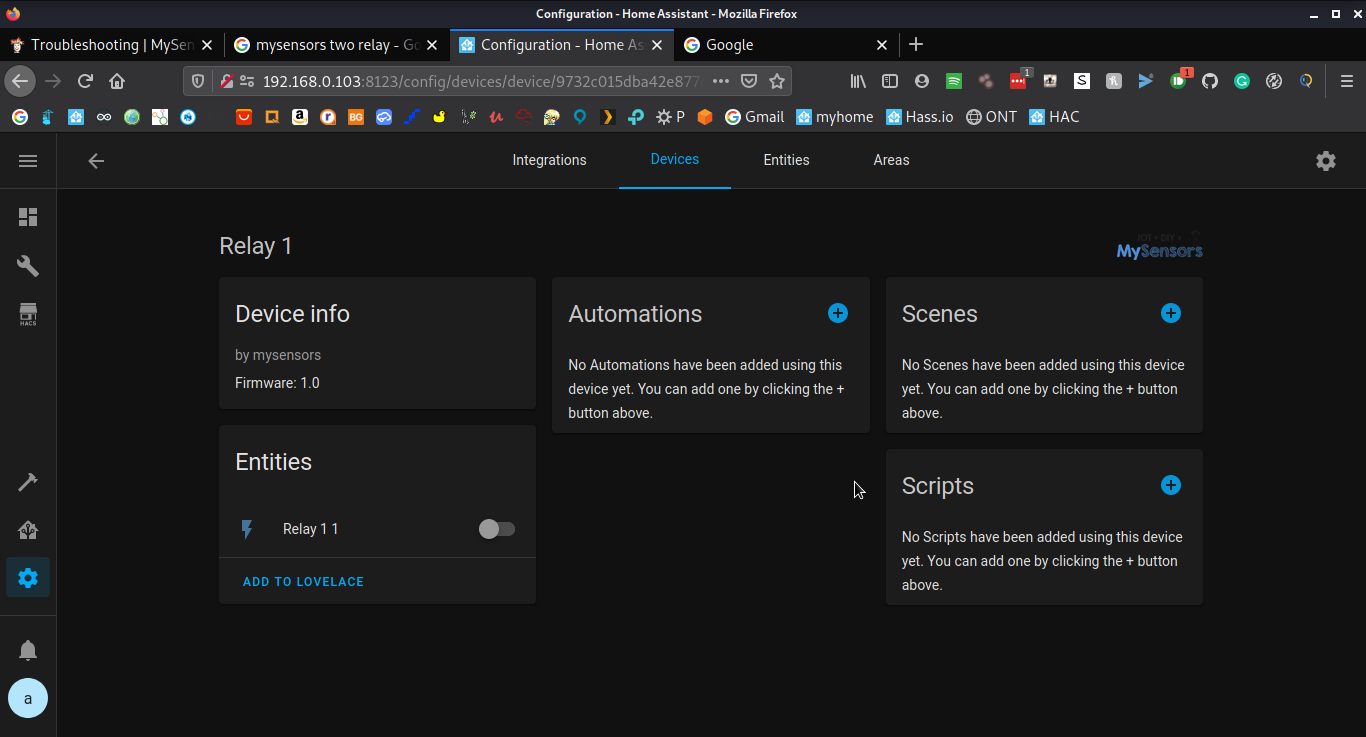
  • cant add two relays in the Home assistant

    3
    1
    0 Votes
    3 Posts
    57 Views
    electrikE
    I believe you have to send a state also, to have it show up in home assistant. https://www.home-assistant.io/integrations/mysensors/
  • Led Rx,Tx,Err for ESP8266 Wifi gateway not working.

    1
    0 Votes
    1 Posts
    29 Views
    No one has replied
  • RFM69hcw (arduino pro mini) not finding parent (esp8266)

    8
    0 Votes
    8 Posts
    96 Views
    L
    No luck so far. Thanks for all the advice! For now I have decided to try something else end keep using nRF24 but switch from a ESP8266 gateway to one running on a Raspberry Pi.
  • [SOLVED] BH1750 Light level sensor not reading after sleep

    5
    0 Votes
    5 Posts
    111 Views
    V
    Hi @Steve-Parsons, short question: do you have applied the external pull-up resistors for the two I2C bus lines? Some modules have them built-in but others not. E.g. the Lolin Wemos shield has them already connected to power with two 4.7k resistors. See schematic for it: sch_bh1750_v1.0.0.pdf If not, you should try this. May be your first module is not defect, but only the resistors are missing?
  • (homeassistant) mysensors.notify does nothing, (alternatives?)

    8
    0 Votes
    8 Posts
    818 Views
    Dmitry CherkasD
    I faced same issue and was able to solve it by doing a proper presentation of S_INFO widget, as described in sample sketch: https://www.home-assistant.io/integrations/notify.mysensors/ The error message is quite misleading.

17

Online

11.7k

Users

11.2k

Topics

113.1k

Posts