
Help for a newbie please ;)
-
Hi All...
I'm really a complete addict when it comes to lights, always have been. I even installed fiber optic star ceiling in my SUV, with 380 RGB twinkling stars.
Anyway to the point...
I have a 5m double row RGBWW LED strip, which I want to install under my SUV. Here's the spec...
DC12V 120LED/m white WarmWhite RGB Waterproof IP67 nonwaterproof 5M 16.4ft 5050 Double Row SMD 600 leds Flexible Strip black pcb.
They run at around 60W. I have no control box for these lights. I really want to make use of the RGBWW colors and ranges, so ideally I'd like a good control box, and possibly control the colors and modes through a smartphone app. Even better if there is such a thing, a device I can mount on the dash somewhere with a touch screen.
Any help, ideas, or suggestions greatly appreciated, thanks.
One other issue, I recently bought a 5m RGB double row strip, cut it into four strips and installed them in some wheel rings i fabricated from aluminium. They look great and the install went smoothly. They had 4 wires, a live, and a red, blue, and green.
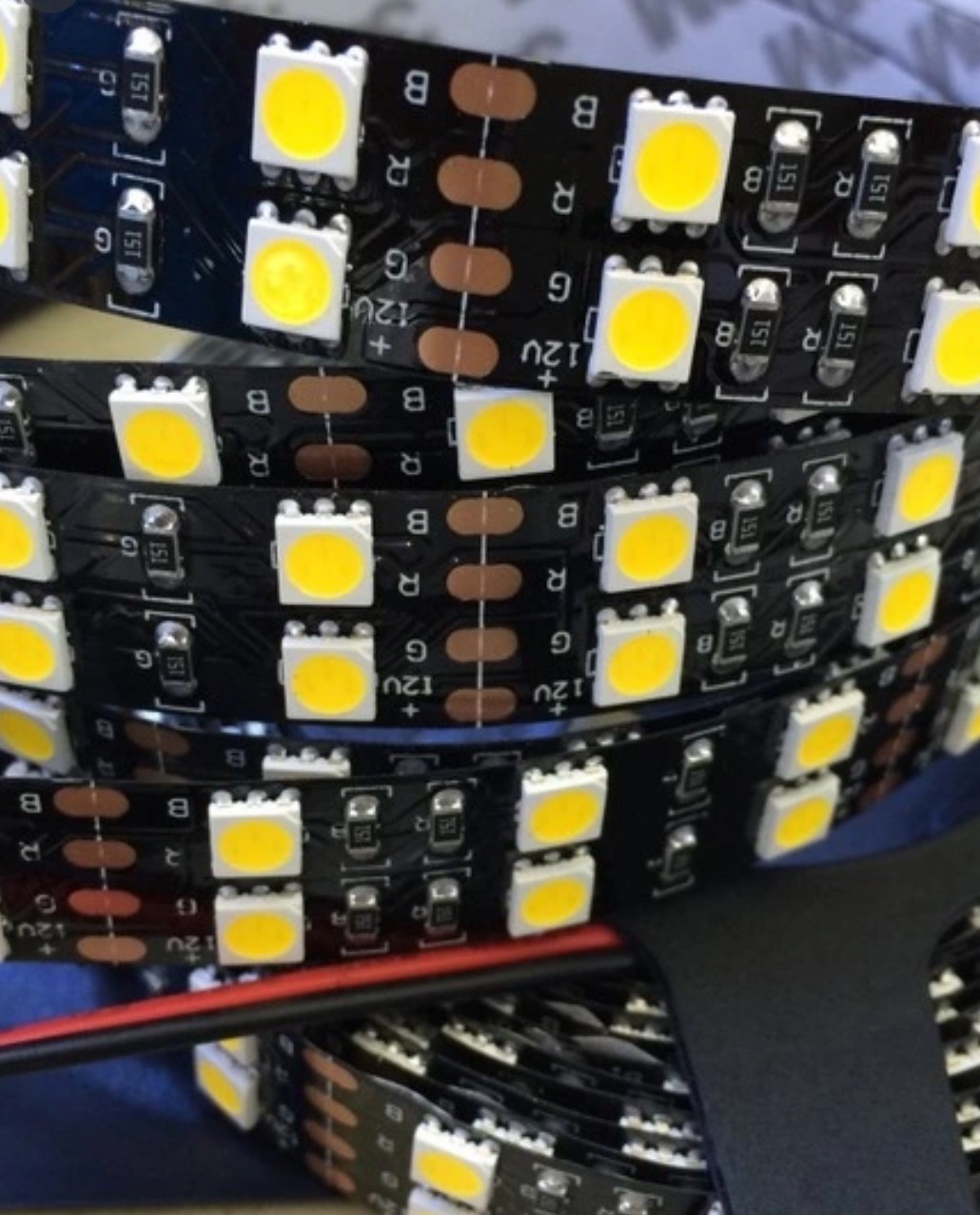
The RGBWW strips I've still to install, only have two wires connected to each end, a red wire to the positive, and a red / black wire to the B. No wires connected to the R or G. Can I assume I need to solder on the missing wires to the R & G connections on the LED strips, to make them have four wires as normal?
Thanks again!!
Here's a pic of the strip attached.
-
Hi All...
I'm really a complete addict when it comes to lights, always have been. I even installed fiber optic star ceiling in my SUV, with 380 RGB twinkling stars.
Anyway to the point...
I have a 5m double row RGBWW LED strip, which I want to install under my SUV. Here's the spec...
DC12V 120LED/m white WarmWhite RGB Waterproof IP67 nonwaterproof 5M 16.4ft 5050 Double Row SMD 600 leds Flexible Strip black pcb.
They run at around 60W. I have no control box for these lights. I really want to make use of the RGBWW colors and ranges, so ideally I'd like a good control box, and possibly control the colors and modes through a smartphone app. Even better if there is such a thing, a device I can mount on the dash somewhere with a touch screen.
Any help, ideas, or suggestions greatly appreciated, thanks.
One other issue, I recently bought a 5m RGB double row strip, cut it into four strips and installed them in some wheel rings i fabricated from aluminium. They look great and the install went smoothly. They had 4 wires, a live, and a red, blue, and green.
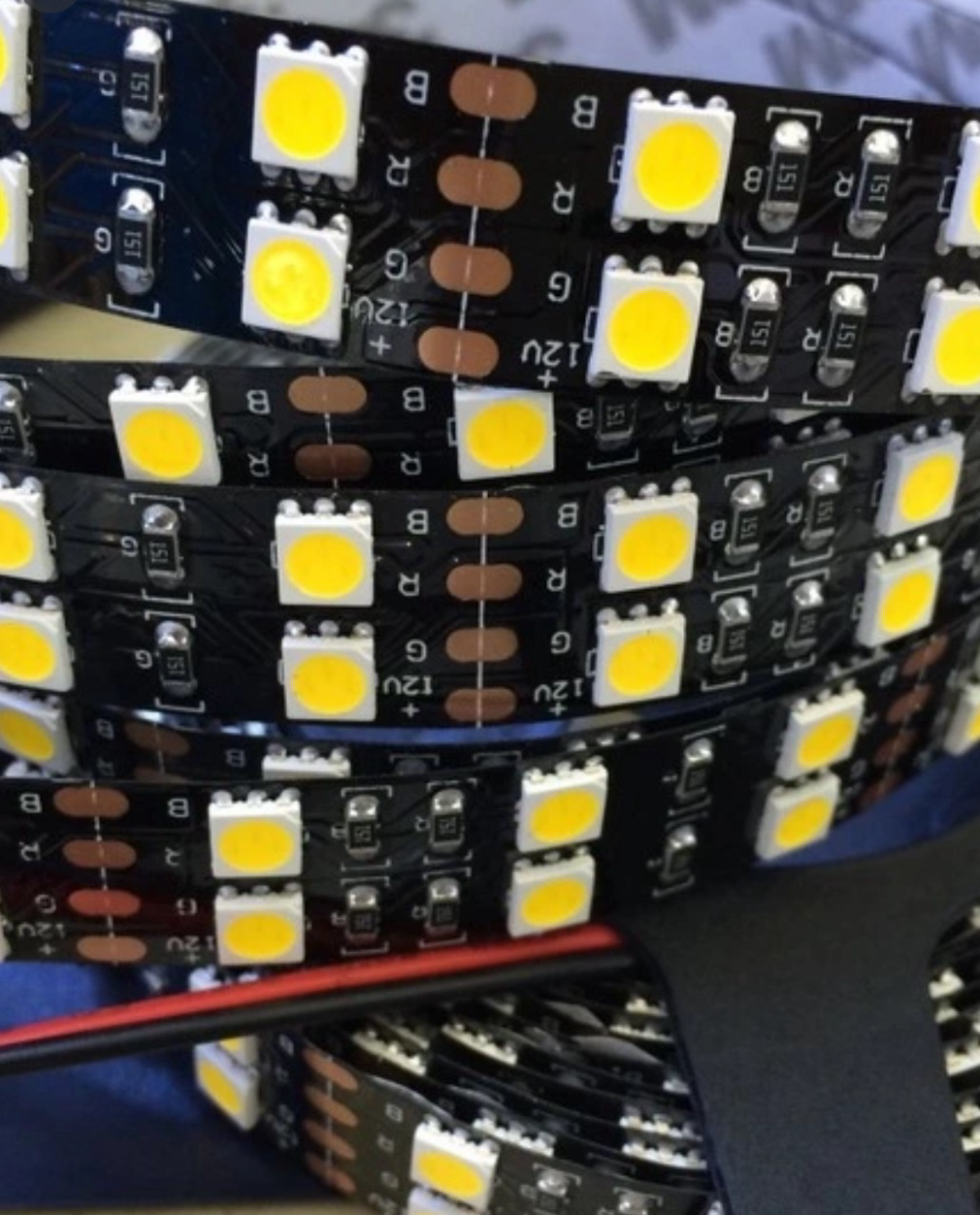
The RGBWW strips I've still to install, only have two wires connected to each end, a red wire to the positive, and a red / black wire to the B. No wires connected to the R or G. Can I assume I need to solder on the missing wires to the R & G connections on the LED strips, to make them have four wires as normal?
Thanks again!!
Here's a pic of the strip attached.
Hi @mattysiam, welcome to the MySensros community!
First the easy question: Yes, if you want to control all channels, you will need wires for them.
For the control box: This "standalone" use case isn't ideal for MySensors, because most MySensors projects rely on a central controller like OpenHab, Domoticz, etc.
However, node-to-node communication is possible, and a node can be quite capable. Some examples to draw inspiration from:
- Scene controller example: https://www.mysensors.org/build/scene_controller
- My arcade game: https://forum.mysensors.org/topic/5548/mysensors-powered-arcade-game-screen-with-wireless-gamepad-controller
- Esp8266 Nextion Scene controller: https://forum.mysensors.org/topic/2766/an-esp8266-nextion-scene-controller
- ESP8266 as WiFi gateway & controller & node: https://forum.mysensors.org/topic/1973/esp8266-as-wifi-gateway-controller-node
- My physical mood light color and brightness selector based on LCD touchscreen: https://forum.mysensors.org/topic/3438/physical-mood-light-color-and-brightness-selector-based-on-lcd-touchscreen-with-demo-video
If you don't want to go the MySensors route, Blynk might be a solution: https://www.youtube.com/watch?v=FF0UaC2QhHA


Hello! It looks like you're interested in this conversation, but you don't have an account yet.
Getting fed up of having to scroll through the same posts each visit? When you register for an account, you'll always come back to exactly where you were before, and choose to be notified of new replies (either via email, or push notification). You'll also be able to save bookmarks and upvote posts to show your appreciation to other community members.
With your input, this post could be even better 💗
Register Login