Skip to content
  • MySensors
  • OpenHardware.io
  • Categories
  • Recent
  • Tags
  • Popular
Skins
  • Light
  • Brite
  • Cerulean
  • Cosmo
  • Flatly
  • Journal
  • Litera
  • Lumen
  • Lux
  • Materia
  • Minty
  • Morph
  • Pulse
  • Sandstone
  • Simplex
  • Sketchy
  • Spacelab
  • United
  • Yeti
  • Zephyr
  • Dark
  • Cyborg
  • Darkly
  • Quartz
  • Slate
  • Solar
  • Superhero
  • Vapor

  • Default (No Skin)
  • No Skin
Collapse
Brand Logo
blaceyB

blacey

@blacey
Admin
About
Posts
237
Topics
4
Shares
0
Groups
2
Followers
1
Following
1

Posts

Recent Best Controversial

  • IR Blaster (progress)
    blaceyB blacey

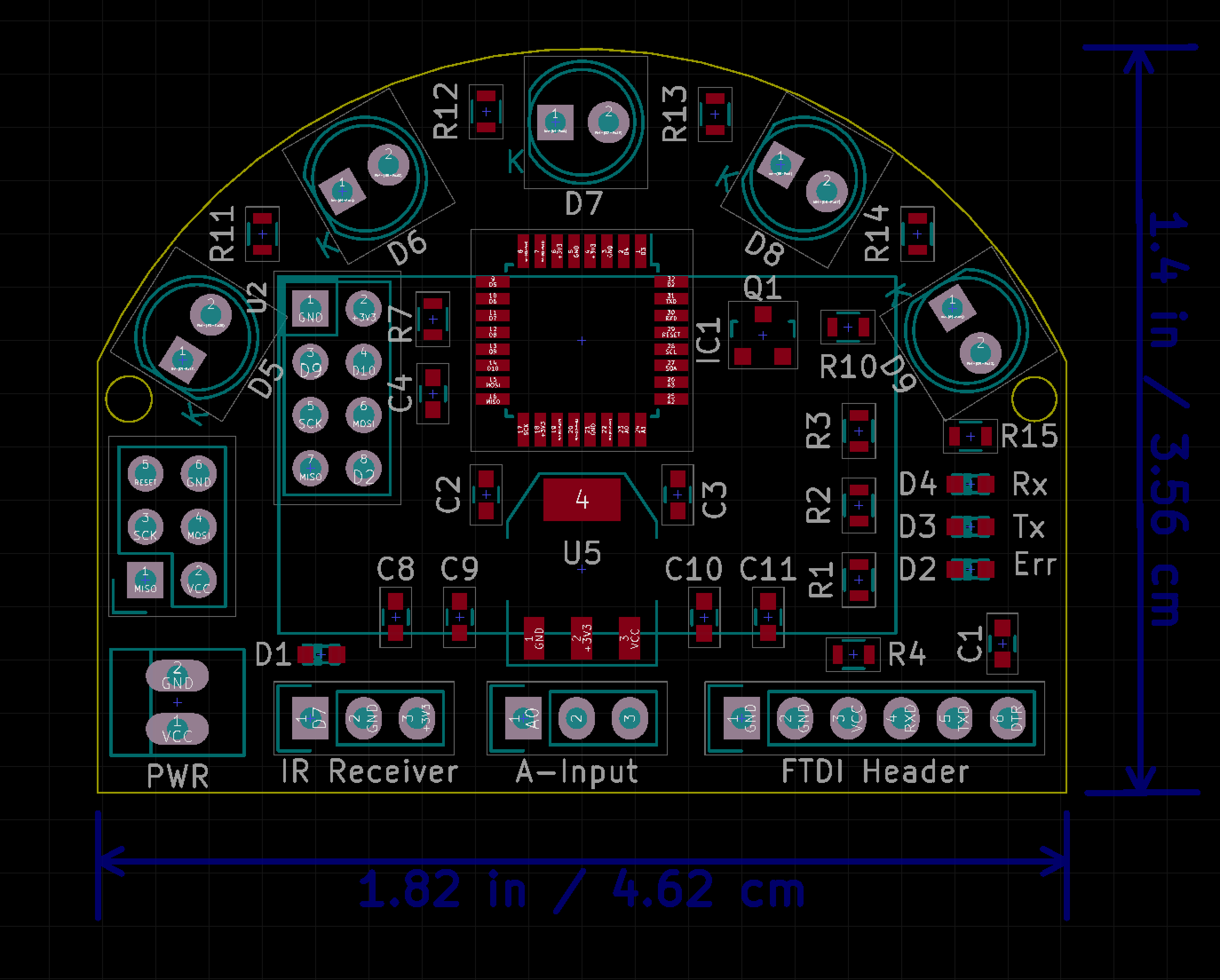
    Several people have requested the IR Blaster that I demonstrated in this this Luminara Candle Actuator post but the 1st generation IR Blaster is tedious to build by hand so I decided to develop a purpose-built IR Blaster Actuator. The concept is to collapse everything from the 1st generation IR blaster down to a single PCB that also incorporates all the MySensor's capabilities (e.g. OTA sketch updates and hardware message-signing), add a temperature and humidity sensor (why not?), and a high-luminance, long-range IR Blaster all powered by a standard 5VDC AC power adapter. The IR Blaster can be used to control multiple devices in your home that use a standard infrared remote control (e.g. TV, Receiver, DVR, Air Conditioner, Luminara candles, etc.). Below is an overview, the initial schematic and a rough board layout to give you a sense of the design and size. In discussing with @Hek, if there is enough interest, we will offer this board on ITead Studio so if you are interested, please weigh in and more importantly blast away (pun intended) with critiques or flaws in the features, design, etc.

    MySensors Core (derivative work of @tobowmo's Sensebender Micro who deserves a ton of credit and huge thanks for this circuit!)

    • ATMEL MCU - ATMEGA 328P / Arduino compatible
    • Hardware encryption for message signing - ATSHA204A (thanks to @Anticimex for developing the message signing support)
    • Flash for OTA sketch updates - AT25F512C (thanks to @tosa and @tekka for the OTA sketch support)
    • Radio - NRF24L01+ socket
    • 3.3 VDC on-board LDO voltage regulator to power MySensors MCU & Radio Core

    Actuators

    • High-Luminance IR Blaster (5 IR LEDs)
    • Driven by logic-level MOSFET for maximum current distribution to IR LEDs
    • Separate 5.0 VDC on-board LDO voltage regulator to power IR blaster (Isolate MySensors Core from IR current dips)
    • 180 degree illumination

    Sensors

    • IR receiver socket (can be used for IR decoding for sketch customization)
    • Temperature and Humidity (Si7021 - same sensor that Thomas Mørch selected for the Sense-Bender Micro)

    3 Analog Inputs

    • A0, A1, A2 (auxiliary input for other sensors - e.g. PIR, luminance, etc.)

    Other

    • Rx, Tx, and Err LEDs (credit to @thozza for adding LED support to sensors/actuators)

    Power

    • list itemStandard 5VDC adapter (regulated on board to 3.3V)

    Open questions

    • IR LED choice - range versus luminance spread (IR-333-A vs. IR-333-C or hybrid)
    • Include an external oscillator/crystal
    • Decoupling capacitor value for NRF24L01+
    • Include barrel connector to simultaneously drive external IR LED emitters
    • Physical learn-mode trigger
    • (added) Driving 5 IR LEDs at maximum luminance with a single transistor (will breadboard to confirm)
    • (added) Include a 5V power plane
    Schematic v0.2.pdf
    IRBlasterBoard v0.1.png

    Hardware

  • IR Switch for Luminara Candle Automation (repost with video, photos and final sketch)
    blaceyB blacey

    So, my wife loves her Luminara candles that she can turn on and off with a Luminara remote control so heck, why not tie them into the HA system so they come on at sunset and go off when we go to bed each evening? I built a high-power IR blaster, ginned up a small circuit to decode the Luminara remote control codes using the IRSensor sketch MySensors example provided by @hek, configured the on/off IR codes in the actuator sketch and voila - our Vera 3 is able to control my wife's candles! Video, photos and the sketch are provided below.

    IR Switch Video

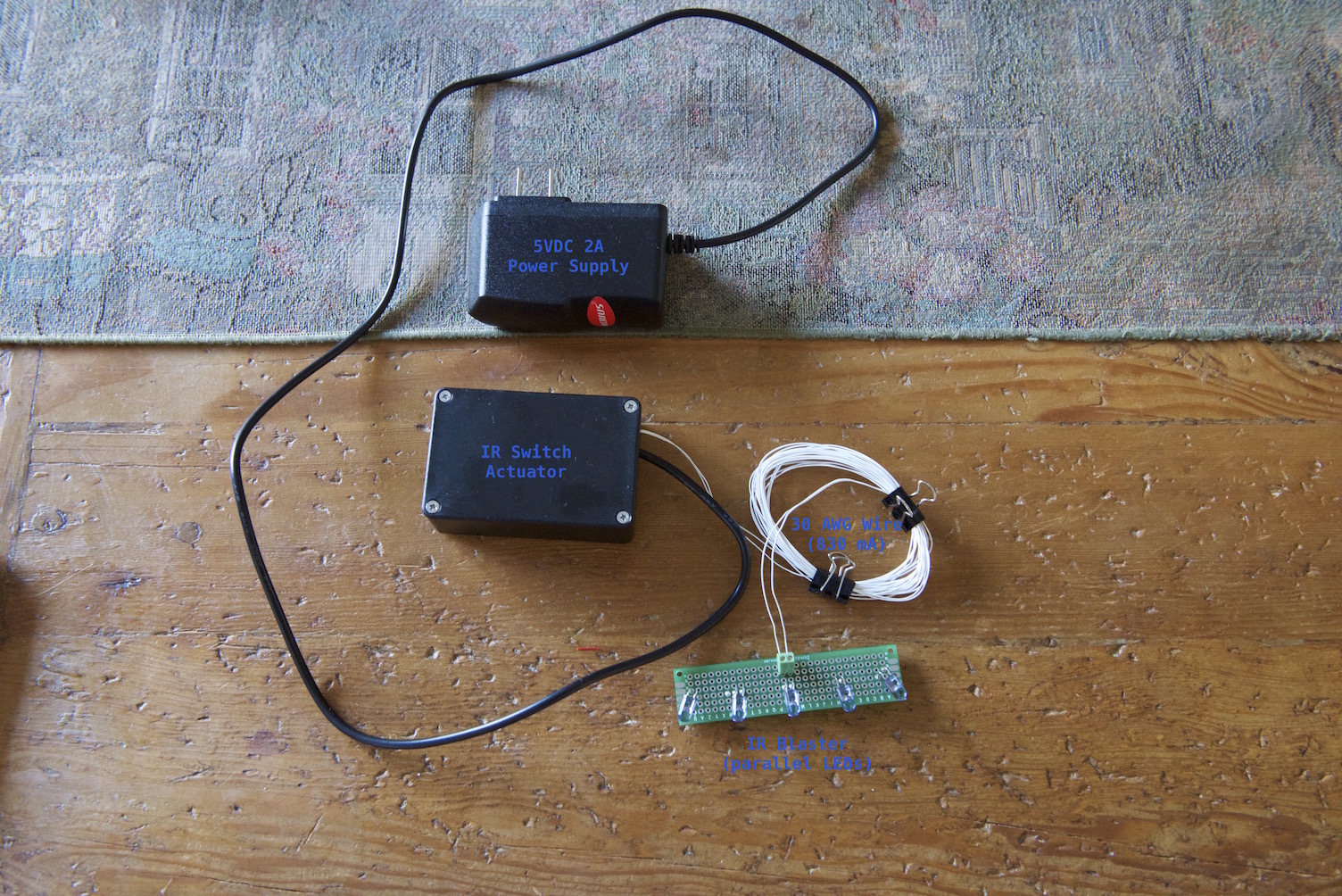
    Completed IR Switch Actuator
    FinalIRSwitch.jpg

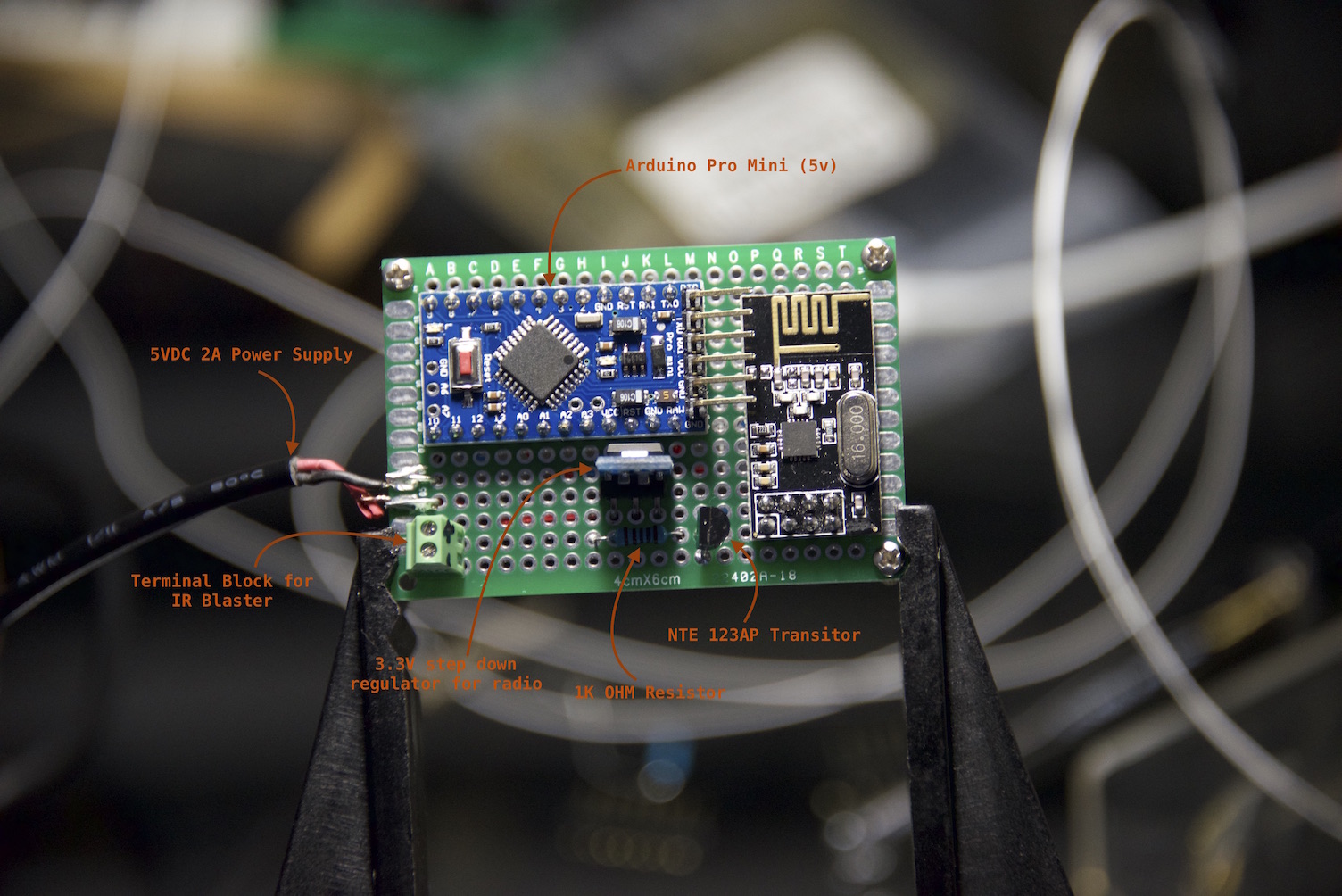
    IR Switch Actuator Circuit (top)
    IRSwitchActuatorTop.jpg

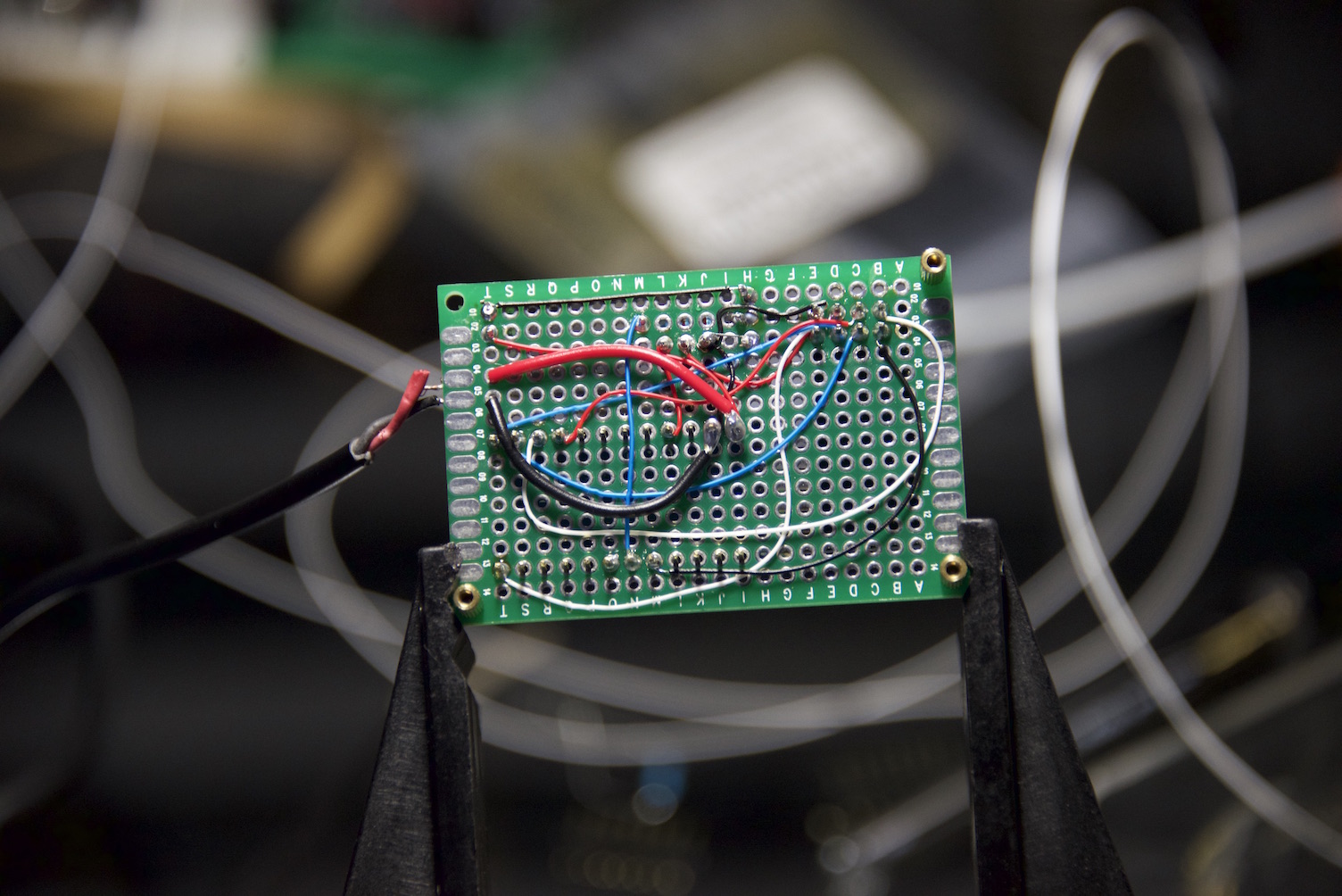
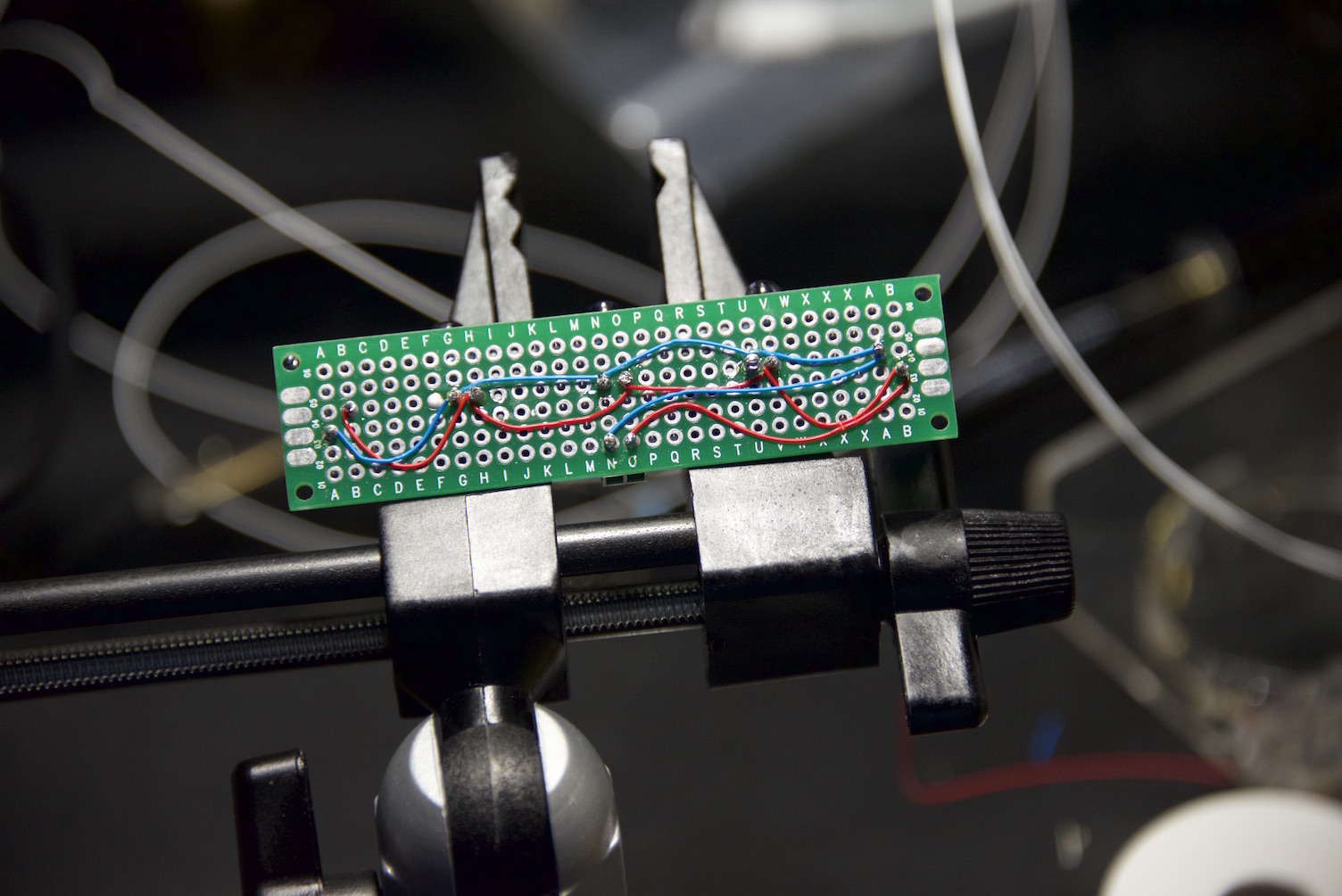
    IR Switch Actuator Circuit (bottom) - should probably invest in the convenience boards that others have created to avoid excessive wire-wrapping and soldering ;)
    IRSwitchActuatorBottom.jpg

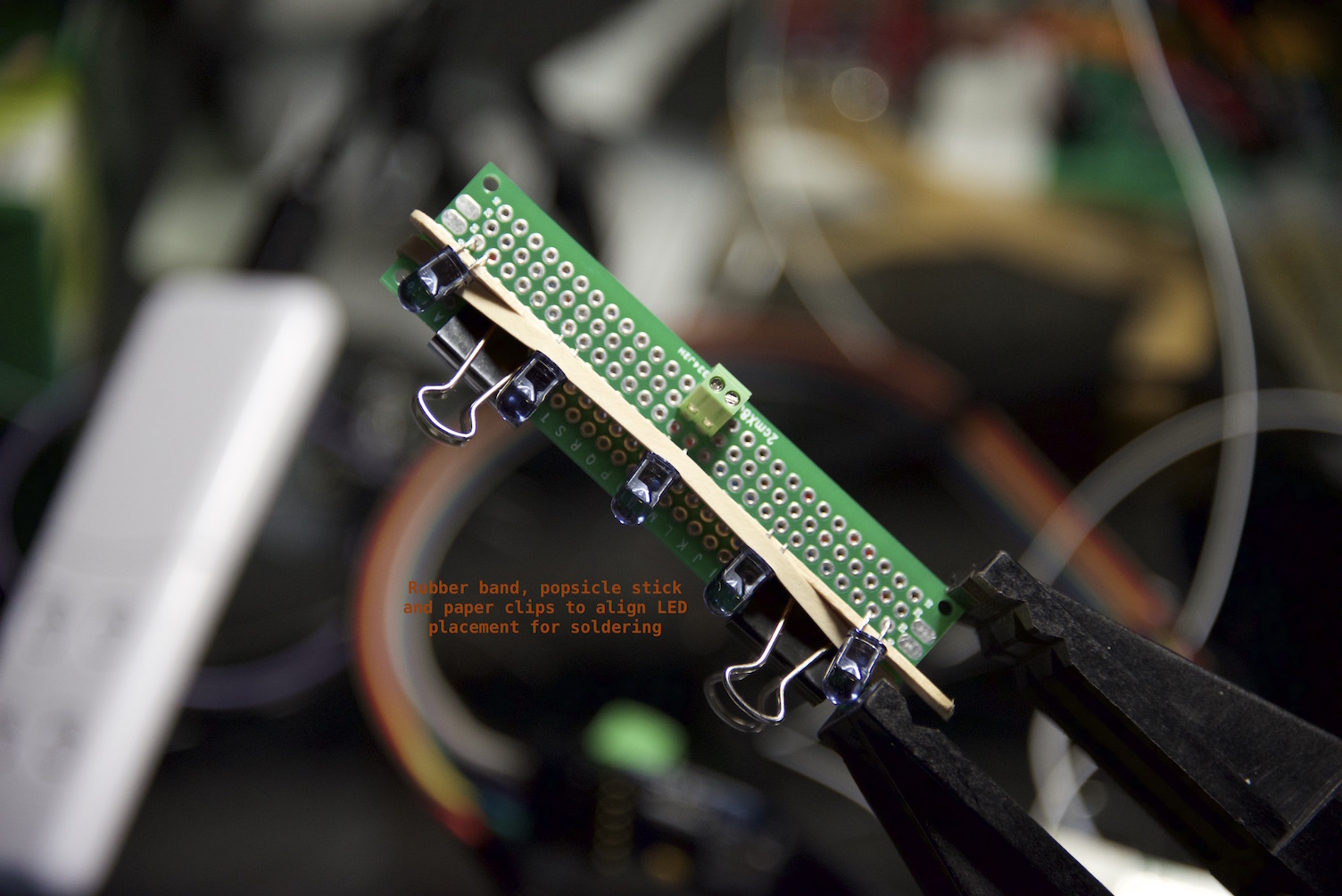
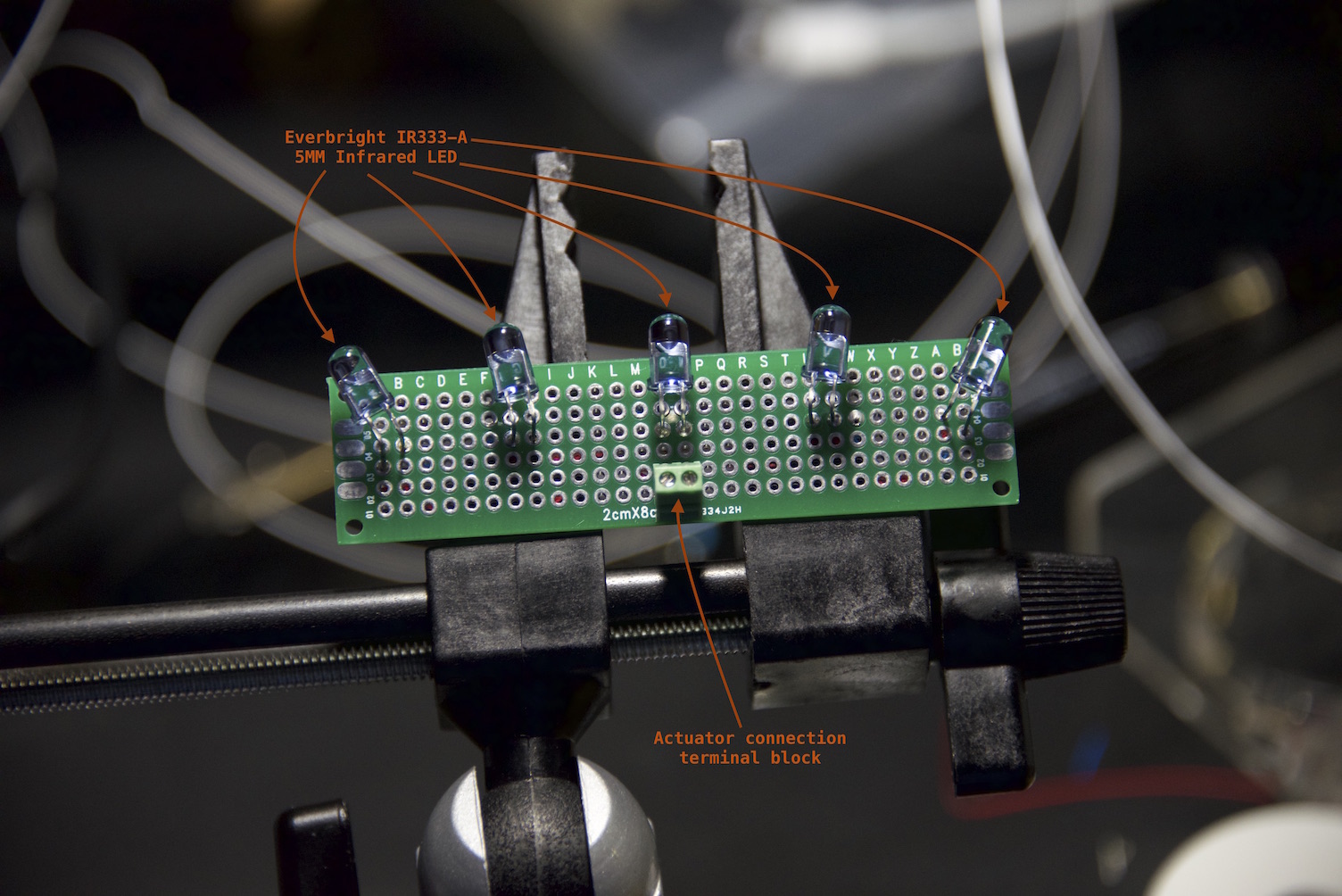
    Assembling the IR Blaster - parallel circuit, no forward current resistors to maximize radiant luminance.
    IRBlasterAssemblyTop.jpg

    Assembled IR Blaster (top)
    IRBlasterTop.jpg

    Assembled IR Blaster (bottom)
    IRBlasterBottom.jpg

    IR Switch Sketch

    This was a fun project with a very positive wife factor and I hope others find this useful.

    Cheers.

    UPDATE (2015-MAY-13) I have started a new thread here to flesh out the design of an official IR Blaster -

    My Project ir blaster ir code

  • Problem Connecting to gateway
    blaceyB blacey

    @Jaime-Machado said in Problem Connecting to gateway:

    Can anyone tell me whats wrong here?

    Welcome to MySensors! Sounds like you are making great strides already. Usually the gateway is connected to an HA controller that is responsible for vending IDs to nodes during the inclusion/pairing process. In your case, if you are using a stand-alone gateway and node, then you will need to statically define the node id in the node sketch. The node id needs to be unique to each node and ranges from 1 to 254 (note, you can also have up to 254 child sensors per node).

    Try setting the following in the top of your node sketch before the MySensors.h include.

    #define MY_NODE_ID 1
    
    #include <MySensors.h>
    

    Whenever I need to statically set a node id, I usually do so at the very top of the sketch so it is clear when you open the sketch that the node id is statically defined.

    Finally, did you know that you can post code blocks using ``` before and after the code to make it more legible? That is what I used above.

    Troubleshooting

  • Reflow Oven
    blaceyB blacey

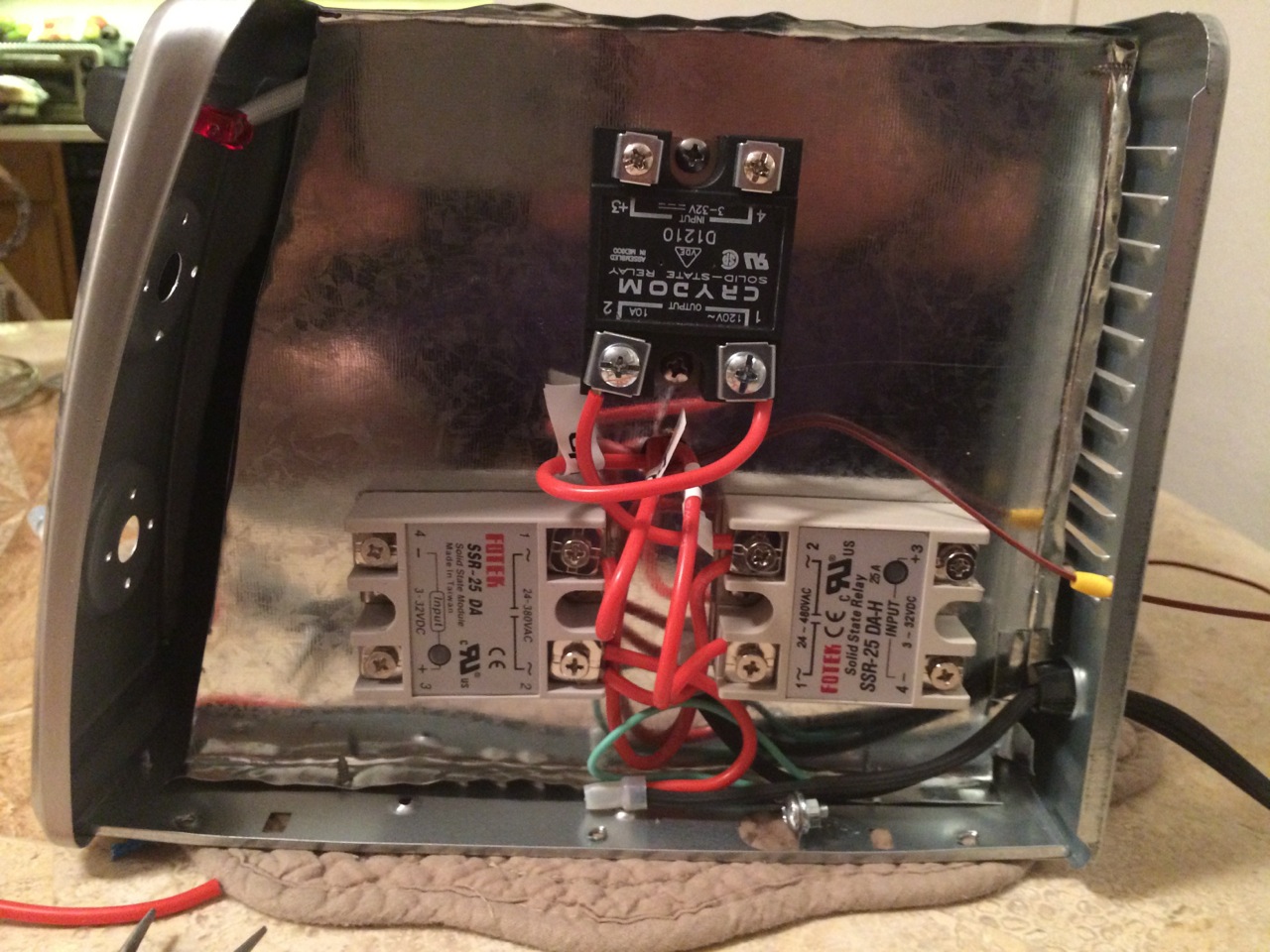
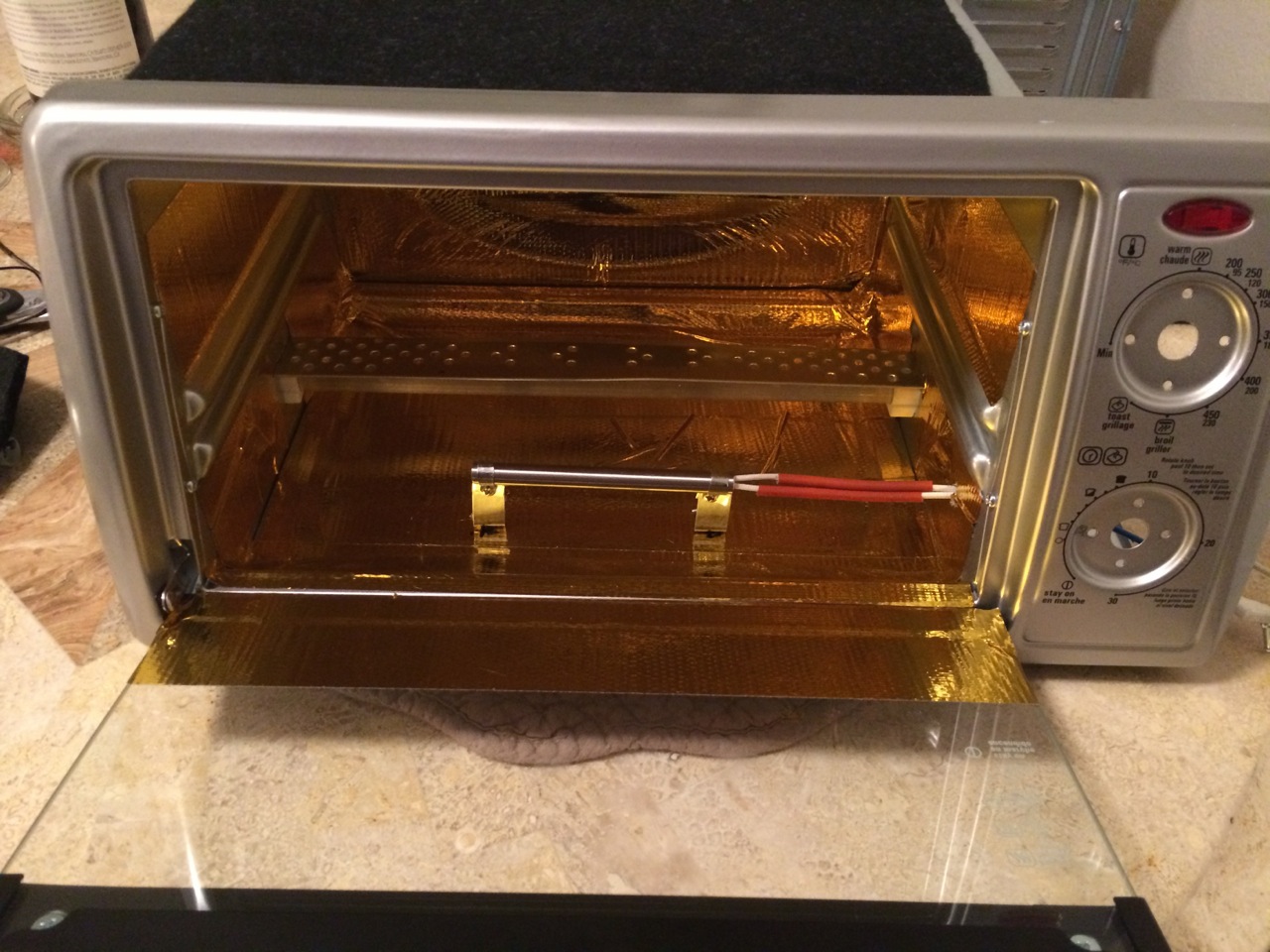
    Here are some of the results that I achieved with a built-from-scratch reflow oven and Peter's ControLeo.

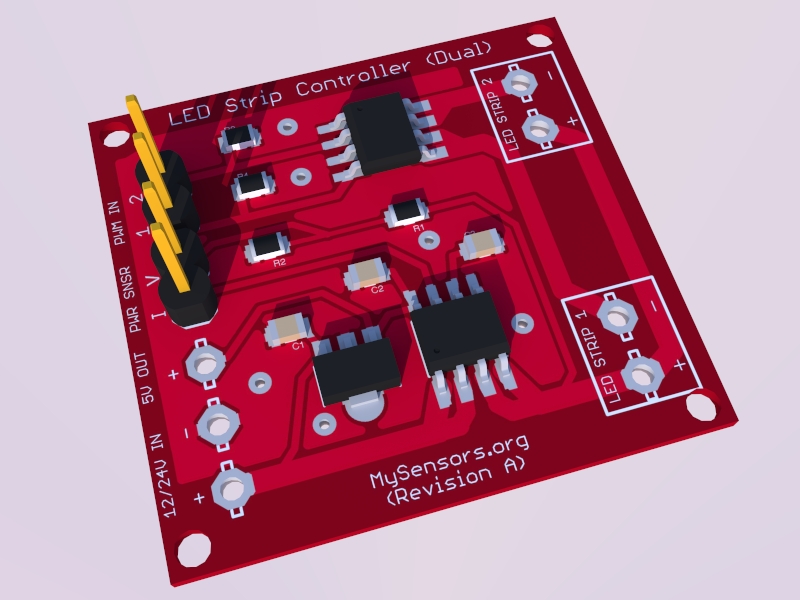
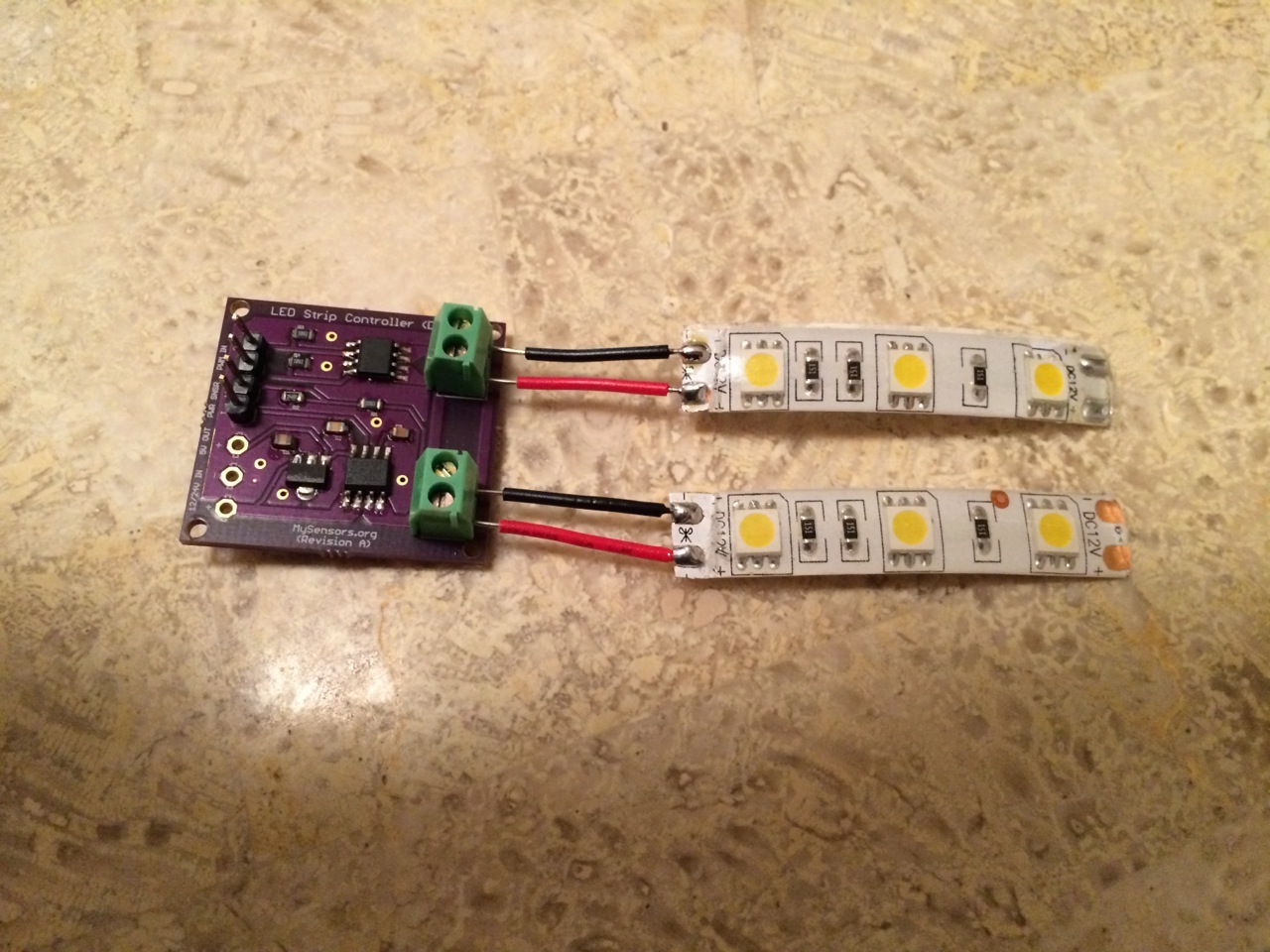
    MySensors.org Dual Channel LED Strip PWD Dimmer with current sensing (voltage, amperes with computed wattage):

    pcb-render.jpg

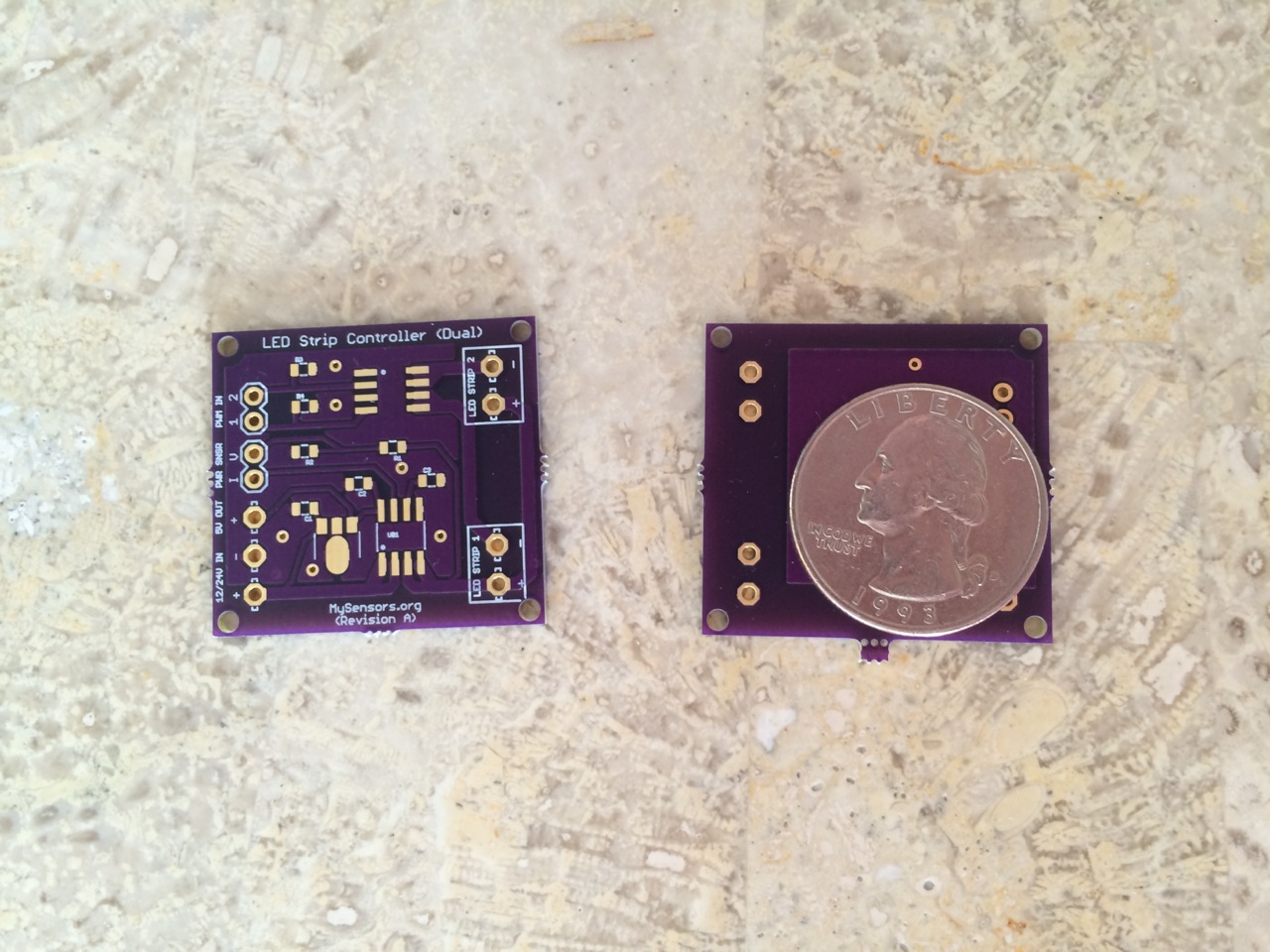
    Proto-boards from OSHPark

    pcb.jpg

    Oven build images...

    OvenInternals.jpg

    OvenInternals1.jpg

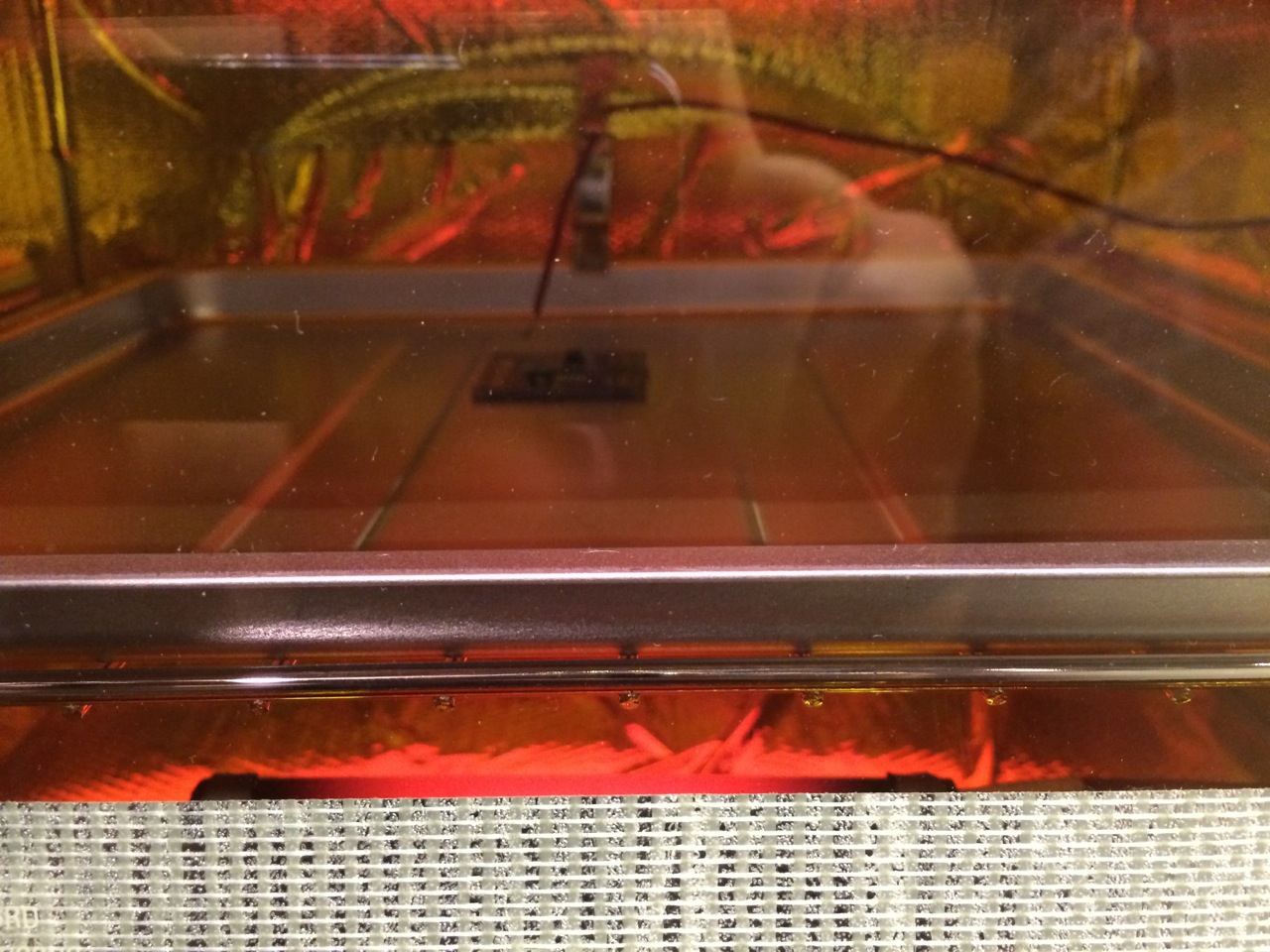
    First board baking...

    BakingFirstBoard.jpg

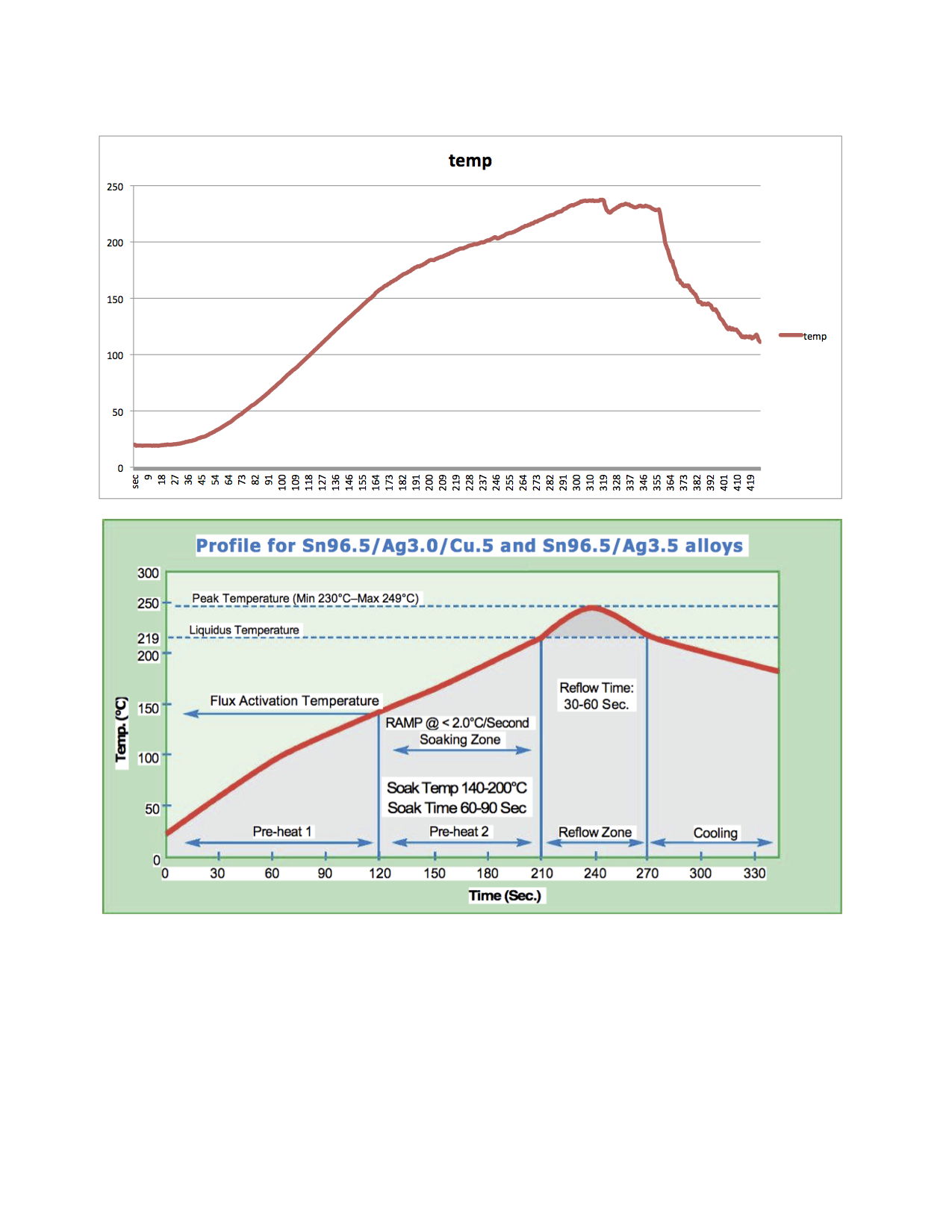
    Temperature profile I achieved for first board.

    profile.png

    Fully functional test board.

    testboard.jpg

    This final product will be refined and will vary slightly but @hek, @axillent and I plan to make boards like this and more available, once the designs are fully baked so to speak. In the mean time, these simple reflow ovens based upon the ControLeo work very well.

    Hardware

  • IR Blaster (progress)
    blaceyB blacey

    First Dev Boards Complete 10-JUL-2015 - status update with video

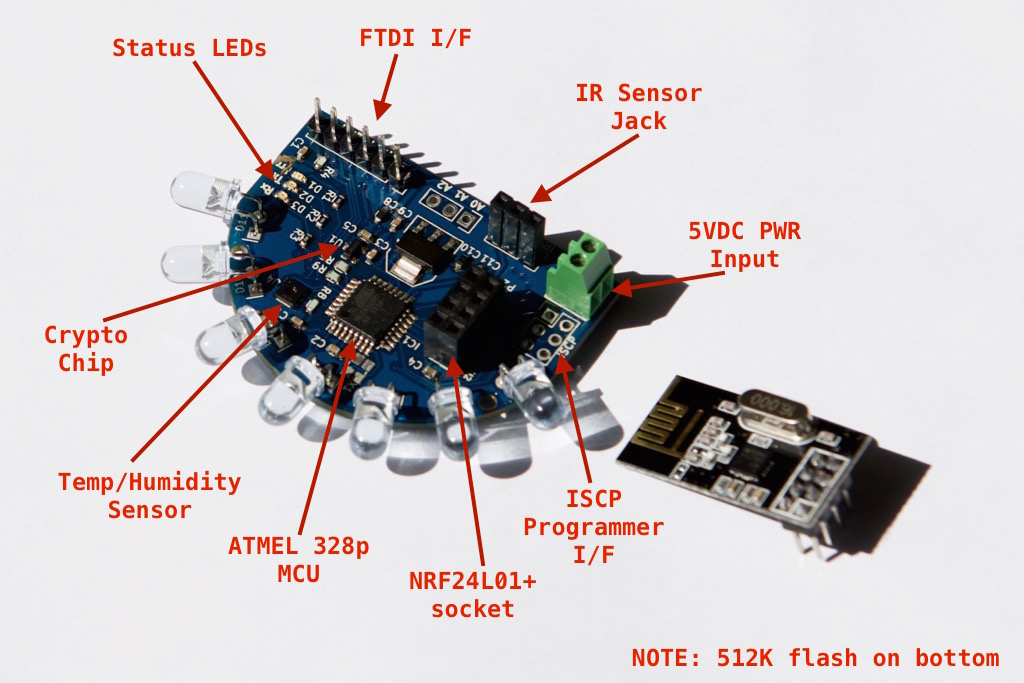
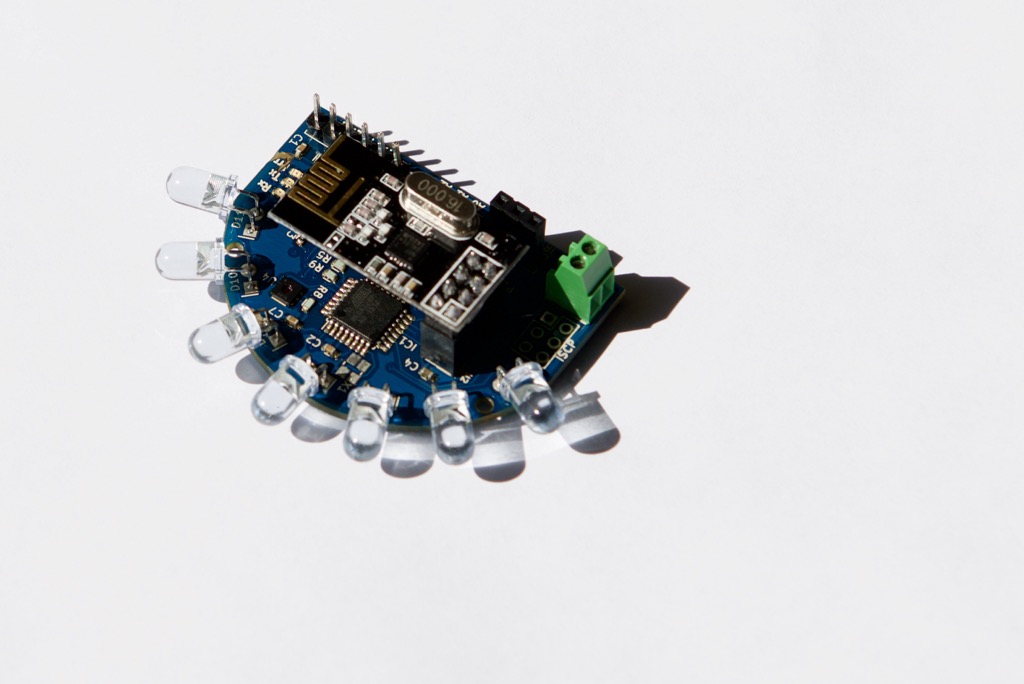
    I assembled two dev boards yesterday, brought up all subsystems and they are both working great. Still a bit more work to do before they go to production but here are a couple of photos and a demonstration video.

    Assembled dev board w/o radio
    DSC_1131.jpg

    Assembled board w/Radio attached
    DSC_1132.jpg

    Demonstration Video
    https://youtu.be/UXjcwlJOMOI

    I am going to rev the board a bit to pull all components to the top-side to reduce the cost and also subject the boards to the IR Sensor Array testing to tune the IR LED component choice for maximum performance.

    Hardware

  • Invert the relay in the sketch
    blaceyB blacey

    @derksuh Ok, I took a shot at refactoring your sketch. I didn't have much time and I only ensured that it compiles so your MMV... This could probably be simplified even more but you know the old saying, "If I had more time, I would write less code" ;)

    #define MY_DEBUG
    #define MY_RADIO_NRF24
    #define MY_REPEATER_FEATURE
    #define MY_NODE_ID 1
     
    #include <SPI.h>
    #include <MySensors.h>
    #include <DHT.h>
    
    // Set this to the pin you connected the DHT's data pin to
    #define DHT_DATA_PIN 6
    
    // Set this offset if the sensor has a permanent small offset to the real temperatures
    #define SENSOR_TEMP_OFFSET 0
    
    // Sleep time between sensor updates (in milliseconds)
    // Must be >1000ms for DHT22 and >2000ms for DHT11
    static const uint64_t UPDATE_INTERVAL = 60000;
    
    // Force sending an update of the temperature after n sensor reads, so a controller showing the
    // timestamp of the last update doesn't show something like 3 hours in the unlikely case, that
    // the value didn't change since;
    // i.e. the sensor would force sending an update every UPDATE_INTERVAL*FORCE_UPDATE_N_READS [ms]
    static const uint8_t FORCE_UPDATE_N_READS = 10;
    
    #define CHILD_ID_HUM 0
    #define CHILD_ID_TEMP 1
    #define CHILD_ID_RLAY 2
    
    #define RELAY_PIN  3
    #define RELAY_ON 1  
    #define RELAY_OFF 0
    
    #define TEMP 0
    #define HUMI 1
    
    byte state = 0;
    bool metric = true;
    
    MyMessage msgHum(CHILD_ID_HUM, V_HUM);
    MyMessage msgTemp(CHILD_ID_TEMP, V_TEMP);
    MyMessage msgRlay(CHILD_ID_RLAY, V_STATUS);
    
    typedef struct {
      float last;
      uint8_t nNoUpdates;
    } sensorState_t;
    
    sensorState_t dhtState[2];
    
    DHT dht;
    
    void presentation()   
    { 
      // Send the sketch version information to the gateway
      sendSketchInfo("TempHumidRelay", "1.1");
      
      // Register all sensors to gw (they will be created as child devices)
      present(CHILD_ID_HUM, S_HUM);
      present(CHILD_ID_TEMP, S_TEMP);
      present(CHILD_ID_RLAY, S_BINARY);
    
      // Ask the gateway for the units of measure to use
      metric = getConfig().isMetric;
    }
    
    void setup()
    {
      // Make sure relays are off when starting up
      pinMode(RELAY_PIN, OUTPUT);
      digitalWrite(RELAY_PIN, RELAY_OFF);
    
      // Initialize the Temperature & Humidity sensor, first reading will be sent from loop()
      if (UPDATE_INTERVAL >= dht.getMinimumSamplingPeriod()) {
        dht.setup(DHT_DATA_PIN); // set data pin of DHT sensor and model (e.g. DHT_22, DHT_11)
      } else {
        Serial.println("Warning: UPDATE_INTERVAL is smaller than supported by the sensor!");
        Serial.println("Increase UPDATE_INTERVAL and re-upload sketch...");
      }
     
      // Request the latest relay status from the gateway 
      Serial.println("Requesting initial value from controller");
      request(CHILD_ID_RLAY, V_STATUS);
    }
    
    void loop()      
    { 
      // Sleep until next valid interal to read temperature and humidity
      wait(UPDATE_INTERVAL);
    
      // Read current temperature & humidity from DHT22
      dht.readSensor(true);
      float temperature = dht.getTemperature();
    
      // Only send temperature if it has changed since the last measurement or if we didn't send an update for n times
      if (temperature != dhtState[TEMP].last || dhtState[TEMP].nNoUpdates >= FORCE_UPDATE_N_READS) {
        dhtState[TEMP].last = temperature;
        temperature = metric ? temperature : dht.toFahrenheit(temperature);
        temperature += SENSOR_TEMP_OFFSET;
        send(msgTemp.set(temperature, 1));
        #ifdef MY_DEBUG
          Serial.print("T: ");
          Serial.println(temperature);
        #endif
        dhtState[TEMP].nNoUpdates = 0;
      }
      else if (isnan(temperature)) {
        Serial.println("Failed reading temperature from DHT!");
      } else {
        // Increase no update counter if the temperature stayed the same
        dhtState[TEMP].nNoUpdates++;
      }
    
      // Retrieve the current humidity
      float humidity = dht.getHumidity();
    
      // Only send humidity if it changed since the last measurement or if we didn't send an update for n times
      if (humidity != dhtState[HUMI].last || dhtState[HUMI].nNoUpdates >= FORCE_UPDATE_N_READS) {
        dhtState[HUMI].last = humidity;
        send(msgHum.set(humidity, 1));
        
        #ifdef MY_DEBUG
          Serial.print("H: ");
          Serial.println(humidity);
        #endif
        dhtState[HUMI].nNoUpdates = 0;
    
      } else if (isnan(humidity)) {
        Serial.println("Failed reading humidity from DHT");
      } else {
        // Increase no update counter if the humidity stayed the same
        dhtState[HUMI].nNoUpdates++;
      }
    }
    
    void receive(const MyMessage &message) {
      Serial.println("Received message...");
    
      if (message.type == V_STATUS) {
        // Change relay state
        state = message.getByte();
        digitalWrite(RELAY_PIN, state);
        send(msgRlay.set(state));
      }
    }
    
    Development

  • IR Blaster (progress)
    blaceyB blacey

    @gloob, @john, @notYetRated and everyone else - Here is an update on IR Blaster project

    The first dev boards are working well but not as good as they should IMHO. My 0.5 LED circuit design uses a separate voltage-regulated parallel IR LED emitter circuit. After a lot of technical research into the depths of IR Emitters and collaboration with others, I can greatly improve the IR performance by moving to a constant-current (not constant-voltage) serial IR LED emitter circuit. I have been scouring the net for constant current regulators and/or LED drivers that can handle 7 IR LEDs @100ma & 1.6FV and have a few candidates under review for prototyping.

    I have also been in touch with the AnalysisIR guys to ensure compatibility of our board with their offerings because users have successfully decoded long IR encodings, using the advanced AnalysisIR decoding software, such as HVAC units popular in the EU/UK - for example Panasonic AC and Mitsubishi AC. The goal being that any Analysis IR decodes, will be directly compatible with our board so we can leverage the enthusiasm and prior work of the AnalysisIR community at large. In addition, I would like to advance our board to be able serve as a full spectrum IR decoder to ensure maximum decoding performance when using AnalysisIR on the board. Compatibility requires running the MCU at 16MHz or great to improve the IR mark/space decoding which also requires additional changes to the original circuit design.

    All of that said, the reason for the recent silence by me has been due to my personal life - I have had a hectic family pursuit requiring multi-month travel from home and work has heated up again.

    Fear not though, this is an extremely important project for me and I will get it done! While it is taking a bit longer than I had hoped, I firmly believe it will be well worth the wait.

    Hardware

  • IR Blaster (progress)
    blaceyB blacey

    Apologies everyone but progress has been much slower than I had planned/wished for two reasons. 1) Work obligations and 2) a special automation from my wife that has usurped my MySensors cycles that required helping the FreeCAD open source project to advance my cause. My plan is to hit IR Blaster hard within the next 4-6 weeks.

    Hardware

  • SmartThings integration?
    blaceyB blacey

    A good friend of mine and talented engineer/architect recently purchased a SmartThings hub. Last weekend I ginned up an ESP8266/Node MCU gateway paired with a SenseBender Micro and gave it to him for SmartThings integration experimentation/plug-in development - I'm hopeful that something good will come of it ;)

    Feature Requests

  • Sending image-data over the MySensors network.
    blaceyB blacey

    @Oitzu said:

    Hm... i see. I thought there could be maybe a hidden functionallity to directly pipe and stream it trough the MySensors network.
    But this could work as well, i just need to chomp it up and puzzle it together on the other side.

    Or you could add a new streaming API to the core and create a pull-request ;)

    Development

  • I can't get it to work (Nano V3.0, NRF24L01+Z)
    blaceyB blacey

    @mfalkvidd said:

    However, it looks like the header pins have not been soldered to the Nano.

    Good eyes and nice catch ;)

    Troubleshooting

  • IR Blaster (progress)
    blaceyB blacey

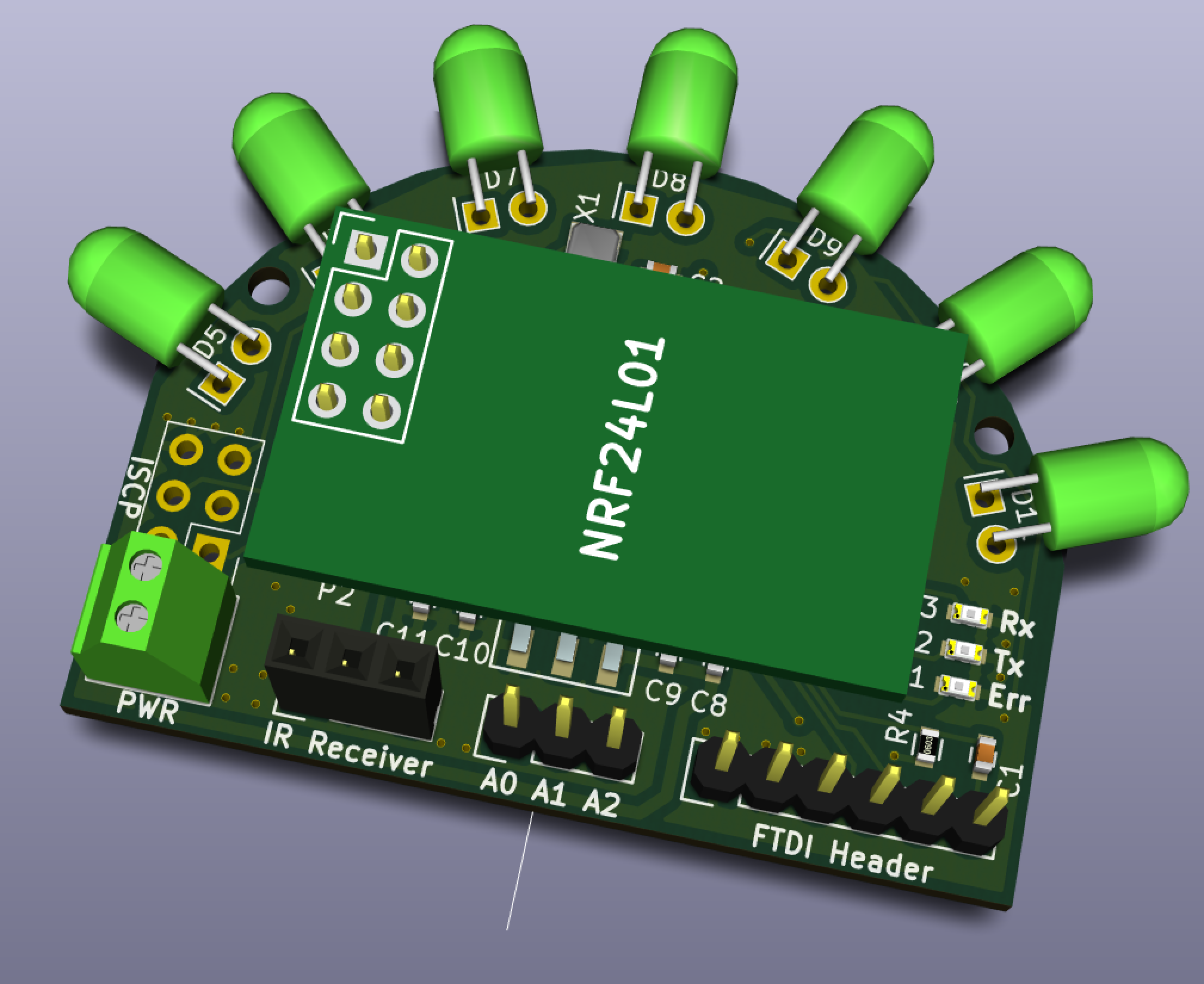
    Placed an order for the first prototype boards today... Sourcing from China to U.S. so it will take a while for them to arrive from the fab but I will keep everyone apprised of the progress. That said, here is a render of the protoboard (v0.5) with NRF24L01+ attached to provide a sense of the board's physical size/footprint (thanks to @tbowmo for the NRF24L01+ 3d-shape).

    Screen Shot 2015-06-25 at 4.32.36 PM.png

    Hardware

  • Anyone tried the $199 Monoprice 3D printer?
    blaceyB blacey

    @NeverDie Anything other than ABS can be printed inside. ABS gives of odor and can adversely affect some people's respiratory systems.

    Enclosures / 3D Printing

  • Powering mote 24/7 using only a supercap and solar
    blaceyB blacey

    @NeverDie And bootchk designed it using KiCAD - well done! As a side note, in the very early days of the MySensors core team (@hek, @tbowmo, @Anticimex and I) decided that, in the spirit of open source, to abandon commercial / proprietary CAD programs for the MySensors official board designs, hence why SenseBender Micro is in KiCAD and the forthcoming gateway will be too. We wanted to ensure that all board designs would be available to users freely for modification and improvements. While KiCAD is the standard for the official MySensors board designs, it would be nice to see broader adoption by the MySensors community as well (as I step down from my soapbox) ;)

    My Project

  • Issue after updating from 1.5 to 2.1.1
    blaceyB blacey

    @tarends120

    @tekka optimized the NRF driver significantly between release 1.5.1 and 2.1.1 allowing the driver to push the radio a bit harder resulting in higher current-draw spikes. I experienced the same issue with nodes that had been running for several years but failing miserably after simply upgrading to the newer library. What I had to do was ensure that I had an adequate current supply for the radio to cope with the larger current-draw spikes. This included adding a 47uf capacitor across the NRF VCC and GND pin (actually @tekka recommended 100uf) and in one case swapping out a 3.3v LDO for a higher current LDO. So I would suggest that you first eliminate NRF power/current supply issues first. Additional background about NRF power needs are available here - https://arduino-info.wikispaces.com/Nrf24L01-2.4GHz-HowTo#PP

    By the way, the new MySensors Gateway that @tbowmo developed has no problem driving an NRF24L01+ PL/NA+ radio at high power.

    Troubleshooting

  • IR Blaster (progress)
    blaceyB blacey

    Status Update - 2015-07-10

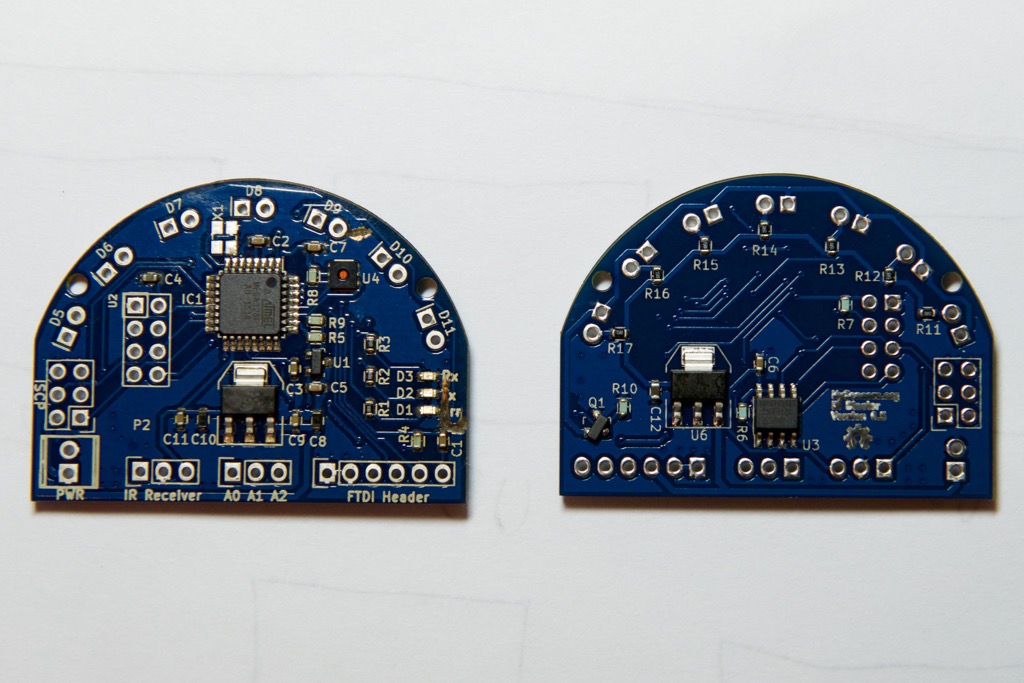
    Ok, so here is the latest on our progress to build an IR Blaster v0.5 first prototype/dev board. I have assembled two dev boards that pass the initial smoke test of power regulation, MCU and status LEDs. Through this process, I have identified a number of changes and improvements to the board none of which blocks bringing up a fully functioning IR blaster (at least not yet so keep fingers crossed). I did find one KiCad Gerber bug that shorted the MOSFET gate trace to the upper ground plane but with an Exacto knife and a little elbow grease, I was able to eliminate the short - if you look closely around D10 and the Err LED, you sill see my handy work ;)

    Photo of the twin v0.5 dev boards.

    Left is top-side board #1 and right is bottom-side board #2
    DSC_1097.jpg

    Short video excerpt of the smoke test running (luckily, without smoke)

    And here is a short video clip of the first board passing initial smoke test proving that the power regulation, MCU and status LEDs are working per design.

    IR Blaster v0.5 Smoke Test

    Next steps (dev prototype v0.5)

    • Verify the off-MCU flash and crypto chip electrical and functional integrity by extending the smoke test sketch to run @tbowmo and @patrick SenseBender Micro built-in tests.
    • Verify the NRF24L01+ electrical and functional integrity - solder socket to board and confirm that the radio comes up with MySensors library
    • Verify MySensors full-functionality - load the latest SenseBender Micro sketch and confirm reporting of humidity and temperature. With the proper MySensors library, the sensor Tx, Rx, and Err LEDs should provide send and receive status accordingly.
    • Verify IR LED circuit by soldering 7 IR LEDs to the board and confirming electrical and functional integrity

    Bottom-line, quite a bit of work left to do but no major blockers encountered so far using two initial dev boards.

    Hardware

  • [SOLVED] Raspberry Pi Gateway to Vera UI7 Not adding sensors
    blaceyB blacey

    @anvil - great code sleuthing! I have been absent due to travel but to ensure this doesn't slip through the cracks and create future confusion for other users, I have filed GitHub issue https://github.com/mysensors/MySensors/issues/770 to add these defaults into the RPI gateway example for the 2.2.0 release.

    With your increased familiarity with the code base, feel free to make the change and submit a GitHub PR if you are so inclined, otherwise it will wait until one of the core members makes the change.

    Troubleshooting

  • Gateway not working on VeraLite + UI6 - No Serial Port configuration available
    blaceyB blacey

    @cdrum Try this - http://forum.mysensors.org/topic/269/lost-usb-serial-port-connection-on-vera-3-again/8

    Vera vera serialgateway ui6 serial
  • Login

  • Don't have an account? Register

  • Login or register to search.
  • First post
    Last post
0
  • MySensors
  • OpenHardware.io
  • Categories
  • Recent
  • Tags
  • Popular