Skip to content
  • MySensors
  • OpenHardware.io
  • Categories
  • Recent
  • Tags
  • Popular
Skins
  • Light
  • Brite
  • Cerulean
  • Cosmo
  • Flatly
  • Journal
  • Litera
  • Lumen
  • Lux
  • Materia
  • Minty
  • Morph
  • Pulse
  • Sandstone
  • Simplex
  • Sketchy
  • Spacelab
  • United
  • Yeti
  • Zephyr
  • Dark
  • Cyborg
  • Darkly
  • Quartz
  • Slate
  • Solar
  • Superhero
  • Vapor

  • Default (No Skin)
  • No Skin
Collapse
Brand Logo
G

ghiglie

@ghiglie
About
Posts
47
Topics
4
Shares
0
Groups
0
Followers
0
Following
0

Posts

Recent Best Controversial

  • Just found a pair of "old" NRF51822-04 ... any good?
    G ghiglie

    @monte said in Just found a pair of "old" NRF51822-04 ... any good?:

    Though the power bug @Nca78 mentioned is easily bypassed with proper software settings. Just don't rely on built in sleep function, because in case of nfr51822 it doesn't disable all hardware and drains power.

    Sorry @monte, I'm totally n00b . Any link about this?

    @monte said in Just found a pair of "old" NRF51822-04 ... any good?:

    Though the power bug @Nca78 mentioned is easily bypassed with proper software settings. Just don't rely on built in sleep function, because in case of nfr51822 it doesn't disable all hardware and drains power.

    Oh, I know! But I lack time to tinker that much. :/ I've just started on learning on Black Magic Probe and STLink differences and use cases... Maybe I just started the hard way, with a DK it would be, at least, less "pioneeristic".
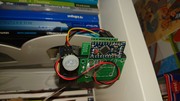
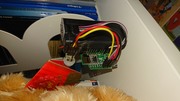
    Hardware

  • Just found a pair of "old" NRF51822-04 ... any good?
    G ghiglie

    @monte said in Just found a pair of "old" NRF51822-04 ... any good?:

    @ghiglie you can try this from my old post: https://forum.mysensors.org/post/92044
    I will need to write a firmware for 51822 in few weeks, so maybe I'll have something more polished. The most usefull information you can find on Nordic's forum, you can use snippets of code with arduino and it should work, because NRF5 port contains Nordic's SDK, and thus all functions and macroses, that are mentioned on that forum.

    Thanks @monte! Very intesting. This nRF5 journey is getting quite difficult, programming for Nordic's chips is way harder than what I'm used to. Maybe I'll wait for your sketch! :laughing:

    Hardware

  • Just found a pair of "old" NRF51822-04 ... any good?
    G ghiglie

    Resuming my old thread. After killing some 328p (but I still spare one!), I got a fully working "multisensor" . Now it's nRF51 turn:

    I'm using a Black Magic Probe, made from a Blue Pill - it has May2020 code, "git pull" shows quite a lots of updates, but I'll keep like that. { Just a note: compile it with "make && make PROBE_HOST=swlink" so you'll be able to use the header! } . I have STLinkV2 clone for backup.

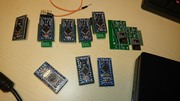
    My "setup": imgur.com/a/acT6iOZ

    @monte said in Just found a pair of "old" NRF51822-04 ... any good?:

    Though the power bug @Nca78 mentioned is easily bypassed with proper software settings. Just don't rely on built in sleep function, because in case of nfr51822 it doesn't disable all hardware and drains power.

    Sorry @monte, I'm totally n00b . Any link about this?

    Hardware

  • BME280 node not sleeping
    G ghiglie

    @bbastos said in BME280 node not sleeping:

    @ghiglie said in BME280 node not sleeping:

    That's not a bad test bed!

    I'm having some "headaches" still. The PIR isn't sending the V_TRIPPED 0 , so I know when there's moving but not when it stops - I can manage it via HomeAssistant anyway.

    I'm afraid I'll not be helpful now. Have you tried to update nodemanager library? I'm using the development branch from github.

    No probs, it's the PIR itself, not reporting back the "0" status. I'll manage it via HA!

    NodeManager

  • BME280 node not sleeping
    G ghiglie

    That's not a bad test bed!

    I'm having some "headaches" still. The PIR isn't sending the V_TRIPPED 0 , so I know when there's moving but not when it stops - I can manage it via HomeAssistant anyway.

    NodeManager

  • BME280 node not sleeping
    G ghiglie

    Here it is:
    asd asd

    I'm using NModule with SMD nRF module - I was planning to use a CR2023 to downsize it, but I ended using this 2xAA battery holder.

    I'm a n00b too - I can say I started learning with MySensors' building motivation.
    I had a respectable cemetery:
    asd
    Mostly have corrupt booloader (update via programmer with antenna still powered) or incorrect fuses (batch production done wrong way!), but a pair got a nice polarity inversion on VCC... :D :D :D :D

    NodeManager

  • BME280 node not sleeping
    G ghiglie

    So, new message to get up a notification with my full working sketch. I'm so satisfied!
    Putting a BME280 in a garage is an overkill, but I couldn't get a decent measure from the DHTs I have. I added a PIR to it, just for a minor convenience.
    With next node I'll explore OTA features - flash and configuration.

    // General settings
    #define SKETCH_NAME "GarageLibrary"
    #define SKETCH_VERSION "2.0"
    #define MY_BAUD_RATE 9600
    #define MY_NODE_ID 2
    
    #define MY_RADIO_NRF24
    #define MY_SIGNAL_REPORT_ENABLED
    
    #define MY_SPLASH_SCREEN_DISABLED
    
    //#define MY_TRANSPORT_UPLINK_CHECK_DISABLED
    #define MY_TRANSPORT_WAIT_READY_MS  5000
    #define MY_SLEEP_TRANSPORT_RECONNECT_TIMEOUT_MS 2000
    //#define MY_PARENT_NODE_ID 0
    //#define MY_PARENT_NODE_IS_STATIC
    
    #define NODEMANAGER_DEBUG ON //
    #define NODEMANAGER_DEBUG_VERBOSE OFF
    #define NODEMANAGER_SLEEP ON //
    #define NODEMANAGER_RECEIVE OFF
    #define NODEMANAGER_POWER_MANAGER OFF
    #define NODEMANAGER_CONDITIONAL_REPORT ON //
    #define NODEMANAGER_INTERRUPTS ON //
    #define NODEMANAGER_EEPROM OFF
    #define NODEMANAGER_TIME OFF
    #define NODEMANAGER_RTC OFF
    #define NODEMANAGER_SD OFF
    #define NODEMANAGER_HOOKING OFF
    #define NODEMANAGER_OTA_CONFIGURATION OFF
    #define NODEMANAGER_SERIAL_INPUT OFF
    
    // disable Forecast on BME280 - not working with OTA conf Off!
    #define NODEMANAGER_SENSOR_BOSCH_LITE ON
    
    #include <MySensors_NodeManager.h>
    
    // BME280
    #include <sensors/SensorBME280.h>
    #define BME280_ADDRESS (0x77)
    //#define CHILD_ID_AMBIENT 1
    SensorBME280 ambient;
    
    // PIR on D3 (optional build, PIN_PD3 is defined in MiniCore)
    #include <sensors/SensorMotion.h>
    SensorMotion pir(PIN_PD3);
    
    // Battery Level (default child_id 201)
    #include <sensors/SensorBattery.h>
    SensorBattery battery;
    
    // Radio Signal Quality (default child_id 202)
    #include <sensors/SensorSignal.h>
    SensorSignal signal;
    
    // before
    void before() {
      
      // let controller know ambient pressure sensor reports in hPa
      ambient.children.get(3)->setUnitPrefix("hPa");
       
      // send unit prefixes to controller (i.e. V, A, hPa, %, etc.)
      nodeManager.setSendUnitPrefix(true);
    
      // battery level - BOD set to 1.8V, 2xAA = 3V max
      battery.setMinVoltage(1.8);
      battery.setMaxVoltage(3.0);
    
      // sleep cycle
      nodeManager.setSleepMinutes(60);
      // 500ms to let the transport send all buffer before sleeping.
      nodeManager.setSleepBetweenSend(500);
      
      // report freq for ambient measurements
      ambient.setReportIntervalMinutes(60);
    
      // report freq for battery
      battery.setReportIntervalDays(1);
    
      // report freq for radio signal - pseudo SR_TX_RSSI and SR_UPLINK_QUALITY are available for NRF24
      signal.setReportIntervalDays(1);
      signal.setSignalCommand(SR_UPLINK_QUALITY);
    
      // call NodeManager before routine
      nodeManager.before();
    }
    
    // presentation
    void presentation() {
      // call NodeManager presentation routine
      nodeManager.presentation();
    }
    
    // setup
    void setup() {
      // call NodeManager setup routine
      nodeManager.setup();
    }
    
    // loop
    void loop() {
      // call NodeManager loop routine
      nodeManager.loop();
    }
    
    #if NODEMANAGER_RECEIVE == ON
    // receive
    void receive(const MyMessage &message) {
      // call NodeManager receive routine
      nodeManager.receive(message);
    }
    #endif
    
    #if NODEMANAGER_TIME == ON
    // receiveTime
    void receiveTime(unsigned long ts) {
      // call NodeManager receiveTime routine
      nodeManager.receiveTime(ts);
    }
    #endif
    
    NodeManager

  • BME280 node not sleeping
    G ghiglie

    @bbastos said in BME280 node not sleeping:

    Hi @ghiglie I'm still beginning in all this, but I think you need to call nodeManager.setSleepMinutes(minutes) otherwise the node will still awake.

    Oh... I feel so dumb! Thanks @bbastos , I didn't ... know it. I don't know why, maybe on the solder/flash/test/upload frenzy I read that part of documentation. So, as usual, I'll RTFM and report back. Thanks again!!!

    NodeManager

  • BME280 node not sleeping
    G ghiglie

    Hello,
    I've build my first node with NodeManager, code is at end of post; it looks like it's not sleeping, it worn out a pair of AA in 24h.
    There's a strange half-lit LED on it: what did I do wrong? Same node with a standard hand-written sketch is working as usual.
    Thanks all!

    // General settings
    #define SKETCH_NAME "GarageLibrarySensor"
    #define SKETCH_VERSION "0.1"
    #define MY_BAUD_RATE 9600
    #define MY_NODE_ID 2
    
    #define MY_SPLASH_SCREEN_DISABLED
    #define MY_SIGNAL_REPORT_ENABLED
    
    // NRF24 radio settings
    #define MY_RADIO_NRF24
    //set how long to wait for transport ready in milliseconds
    
    // Optimizations when running on 2032 Coin Cell. Also set nodeManager.setSleepBetweenSend(500) and run the board at 1Mhz
    #define MY_TRANSPORT_UPLINK_CHECK_DISABLED
    #define MY_TRANSPORT_WAIT_READY_MS  5000
    #define MY_SLEEP_TRANSPORT_RECONNECT_TIMEOUT_MS 2000
    //#define MY_PARENT_NODE_ID 0
    //#define MY_PARENT_NODE_IS_STATIC
    
    #define NODEMANAGER_DEBUG ON
    
    #define NODEMANAGER_SLEEP ON
    #define NODEMANAGER_OTA_CONFIGURATION OFF
    #define NODEMANAGER_CONDITIONAL_REPORT ON
    #define NODEMANAGER_POWER_MANAGER ON  
    
    #define NODEMANAGER_SENSOR_BOSCH_LITE ON
    
    #include <MySensors_NodeManager.h>
    
    // Sensors
    // Battery Level (default child_id 201)
    #include <sensors/SensorBattery.h>
    SensorBattery battery;
    
    // Radio Signal Quality (default child_id 202)
    #include <sensors/SensorSignal.h>
    SensorSignal signal;
    
    
    #include <sensors/SensorBME280.h>
    //#define CHILD_ID_AMBIENT 1
    SensorBME280 ambient;
    
    // before
    void before() {
      /**********************************
         Configure your sensors
       **********************************/
      // let controller know ambient pressure sensor reports in hPa
      ambient.children.get(3)->setUnitPrefix("hPa");
       
      // send unit prefixes to controller (i.e. V, A, hPa, %, etc.)
      nodeManager.setSendUnitPrefix(true);
    
      // report ambient measurements every 1h
      ambient.setReportIntervalMinutes(60);
    
      // report battery level every 60 minutes
      battery.setReportIntervalMinutes(720);
    
      // report radio signal level every 4h
      signal.setReportIntervalMinutes(1440);
    
      // only a pseudo SR_TX_RSSI and SR_UPLINK_QUALITY are available for NRF24
      // radio. All other methods return as INVALID.
      signal.setSignalCommand(SR_UPLINK_QUALITY);
    
      // call NodeManager before routine
      nodeManager.before();
    }
    
    // presentation
    void presentation() {
      // call NodeManager presentation routine
      nodeManager.presentation();
    }
    
    // setup
    void setup() {
      // call NodeManager setup routine
      nodeManager.setup();
    }
    
    // loop
    void loop() {
      // call NodeManager loop routine
      nodeManager.loop();
    }
    
    #if NODEMANAGER_RECEIVE == ON
    // receive
    void receive(const MyMessage &message) {
      // call NodeManager receive routine
      nodeManager.receive(message);
    }
    #endif
    
    #if NODEMANAGER_TIME == ON
    // receiveTime
    void receiveTime(unsigned long ts) {
      // call NodeManager receiveTime routine
      nodeManager.receiveTime(ts);
    }
    #endif
    
    
    NodeManager

  • Just found a pair of "old" NRF51822-04 ... any good?
    G ghiglie

    Yes, I'm with @Puneit-Thukral . As soon I get more comfortable I'll buy some new parts: for now, I'm too much n00b ! I still reverse polarities, short circuit solder pads... :laughing:

    Hardware

  • 💬 NModule
    G ghiglie

    Ok, just for record: be very very very very very carefull when desoldering the regulator+led+resistance. Do it before soldering the ping legs on module: I had a pair of nodes, correctly running, beatyfully soldered, legs trimmed... and darn, dunno what I did on tracks, they are not powering up anymore.
    Luckily I could desolder the antenna from under the PCB and stick on another (the first I told) and put the other as spare.

    Oh, I love DIY when I fix my errors! :laughing:

    {update: one sensor died yesterday. Maybe my Minis are too cheap? }

    OpenHardware.io mysensors nmodule temperature door light pir humidity relay milight touch accelerometer

  • Just found a pair of "old" NRF51822-04 ... any good?
    G ghiglie

    Well, for now, no updates! Working with pro-minis is still much more fun with my humble skills. I'm a good soldering-pad destroyer when it comes to SMD.

    In the while, I can't find a sort of adapter for SMD versione of NRF5 boards, like the flasher for ESP8266. Is there something like that out there?

    Hardware

  • 💬 NModule
    G ghiglie

    @Nca78 said in 💬 NModule:

    Haha that's a lot of boards. May I know what the accident was ? There was a case of a nmodule having a shortcut when manipulated, is it something similar ?

    Oh, easy! I already had soldered TX/RX pins and the angled ones (towards the atmega). I decide to take them off and reverse the angled... Iron's temperature was quite high... Some tracks got as bright as old 100W bulbs filament! :D

    The radio SPI pins can handle 5V but not it's power supply. So as you have no regulator on radio for these boards, I see 3 choices :

    1. best one = use a programmer running at 3.3V and you can power the board & radio with it. 100% safe. You can do this with the ArduinoISP sketch, a 3.3V pro mini and a ftdi adapter.
    2. if you only have a 5V powered programmer, power the board separately and connect only the SPI pins with the 5V programmer. But this is out of spec as the voltage on SPI pins will be higher than VCC + 0.5V
    3. open the JRDIO jumper so that the radio is not connected to VCC and use 5V programmer for SPI pins + power supply of the board. In that case to respect the datasheet of NRF24 you need to supply separately at least 3V to VCC radio, else you are in the same situation than point 2, but with the radio and that is I think a worse situation so in that case solution 2. is safer.

    I'm yet programming it with ArduinoISP on a genuine UNO, so I'm safe. I'll solder the SMD antenna ASAP, the TH one isn't bearable once you see how slim the node gets with your PCB!

    OpenHardware.io mysensors nmodule temperature door light pir humidity relay milight touch accelerometer

  • 💬 NModule
    G ghiglie

    Hi there! In these days I got some boards from my drawer - I spare quite a lot, I ordered 10 panelized one, so I have 40 NModules! :O :smiley:
    4 sensors are yet running on battery (2 on CR2032 and 2 with with 2xAA). The fifth module had an accident and I need to program it via SPI. is it safe to flash it with the antenna still soldered?

    OpenHardware.io mysensors nmodule temperature door light pir humidity relay milight touch accelerometer

  • NodeManager: plugin for a rapid development of battery-powered sensors
    G ghiglie

    Oh, I hate saying I've noticed this great piece of software just now! :( It would have saved me countless hours of software tinkering, giving more eyecare for better soldering...!

    NodeManager

  • Just found a pair of "old" NRF51822-04 ... any good?
    G ghiglie

    Well, I'm sorry I'm sooo late, but I had to stop all my testing.
    I'll definitely be back after ordering some new tools during Chinese New Yes sales...!

    Hardware

  • Just found a pair of "old" NRF51822-04 ... any good?
    G ghiglie

    Hi all,
    sorry for being so late, again... :D

    @nca78 said in Just found a pair of "old" NRF51822-04 ... any good?:

    Hello, @ghiglie yes you can use them with MySensors but they are not great for battery-powered sensors due to a hardware bug. If you use them as main-powered sensors they are fine, and range is decent with those.
    @monte said in Just found a pair of "old" NRF51822-04 ... any good?:
    Though the power bug @Nca78 mentioned is easily bypassed with proper software settings. Just don't rely on built in sleep function, because in case of nfr51822 it doesn't disable all hardware and drains power.

    Oh, ok, I'll keep it in mind. I'm a good copy'n'paste-r , so as soon as I get to work on a chip, I'll look for the sleep code. Thanks for pointing that!
    I'm really look for battery powered sensors, as for mains powered ones I use "easier" chips as ESPs, mainly on bigger dev modules (such as NodeMCU) since I have more space.

    @petewill said in Just found a pair of "old" NRF51822-04 ... any good?:

    @ghiglie Check out these links if you haven't used NRF5 before. They should help you get started.
    https://forum.mysensors.org/topic/9266/guide-nrf5-nrf51-nrf52-for-beginners
    https://www.openhardware.io/view/376/MySensors-NRF5-Platform

    I found the ST-LINK programmer to be easier to work with (using Windows) that the J-LINK

    I have a ST-LINK I bought since I saw this chips mentioned in @NeverDie 's threads , but then I tried some STM32 blue pills and finally got a working Black Magic Probe.
    Now I just have to deal with the soldering, but I saw something like an adapter with pushpins...

    I'll keep you updated!

    Hardware

  • Just found a pair of "old" NRF51822-04 ... any good?
    G ghiglie

    Hi there! It's been a long time, I've been away from this forum for a while, tinkering with Zigbee and HomeAssistant... but I'm planning my new garage, so here I am.

    I've found, as title says, three stamp-sized Nordic chips: are they still any good? I don't need much coverage, but I'd try something newer than the 328p's I have on MyNode PCBs.

    Thanks to all!

    Marco

    Hardware

  • Gateway Addon for Hass.io
    G ghiglie

    @hautomate Thanks! I didn't notice it at all.
    EDIT: A quick look:
    @pantomax in config.json "only" has:

        "devices": ["/dev/mem:/dev/mem:rw"],
        "privileged": ["SYS_RAWIO"],
        "gpio": "true",
    

    ...while I put an overpowered:

      "devices": [ "/dev/mem:/dev/mem:rw" ],
      "privileged": [ "SYS_RAWIO", "SYS_ADMIN", "NET_ADMIN" ],
      "gpio": "true",
    

    so... it should work :(

    Home Assistant

  • Gateway Addon for Hass.io
    G ghiglie

    Hi @kwek, sorry for taking so much to reply. We've been taking the same path!

    @kwek said in Gateway Addon for Hass.io:

    I'm also trying to make a hassio addon for the mysensors gateway which is connected on the same raspberry pi 2.

    If I run the docker image with --privileged then it runs correctly: it manages to read from the nrf2401, it connects to the MQTT server and publishes incoming messages.

    However, if I run the container without --privileged (like hassio does), the mysgw program does not output anything else after:

    Same here. I've been trying some time ago, if I get to start the container in privileged mode it runs without any problems!

    So, I've been looking to how enable the GPIO on the board to the container, using the ResinOS guide: https://docs.resin.io/learn/develop/hardware/gpio/

    ...but I got nothing of use. You see anyway that the GPIO definitions are under the /sys/class/gpio/ device tree...

    I hope to have some more spare time to test this.

    Home Assistant
  • Login

  • Don't have an account? Register

  • Login or register to search.
  • First post
    Last post
0
  • MySensors
  • OpenHardware.io
  • Categories
  • Recent
  • Tags
  • Popular