Skip to content
  • MySensors
  • OpenHardware.io
  • Categories
  • Recent
  • Tags
  • Popular
Skins
  • Light
  • Brite
  • Cerulean
  • Cosmo
  • Flatly
  • Journal
  • Litera
  • Lumen
  • Lux
  • Materia
  • Minty
  • Morph
  • Pulse
  • Sandstone
  • Simplex
  • Sketchy
  • Spacelab
  • United
  • Yeti
  • Zephyr
  • Dark
  • Cyborg
  • Darkly
  • Quartz
  • Slate
  • Solar
  • Superhero
  • Vapor

  • Default (No Skin)
  • No Skin
Collapse
Brand Logo
  1. Home
  2. Controllers
  3. PiDome
  4. Serial Gateway/Node ID Problem (Noob)

Serial Gateway/Node ID Problem (Noob)

Scheduled Pinned Locked Moved PiDome
5 Posts 3 Posters 2.9k Views 1 Watching
  • Oldest to Newest
  • Newest to Oldest
  • Most Votes
Reply
  • Reply as topic
Log in to reply
This topic has been deleted. Only users with topic management privileges can see it.
  • R Offline
    R Offline
    Release12
    wrote on last edited by
    #1

    Hi there,

    I have followed heaps of tutorials and downloaded libraries and updated everything and still have got no action, so I have decided to ask for help.

    My problem is like many others, I have serial version 1.5 installed and have (foolishly?) copy and pasted the arduino code from the codebender windows. So I have an arduino (http://www.freetronics.com.au/collections/arduino/products/eleven#.VdnKgvmqpBc) running my gateway. Wired as per instructions and the code is simple copy and paste. I have that plugged into my raspberry pi running pidome and CAN find it in the peripherals.!
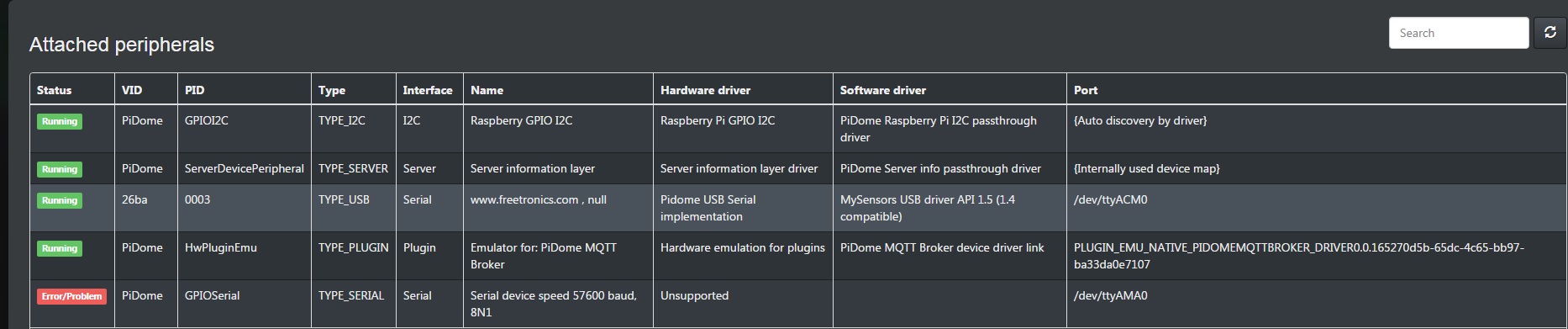
    Peripherals.jpg

    I also have another arduino (http://www.freetronics.com.au/collections/arduino/products/etherten#.VdnLWfmqpBc) running as a relay board. Wired as per instructions and the code is also simply copy and pasted.

    My issue is that I cannot get Pidome to discover my relay board so I can add it as a device.
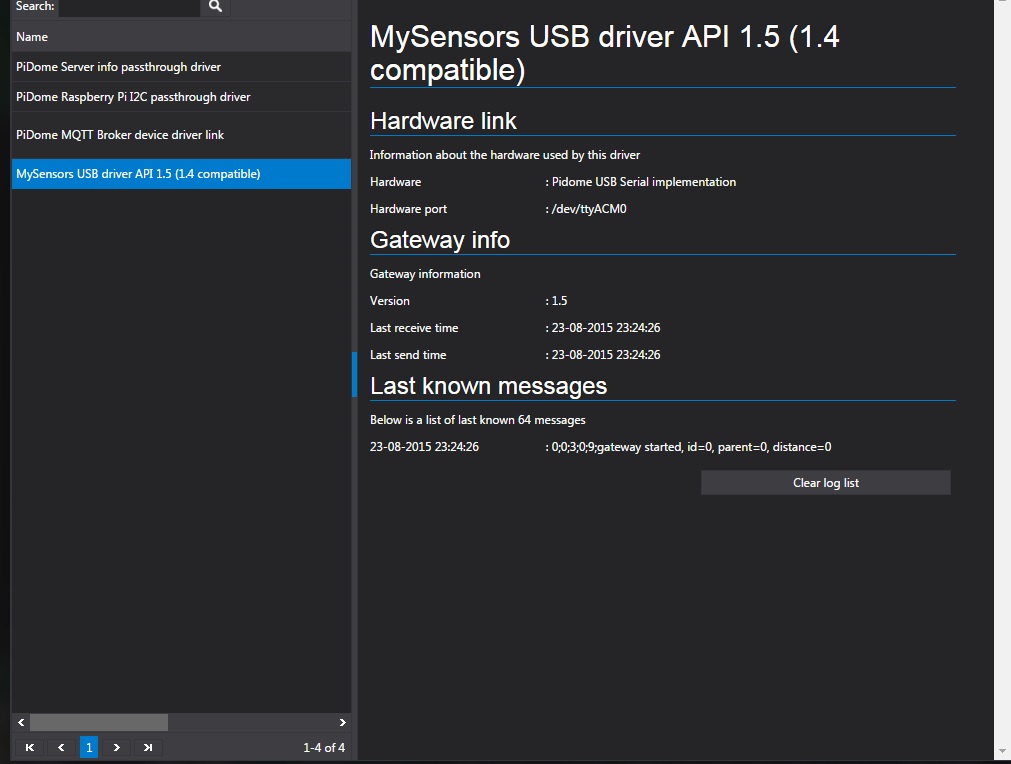
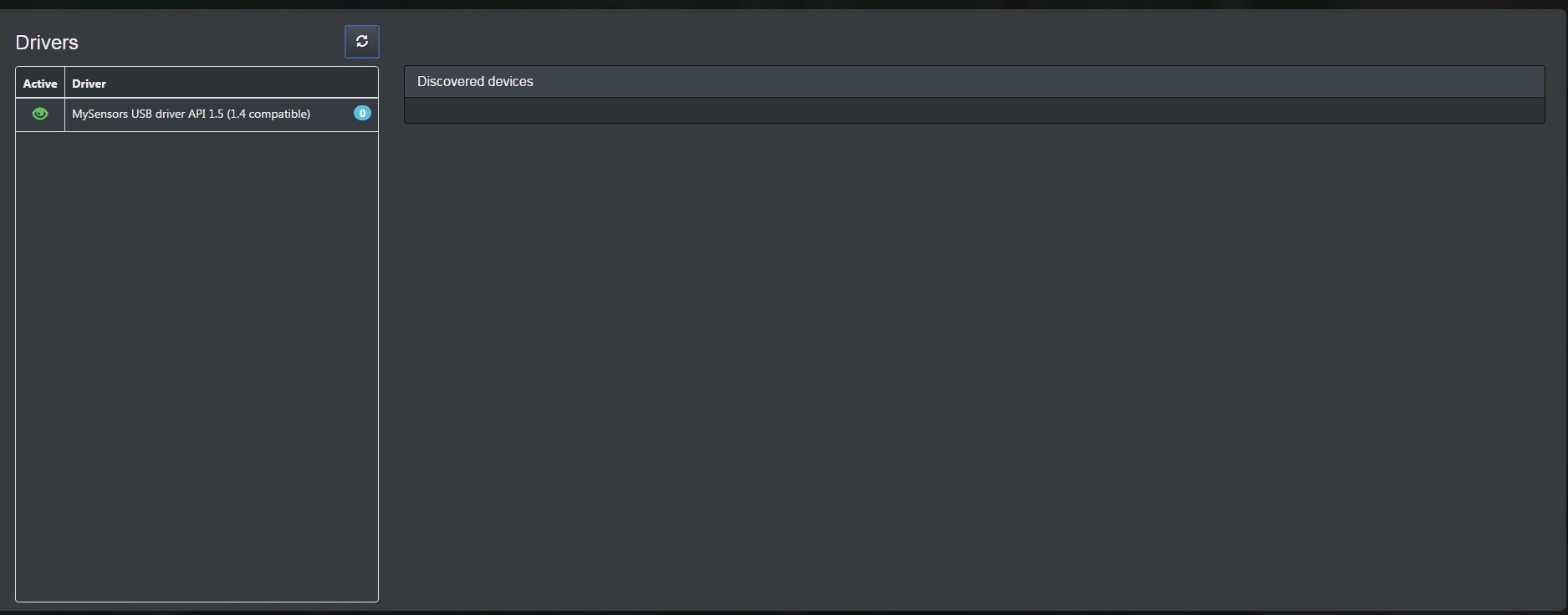
    Driver.jpg

    Discover.jpg

    1 Reply Last reply
    0
    • hekH Offline
      hekH Offline
      hek
      Admin
      wrote on last edited by
      #2

      As PIDome seems to detect the serial gateway ok.

      So Something is wrong in the communication between your node and gateway. Suggest you attach the node to your computer/Arduino IDE and have a look in the Serial Monitor what is happening.

      1 Reply Last reply
      0
      • R Offline
        R Offline
        Release12
        wrote on last edited by
        #3

        Firstly, thanks for your reply hek. I have opened serial monitor and it was giving me all random characters. Then all of a sudden it has displayed "radio init fail". Does this mean I have a faulty NRF module?

        1 Reply Last reply
        0
        • hekH Offline
          hekH Offline
          hek
          Admin
          wrote on last edited by
          #4

          Mis-wired is more likely.

          1 Reply Last reply
          0
          • JohnJ Offline
            JohnJ Offline
            John
            Plugin Developer
            wrote on last edited by
            #5

            As @hek says, PiDome recognises the serial gateway, it's version and displays the gateway ready message. Check your node's wiring and powering

            My Domotica project: http://www.pidome.org

            1 Reply Last reply
            0
            Reply
            • Reply as topic
            Log in to reply
            • Oldest to Newest
            • Newest to Oldest
            • Most Votes


            19

            Online

            11.7k

            Users

            11.2k

            Topics

            113.1k

            Posts


            Copyright 2025 TBD   |   Forum Guidelines   |   Privacy Policy   |   Terms of Service
            • Login

            • Don't have an account? Register

            • Login or register to search.
            • First post
              Last post
            0
            • MySensors
            • OpenHardware.io
            • Categories
            • Recent
            • Tags
            • Popular