Skip to content
  • MySensors
  • OpenHardware.io
  • Categories
  • Recent
  • Tags
  • Popular
Skins
  • Light
  • Brite
  • Cerulean
  • Cosmo
  • Flatly
  • Journal
  • Litera
  • Lumen
  • Lux
  • Materia
  • Minty
  • Morph
  • Pulse
  • Sandstone
  • Simplex
  • Sketchy
  • Spacelab
  • United
  • Yeti
  • Zephyr
  • Dark
  • Cyborg
  • Darkly
  • Quartz
  • Slate
  • Solar
  • Superhero
  • Vapor

  • Default (No Skin)
  • No Skin
Collapse
Brand Logo
scalzS

scalz

@scalz
Hardware Contributor
About
Posts
1.6k
Topics
12
Shares
0
Groups
3
Followers
23
Following
0

Posts

Recent Best Controversial

  • My 32bits ATSAM node project
    scalzS scalz

    Hi.

    This is a project in progress. So I post here if I need to ask for some help (and I think this will be the case).

    First, thx to @tbowmo for his work on 32bit GW ;)
    And thx to Sparkfun, Adafruit etc.. for all their work :)

    I would like to introduce to you : M.and Ms Sam&LoraLip and their baby child :laughing: :sweat_smile:
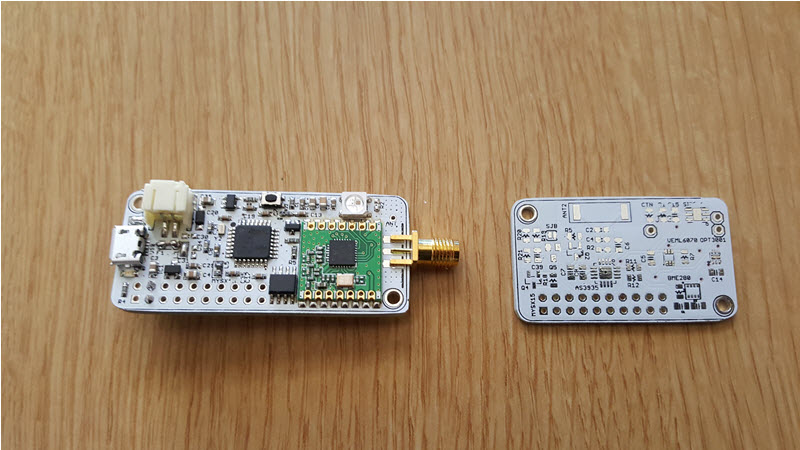
    A board with a 32bit Atmel Atsamd21e17 (128k, e18 is 256k) and Lora (Long range RFM95W, but there is also a nrf24 smd footprint), with Lipo Charger. And two proto childboard.

    0_1459629579896_group.jpg
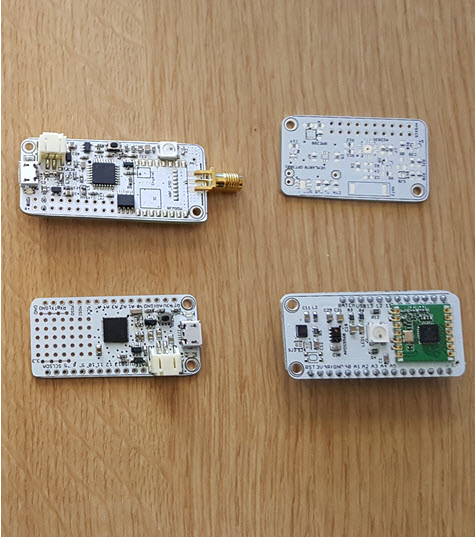
    Left top : M.&Ms Lip the mainboard
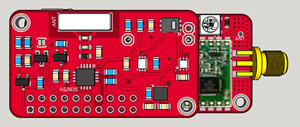
    Right top : W(H)eather childboard, nice sensors for meteo
    Left bottom : Adafruit Feather M0 ???
    Right bottom : Chi-Mote, (humm missing inspiration..) a childboard I have made for the Feather. For gesture and 3d control with rgb feedback. Sort of wiimote but smaller with gesture..my Chi in this one :)

    Specs a little bit below;

    So As you can see I have been inspired by Adafruit Feather M0. No advertisement here ;) It was out of stock so I assembled one. First, to be sure to have a 32bit board (atsam based) which works. And finally, because I wanted to have a simple lipo capable board. But that was not enough..more things.

    Briefly :

    • I keep lipo + usb from Adafruit (as it's a charger, so it's nice to have usb on this one). Usb can be used to upload sketch as native usb.
    • here it's 32pins TQFP ATSAMD21E16/17/18, I bought an E17 128k (on Adafruit, it's a nice big 44pins VQFN G18 family, first time for me, thx to my reflow). E17/18 cheaper compared to G18. If I would like to use L picopower family, I just need to swap 2-3pins.

    And I added:

    • footprint for usb filtering on +5v and shield
    • footprint for fuse
    • atsha204a
    • eeprom in case
    • rgb led
    • footprint for Nrf24 smd, RFM95W (not received yet), RFM69HCW (pincompatible with RFM95W if I'm right)
    • for RFM95W, wire style antenna or connector
    • MYSX connector (maybe I will reduce it)

    I have made two child boards

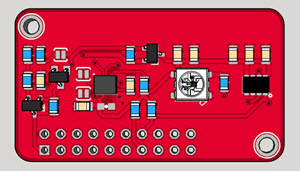
    • Weather optional (or not!) sensors : opt3001 for light, veml6070 for UV, SI7021 temperature/humidity, BME 280 temperature/humidity/pressure (in case I use this one I don't need si7021 of course), there is also AS3935 for Lightning detection. + switchable battery voltage sensor
    • For the mote : RGB led, APDS9960 for proximity&gesture, 6DOF LSM6DS3 (6DOF is enough for what I want to do but maybe a better/expensive MEMS could be fun...)

    Ok you really are cool guys if you are still reading. Now the pics:

    Nrf radio style
    0_1459630788486_samandlip_small1.jpg
    Long range RFM95 style
    0_1459630863642_samandlip_small2.jpg
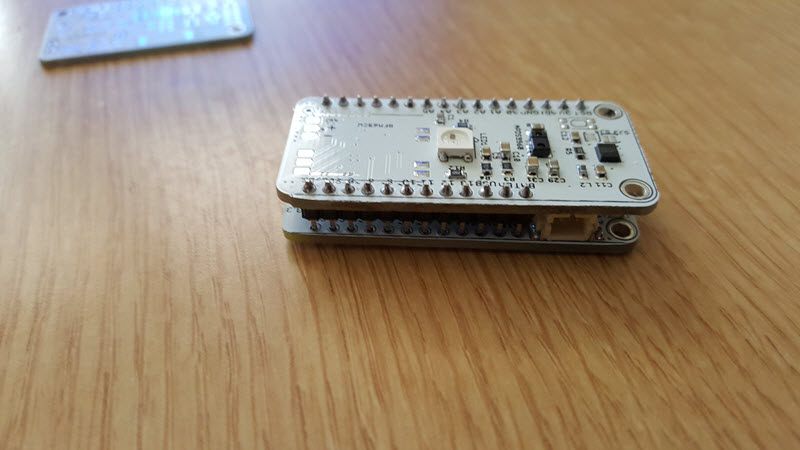
    Weather child board on mainboard
    0_1459631388767_stacked.jpg
    Assembled (no radio soldered, still doing basic tests), weather not assembled
    0_1459630571617_samandlip.jpg
    Chi-Mote for MYSX connector (I will add an IR led as I have enough space, more fun)
    0_1459631405270_iactu.jpg

    And Chi-Mote for Feather, on top of it :) no radio soldered yet.
    0_1459631471089_gizmo.jpg
    With a small lipo and humm..wireless charging, more Chi :facepunch:

    And a very short video of my kungfu gizmo :smile: Gesture part is buggy for the moment so not activated and on the 6dof I only use single/double tap. Connected on a nano. but fixed on the wall, or few mobile in the house, very cool.
    https://youtu.be/w8yZao3IWJo

    Current status:

    • the feather I assembled works ok. bootloader ok, and blinkled in arduino ide ok :)
    • weather not tested yet, Chi-mote, all is good :) except gesture (I suspect power+infinite loop in lib!). Add an ir led
    • my mainboard: sam-ba bootloader for ATSAMD21E17 well sent with jtag in Atmel studio, but I get a no device connected on comport in arduino. I am investigating if it comes from boards.txt ..
      Few things to improve on mapping part

    Certainly more things to say..but that's ok for today! I'm enough happy.
    Thx for you interest and feedback.
    See you soon :)

    Hardware

  • What did you build today (Pictures) ?
    scalzS scalz

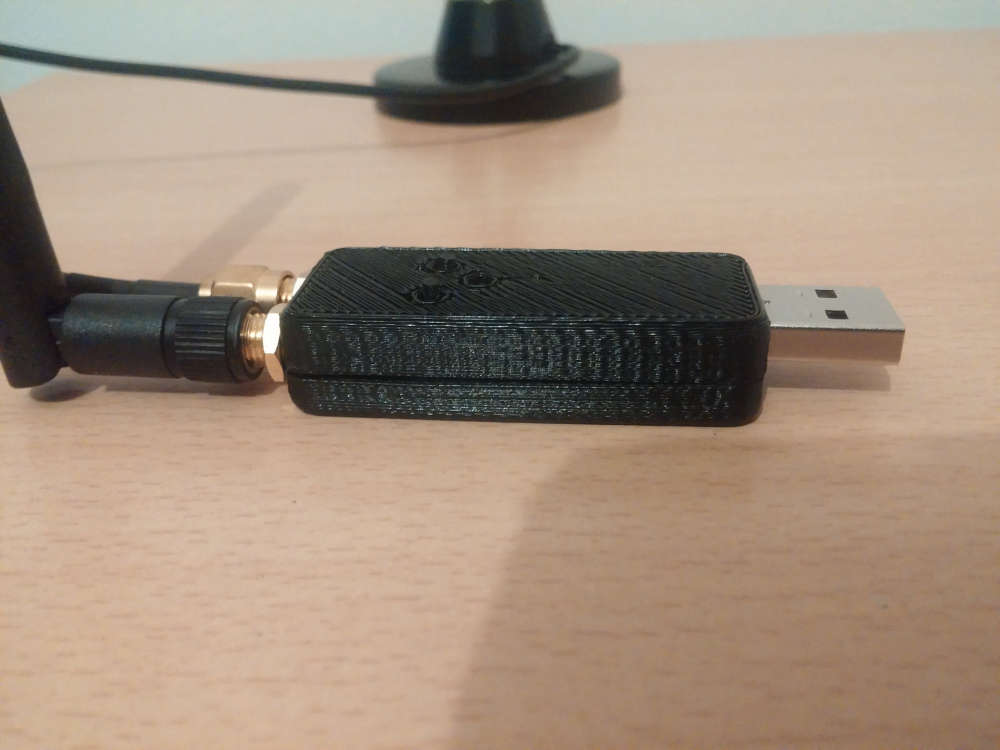
    Meet Janus project, a premium USB dongle by Tekka and me :sunglasses:

    Dual RF gateway with external antennas.

    • nrf52840 with 20dB PA + SMA connector. So it can be compatible with MySensors, and/or zigbee..
    • rfm69hcw/rfm95 long range + SMA connector . module has all DIO pins routed for sw driver optimizations.
    • reset button
    • user button
    • RGB led
    • high PSRR RF/analog 700mA LDO
    • usb protected
    • 4layers board
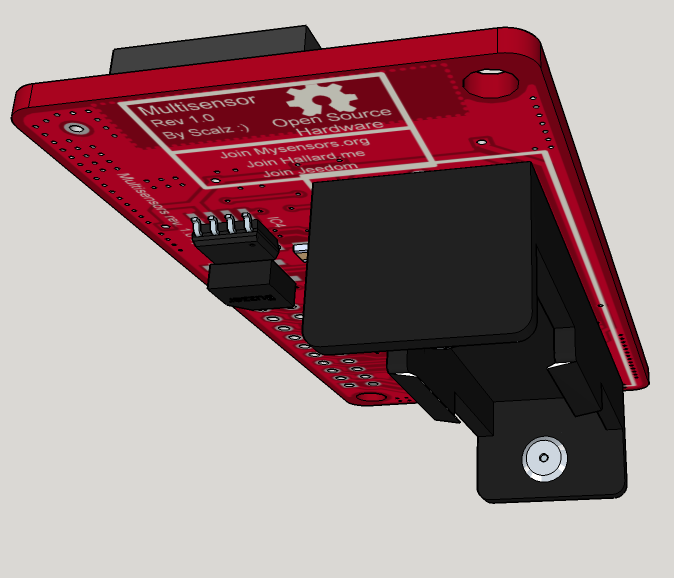
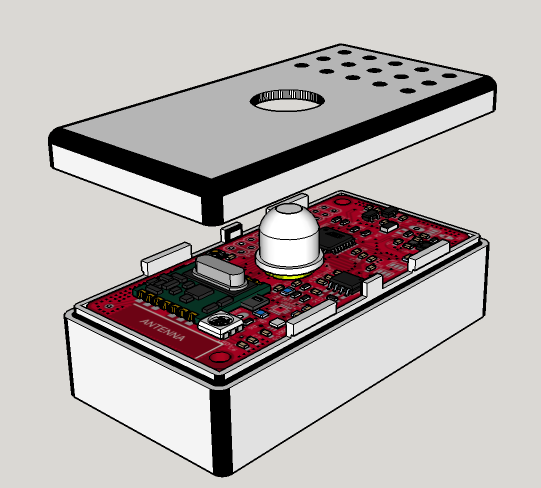
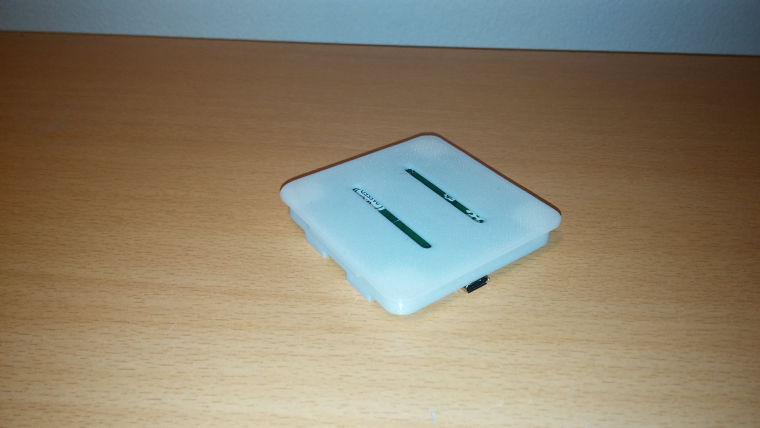
    • enclosure size : 52x21 (thickness 11mm). compact!

    Enclosure is just a quick proto, I'll improve quality, or I would like to try online multijet service, I'm curious :)

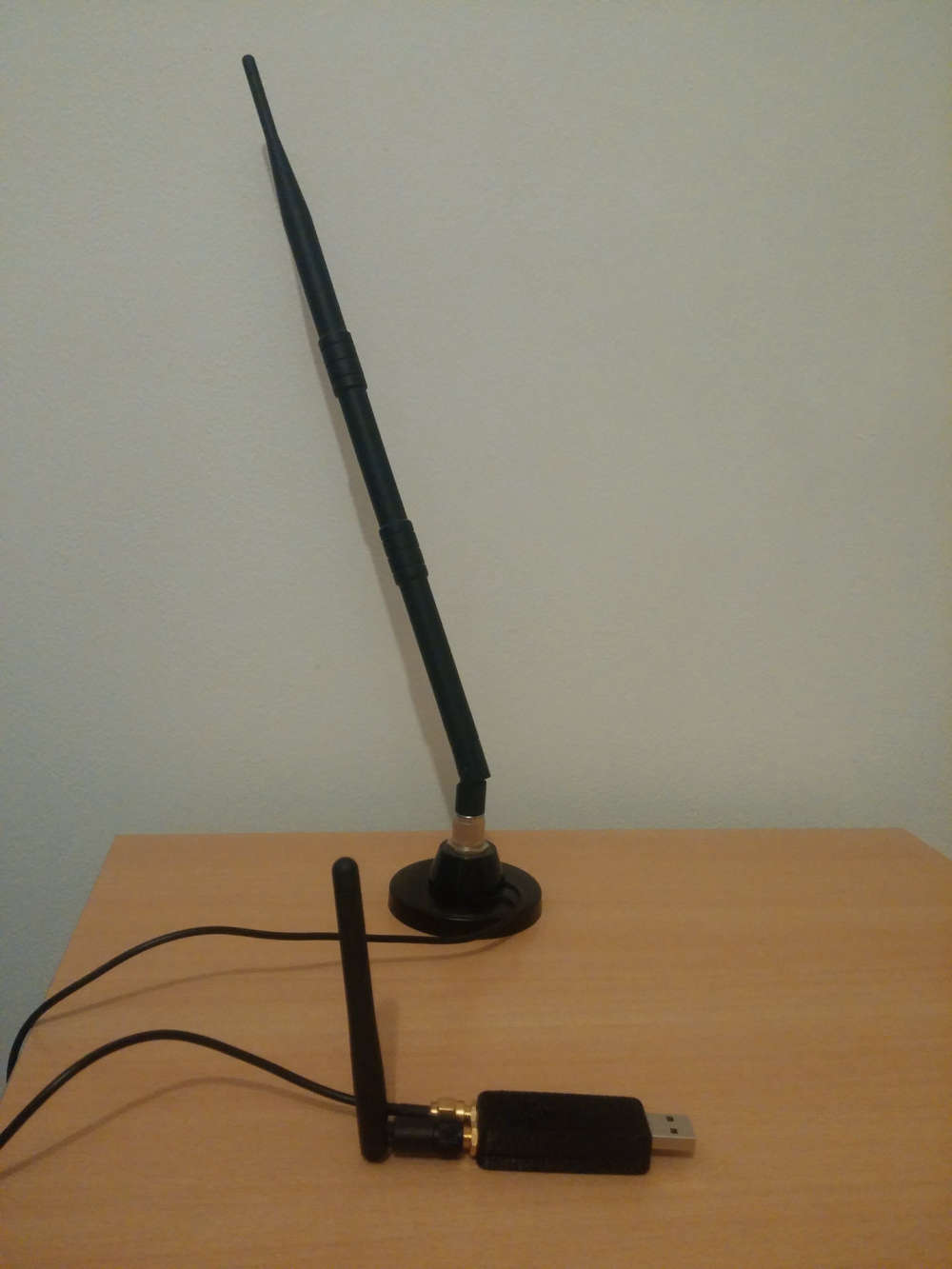
    0_1567798667614_IMG_20190906_212601.jpg

    0_1567798495014_IMG_20190906_212434.jpg

    It's very recommended, for better performance, to have some distance between antennas.
    So, for example, I'll use a shorter antenna (without cable) for 2.4ghz, and a "remote" antenna (with a cable) for 433/868/905Mhz, so it can be used with different kind of antennas.

    We choosed external antennas, because

    • versatile use
    • better range especially when dongle is close to lot of stuff which could affect range in case of a pcb antennas
    General Discussion

  • My MYSX Multisensors board
    scalzS scalz

    Hey :)

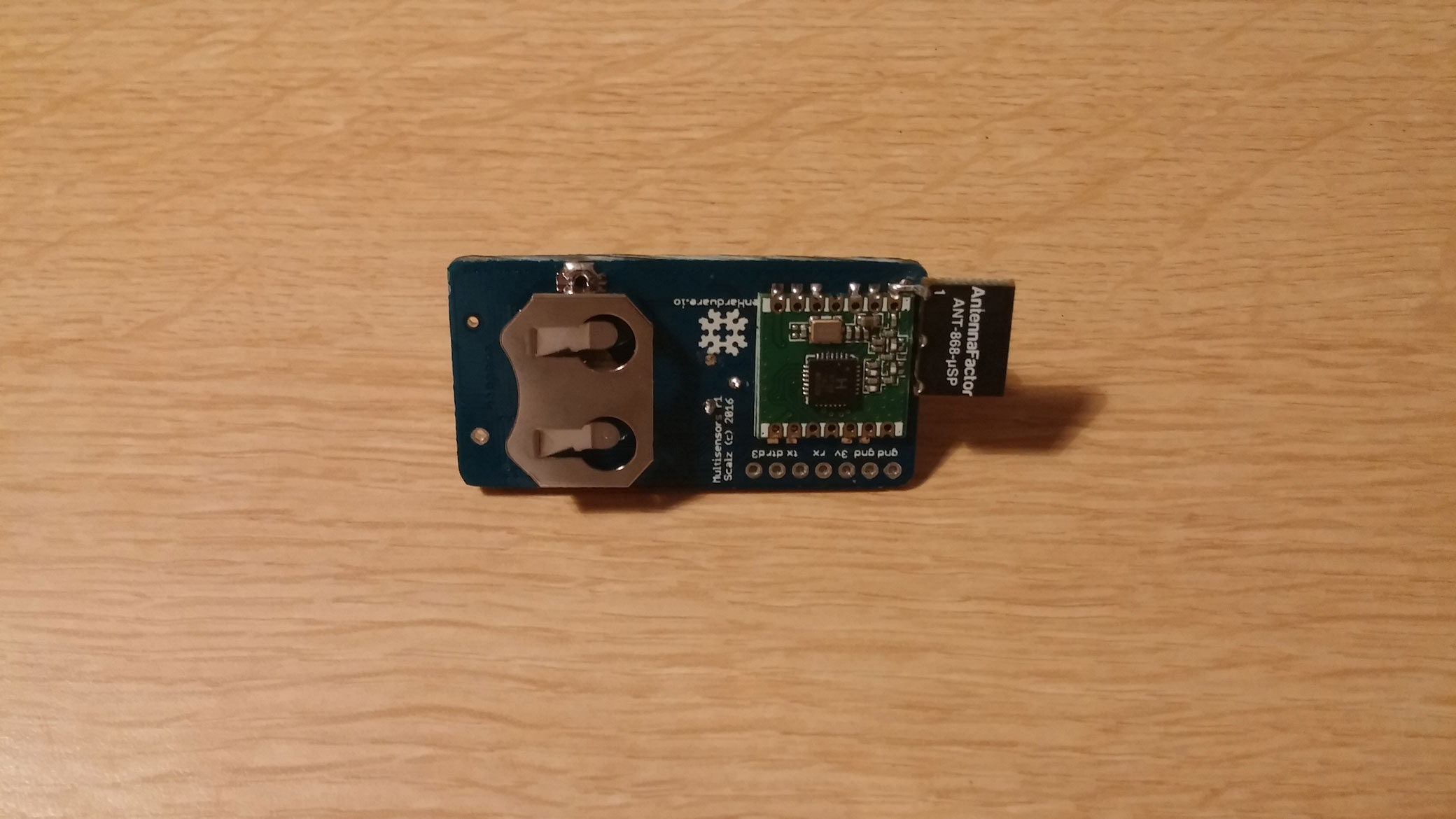
    I am enthousiast to show you my very new project : my low power multisensor for light loads.
    My roadtrip in the lowpower jungle world.
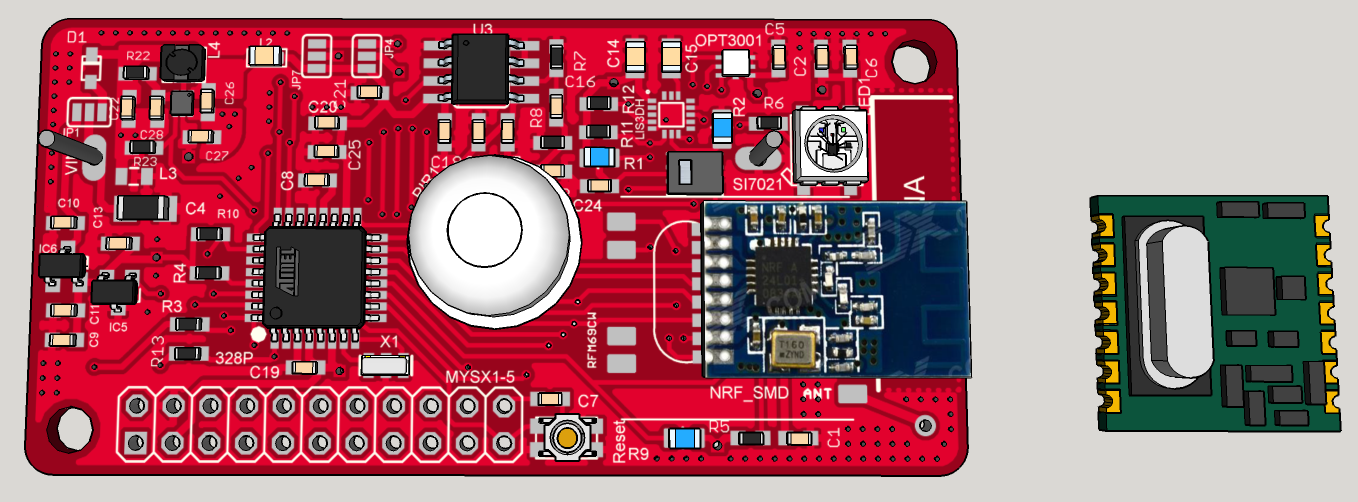
    0_1453902208486_2016-01-26_22-30-12.png
    0_1453902248527_2016-01-26_22-29-21.png
    0_1453902277215_2016-01-26_22-27-16.png

    I wanted to make an update on my other "mytinycamel" post, but I would like to explain my way for this board, so...Ah, and I will make it openhardware of course ;)

    Why this board as I have already Mytinycamel in the pipeline ???

    I want to factorize some of my needs and costs (and that is not a question of me only, I have family, friends..which want my boards too, so why not make it the best I can). I need to have in each room, at least or optionnally, one :

    1) We are here for Sensors :

    • PIR motion sensor : LHI968 + e931.96 ic (integrated LDO and autocalibration for common PIR sensors)
    • temperature/humidity sensor : SI7021
    • ambient light sensor : OPT3001
    • Accelerometer (why not for antithief) : LIS3DH
    • a reed switch for the door
    • a buzzer (why not, for fun, optional)
    • indication led : for the moment, ws2812b

    As you can see, I have choosen all these sensors for their cost/ultra low powermode. You can find better IMU but >6€ (it is for antithief, so I don't need a 9DOF!)
    WS2812b, buzzer are on an enable/disable power rail, so in sleepmode I will disconnect it. Ambiant light OPT3001 is interesting too. You can set by i2c, light thresholds and trigger an interrupt on your mcu which is in deepsleep. Could be useful in some scenario.

    my first problem is about PIR motion sensor ic, it needs 2.6V min. And Mytinycamel concept is based on a 2Vto3V variable vcc.

    Humm..That is why I have designed this board. I want something the most low power I can, and 3V constant (2.7V min). Go to switching regulators, not powering it off like with mytinycamel.

    2) DC step-up switching regulator : TPS610981(x)

    This one rocks, it's a "pépite". French revealed (maybe my bad english too lol), I say this when I like it and compare this to a gold nugget ;) I have digged digged in the river of the lowpower, yeah:) lol I hope your are laughing of my bullsh**, because I can't stop!

    Unfortunately, this ic is not handsolderable. I will use reflow process. But I am already making a rev1.1 with a crazy SOT23 buck ;) more friendly, but a buck is not one 1.5V cell, it would need 4x to get same result ;)

    Common switching reg (stepup or buck) are not very efficient at lights loads (like 10uA, during sleepmodes..). And they use few or more uA in quiescent current Iq. All uA added, will be increased due to efficiency.
    My choice is : for controlled light loads, I go to stepup, and for bigger loads a buck.

    Shortly, its specs :

    • 0.7V min voltage, so you can get every drop of one 1.5V AA/AAA ;)
    • Ultra low Iq, 400nA
    • 80% efficient even at 10-15uA!
    • two power rails (in datasheet lot of interesting variant).
    • now crazy thing, first you have bypass mode (if vin>3V for the 3V variant, vin is directly connected to vout), and then 0.7-3V vin -> 3V vout. Now if you want to disable the stepup, it goes in low powermode, which means the power rail n°2 is disconnected, but power rail n°1 still remains at 3V in ultra low Iq of 400nA, 80% efficient! So it's possible to cut off things with vout2, and have low power light load things on vout1.

    that's like pizza, I want the complete. ahah, really cool, isn'it ?

    now, its cons are it is not friendly to solder, and it is 2x50mA max. But we must do things smart..

    3) A little word about batteries, energy harvesting..
    I have thought a lot about this, read lot of interesting design notes. I think it's a lot a matter of taste but :

    • 3V coincell. Interesting, but not enough if I want to use RFM69 (Tx mode is a eater). It could be interesting used in a solar harvesting extender mode. But it would increase my cost, and I think I can last very long time how I will do, and for the use I need; and for the cost... And solar require some placement, which is not really the best usecase for this node.
      But it is thin, so I don't forget it, it can be cool too.
    • 1.5V AAA not bad, thin, 1200mAh. definitely not bad compared to coincell. I like it :)
    • 1.5V AA 2500mAh alkaline, 3000mAh. That IS Cool !! You have always an AA or AAA somewhere and here we go!
    • 1.5V LR14 : 8000mAh. Wow! If I have place, like at ceiling edge, sure I will use it.
    • lipo. definitely not interesting for this node. Too bad selfdischarge rate. can vent.
    • Same thing about phone battery. not available everywhere, how long time for a model, can vent too, and self discharge is not the best. maybe 2years with no load. I don't imagine with a load..Compared to primary lithium which is 10years min theoretically...
    • rechargeable lisocl2. interesting too, but not available everywhere. Expensive, need a buck, ...

    As you can see, I am searching for less maintenance (less battery replacement...), cost and availability. So ok a booster is less efficient than a buck, but with a buck you can't use only one AA/AAA, héhé! A booster is not as efficient as battery powered only, but you can have constant vcc, and use the whole battery.

    So it's my analysis, my personal interpretation from gurus of low power...maybe there are better option..Don't hesitate to tell me. I do not argue to be an expert ;)

    My favorite config will be :

    • 1AA lithium 3000mAh
    • when I can, 1LR14 8000mAh
    • for ultra thin and I accept worse maintenance: coincell
    • try the rfm69 listenmode. one other thing why I wanted something efficient at light loads.

    I suggest you to look at oregon battery lifetime calculator on google. and you will understand with one AA of 3000mA, if I have an Iq of says 30uA at 0.7 vin (a circuit Iq of says 15uA at 3V will give us 26-30uA at 0.7v vin batt end of life so the worse case). Lifetime of the system 3years mini with only one AA ;)

    4) Other requirements :

    • rfm69 or nrf24 smd for the radio

    • MYSX 1.5 Connector. That was really not easy at all to fit it!!! Lot of time, I was near to give up! But, even if I don't need it, it could be very helpful for debug. So I follow you on this @Anticimex ;)

    • LDO SOT footprint in case I don't want to use the stepup reg.

    • ATSHA204A ic footprint : authentication (for PIR, reed switch...)

    • Eeprom for OTA. Same thing, eeprom needs to be in low power mode.

    • optional pullup for reedswitch...

    • battery measurement

    • smd jumper to choose if I want SPI bus Vcc on vout1 or vout2

    • smd jumper to choose if I want I2C sensors on vout1 or vout2

    • all component on top to boost production, or decrease cost if externally produced (we can dream!). I was not able! there was not enough space, so there is only eeprom on bottom. not bad!

    • Make the best I can for improve overall quality and reliability like
      shielded ferrite for booster
      ferrite and emi bead for booster Vout, and another one between gnd_Booster/GND
      Optional capacitor near battery
      optional capacitor near ferrite to improve emi filter
      vias on board edge and near antenna pad to improve ground
      no ground plane on one edge of the board for antenna

    PCB : Size 65mmx32mm
    Height of the box depends on coincell, or AA. For AA it's 22mm, compact.

    Last notes : I put this here in case you have feedbacks, or there are some infos that could help you...but It is not a noob board, sorry. Much more for reflow oven owner. How could we do to make things like this available for others??? I am thinking maybe of a simple eval board for the booster. Don't know if chinese would be interested in?
    I have not ordered yet, I am making the last decisions, but my drc are ok. cool. just a matter of time, and chinese new year now...

    Hardware

  • What did you build today (Pictures) ?
    scalzS scalz

    Hi,

    today I've almost finished a speaker build :) (it'll be a gift for family)

    First, I would like to thx Paul Carmody who created the original design of these speakers : Overnight Sensation :clap: :+1:
    https://sites.google.com/site/undefinition/diy-overnightsensations

    I have just changed size and format (of course I kept the internal air volume which is very important)

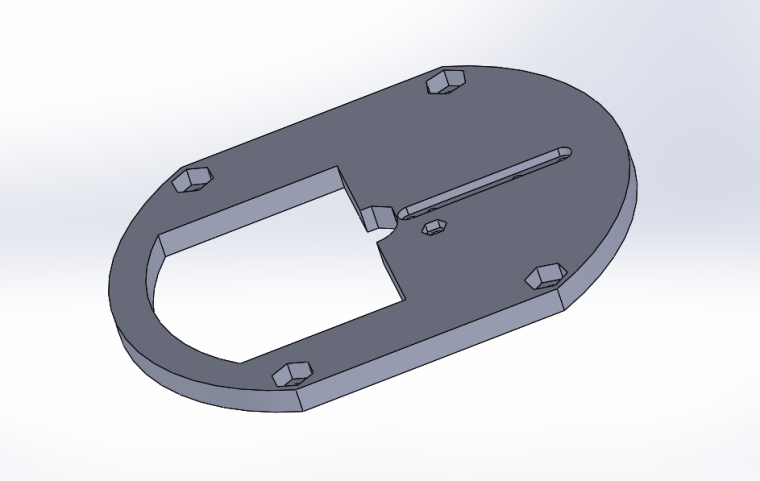
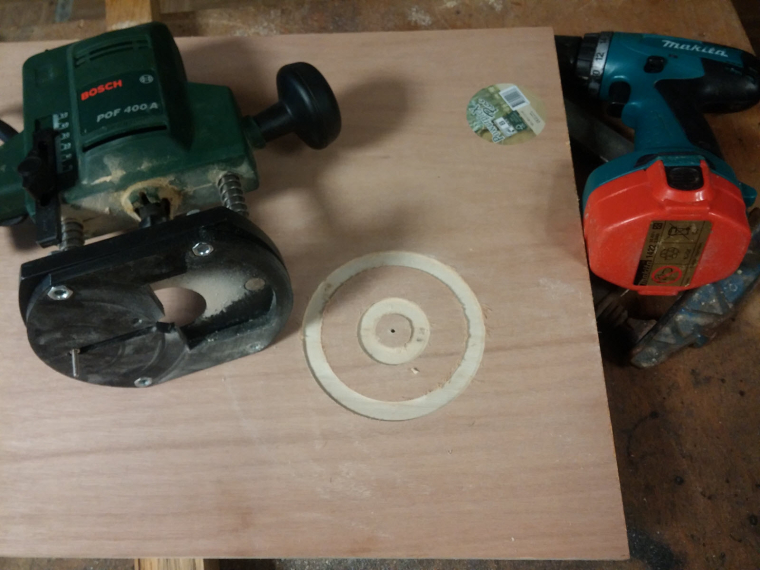
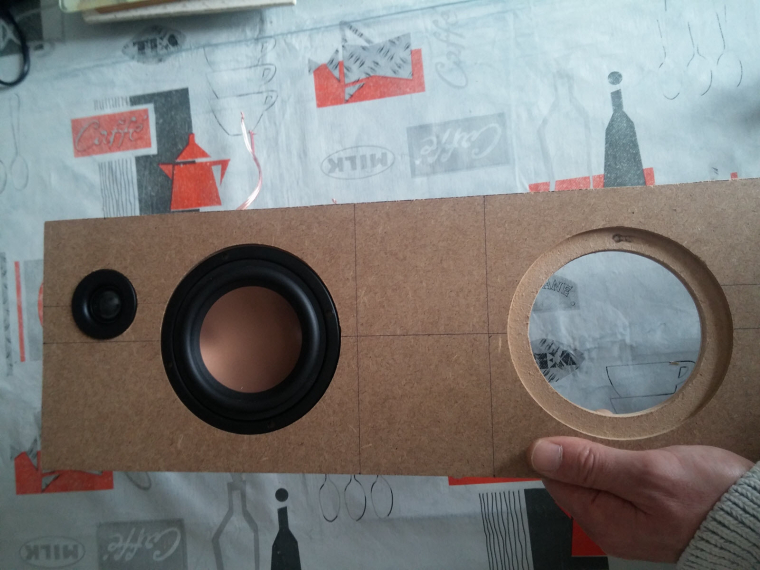
    1. I designed&printed a simple circle jig for my router.
      0_1515348466242_Pièce1.PNG
      0_1515346505441_circle jig.jpg

    2. So speaker drivers can be flush on front plate
      0_1515346542637_frontplate.jpg

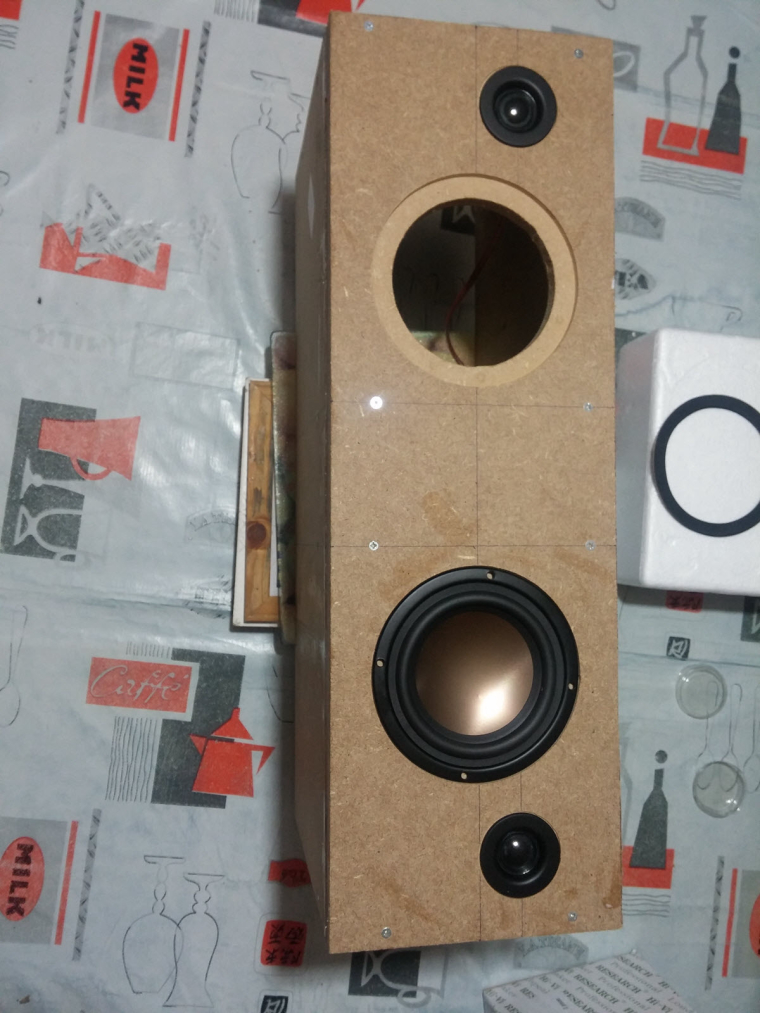
    3. Assembled the box
      0_1515346612578_speaker.jpg

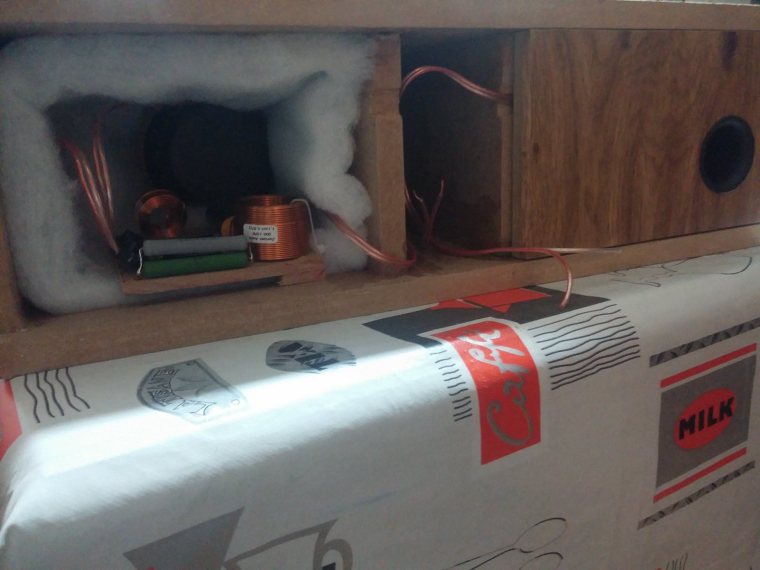
    4. Crossover, port tube, foam
      0_1515346694824_back.jpg
      with a special place to fit some electronics like

    • rpi (for Volumio/LMS client, or a voice assistant)
    • cheap dac & 2x50w amp from aliexpress
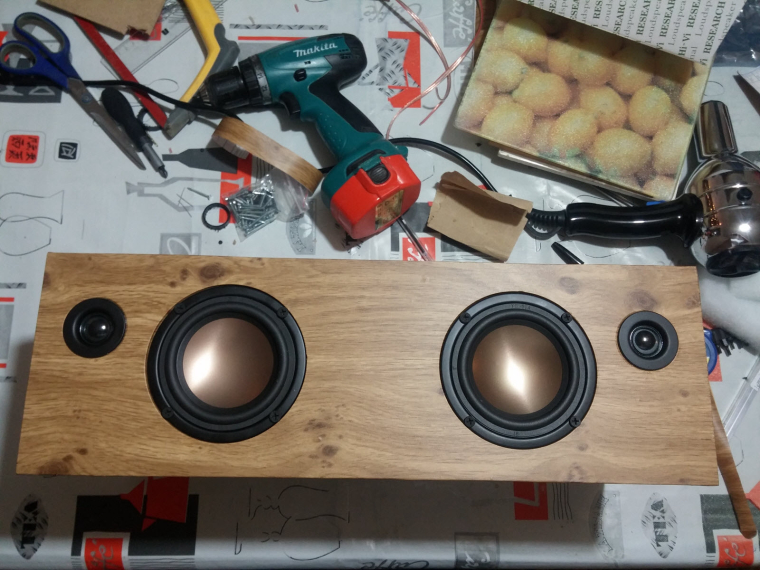
    1. Now vinyling. I need to change these ugly black screws too.
      0_1515346789068_vinyling.jpg

    Of course, I'm too excited (and not very patient ), so I've tested how they sound... Loud! Crystal sound with very nice boomboom :muscle:
    Not finished, but in good way :)

    General Discussion

  • 💬 HALO : ESP32 multi transport GW/Bridge for Mysensors
    scalzS scalz

    I know I don't give news about this project.
    So, maybe I should show you few pics, just in case.. ,)
    First, I prefer to say, we can't share code for the moment..not very release-able.
    We are using completely custom code for this project. GW code is quite big, mysensors is an experimental version (sort of "v3"). Plus for all the features, sometimes it can need some tweaks in esp32 libs etc. for the moment, sw is still tied to this project&hw.

    That said we have lot of neat stuff working, hw choices changed a bit too.

    Here we go:

    • asynchronous
    • http webserver + websocket server
    • mqtt client
    • transport bridging
    • embedded webapp for UI
    • etc.
      Well I cannot make a list for the moment, there are lot of features.

    Concept is autonomous simple network without need of a advanced controller, or when linkto/controller is down, that you can control and debug from your phone or computer. With step by step configuration, inclusion etc for easy getting started.

    Pics of the app ?? Teasing ON!
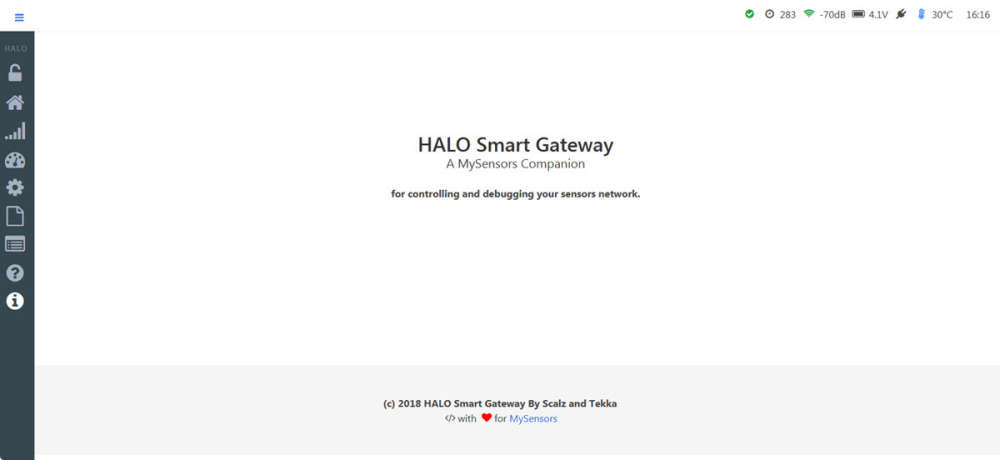
    0_1534344087554_about.jpg

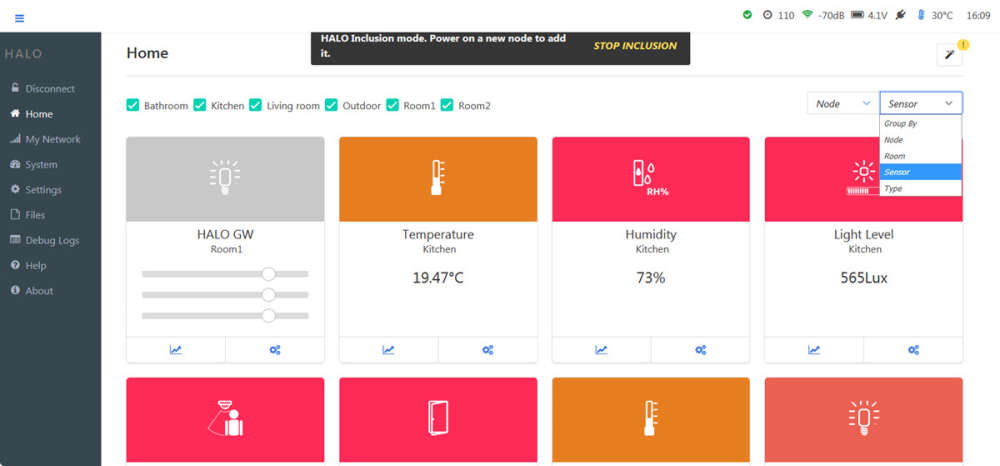
    The app is realtime and very reactive. Responsive and mobile friendly. This is a single page app. written with Vue, no jquery. lightweight Bulma CSS

    0_1534344206886_home.jpg
    I started to make some widgets.. there are also multiple filters for dashboard.

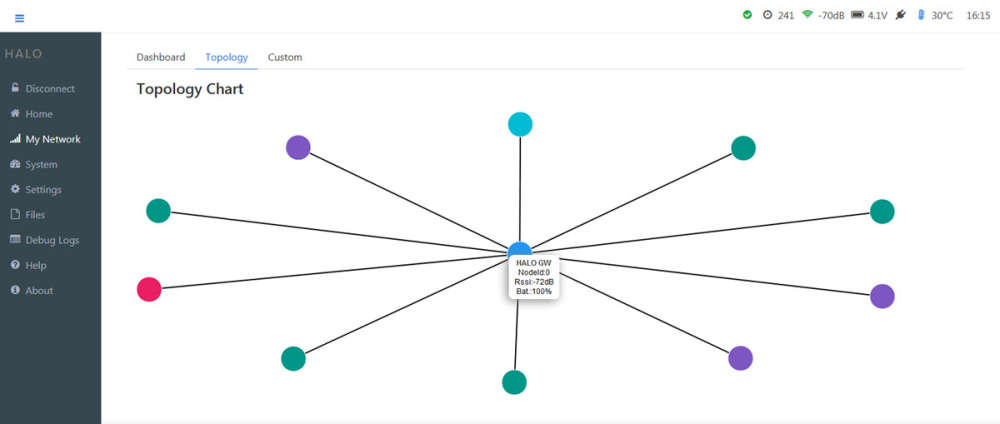
    It will also be possible to get infos about network, rssi, stats etc
    0_1534344374355_network.jpg

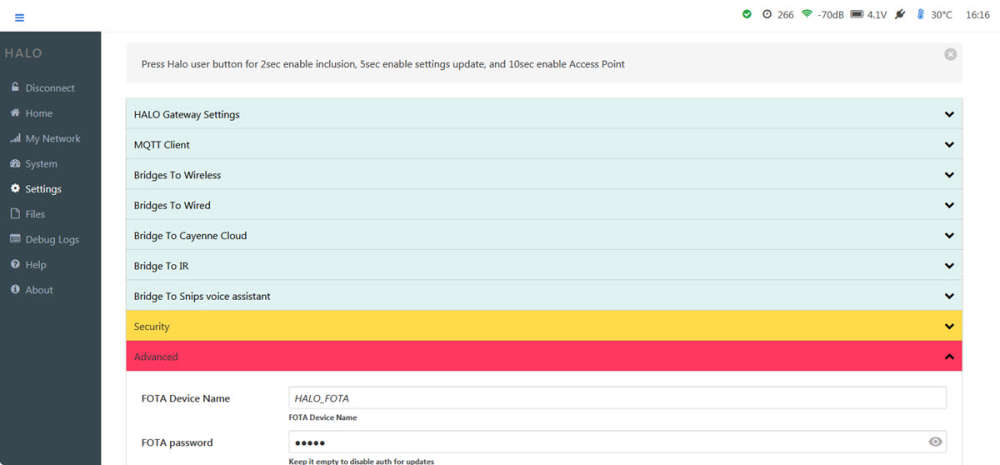
    Lot of settings, I let you imagine them.. there are a few dedicated steps by steps too, handy for starters (like my family, friends..).
    0_1534344420975_settings.jpg

    It's also possible to see all logs, downloading them, updating app files etc.

    Teasing OFF, I prefer to keep some other nice features to show you later :stuck_out_tongue_winking_eye:

    don't ask for a release date plz, we're busy on lot of projects, but we'll try to do our best! stay tuned :)

    OpenHardware.io nrf24 bridge wifi rfm95 can rgb blaster esp32 ble rfm69 serial wi-fi sniffer bluetooth gateway

  • Sensebender/Dualoptiboot OTA HowTo in Mysensors
    scalzS scalz

    Hi.

    Here is an howto about OTA in Mysensors I made for jeedom french users when Mysensors 1.5 was released. So I translated it if it can be useful to you. Things should not have changed a lot I think. I have no time for the moment to check everything. So if you note differences, tell me here and I will update. I will update pics with latest revision of the software.

    OTA, or Over The Air, lets you upload your sketch without ftdi, it's done wirelessly. Can be useful if your nodes are not accessible or you need to make signing changes for instance. To get this nice feature, you need to burn a dedicated bootloader.

    In Mysensors, we can use two kind of OTA:

    • 1st option : MYSBootloader, created by Tekka from Mysensors Team.
    • 2nd option : Dualoptiboot or if you prefer Sensebender Bootloader (in Mysensors boards). But in this tutorial I will name it "Dualoptiboot". It comes from Lowpowerlab.

    Difference between these two methods (updated from Tekka post http://forum.mysensors.org/topic/3453/mysbootloader-1-3-pre-release-myscontroller-1-0-0beta/9)

    • MYSBootloader does not require external flash: OTA FW updates are transmitted offline, i.e. MYSBootloader communicates with the controller and receives new FW which is directly written to MCU, once FW is transmitted and CRC verified, MYSBootloader hands over to the new sketch/FW.
      Pro: recovery OTA possible, also with a faulty/buggy sketch (if sketch freezes, watchdog resets and MYSBootloader takes over), no external flash required
      Cons: Radio specific, i.e. different bootloader for RF24 and RFM69 radio (rfm69 work in progess) necessary, offline (no sensor data processing possible during ota).
    • Dualoptiboot requires external flash: OTA FW updates are transmitted online, i.e. while the node is active. Once all FW packets are transmitted and CRC verified, the node reboots, dualoptiboot copies FW from external flash to MCU and hands over to the new sketch/FW.
      That means too that you need to ftdi upload your node sketch the first time or ota won't work yet as it is handled in the sketch.
      Pro: Radio agnostic (no radio specific code in bootloader so can be used in different scheme/protocols..), online (while node processes sensor data)
      Cons: Faulty FW (e.g. freezing sketch due to bad coding) cannot be recovered OTA => recovery via serial port necessary, external flash required

    This tutorial is only for Dualoptiboot Bootloader, because I have not seen an howto for this option here yet. But some parts/pictures of this howto can be used for MYSBootloader upload.
    If you want to use MYSBootloader, howto is here: http://forum.mysensors.org/topic/3453/mysbootloader-1-3-pre-release-myscontroller-1-0-0beta/9

    By default, Dualoptiboot bootloader is 8Mhz Internal + 1.8V BOD.

    What do you need:

    • SPI eeprom, jedec compliant, like AT25DF512C-SSHN-B. For other eeprom and compatibility, you can check this post https://forum.mysensors.org/topic/3160/ota-flash-types-for-mysensors
    • for evaluation or some diy projects, I did this evalboard https://oshpark.com/shared_projects/m5Uugjx5 or you can find it on opensourcehardware. No need of course if you have a sensebender, moteino etc as eeprom is already there.
    • I use an USBASP to burn the bootloader
    • I use AVRDUDESS : http://blog.zakkemble.co.uk/avrdudess-a-gui-for-avrdude/ for fuse
    • arduino 1.6.x
    • Mysensors 1.5.x : http://www.mysensors.org/download/
    • MYSController : http://www.mysensors.org/controller/myscontroller
    • So in Arduino Ide, now you shoud see Sensebender Micro board in Boards\tools

    Burn Dualoptiboot in your node

    To keep things simple, or maybe not for others..imho it's so easy with a cheap usbasp (just few wire) than arduino as isp.

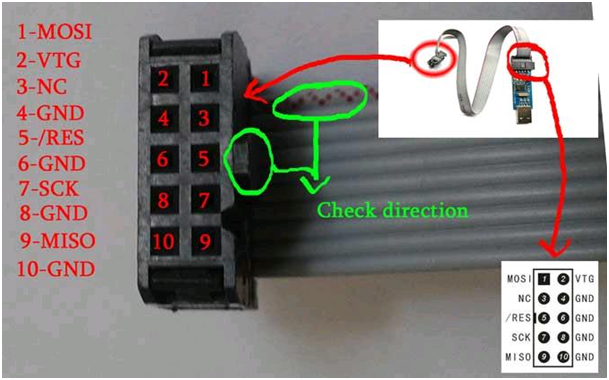
    What looks my usbasp (clone, USBASP 2.0 LC Technology) and connections to your arduino or node.

    0_1458993268264_737420usbasp.png
    Wiring on nano/micro/328p:

    MOSI : D11
    VTG : VCC 3.3V
    GND : GND
    RES : RESET
    SCK : D13
    MISO : D12
    

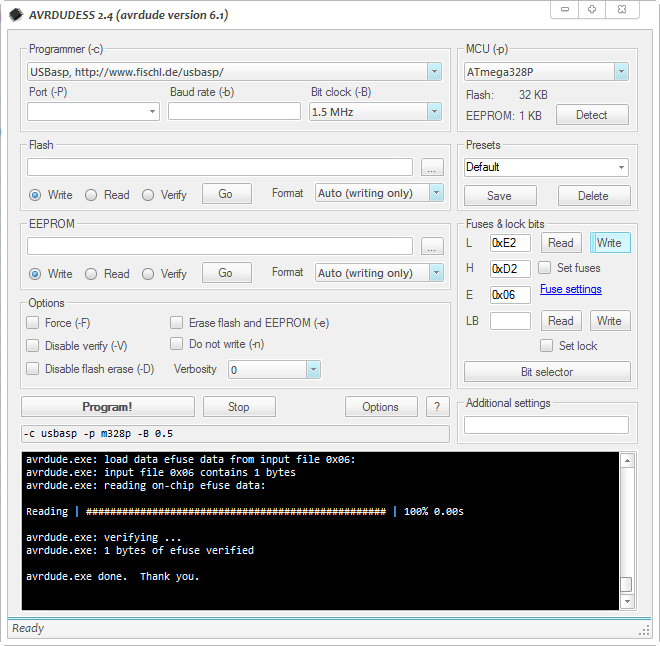
    Once it's wired, burn fuses with avrdudess. Here the conf:

    0_1458993338862_281987avrdudess.png

    Note : even if my usbasp is a clone, I choose genuine usbasp in the listbox.

    Just click on Write in "Fuses&Lock bits" section. Then read it to check fuses are well burned.

    Now don't disconnect your usbasp.

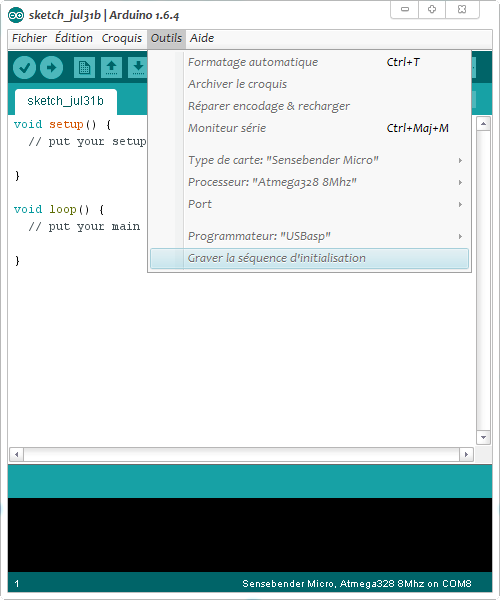
    • Go to arduino ide, choose SensebenderMicro, Processeur Atmel328 8Mhz, serial COM port, and USBASP programmer.
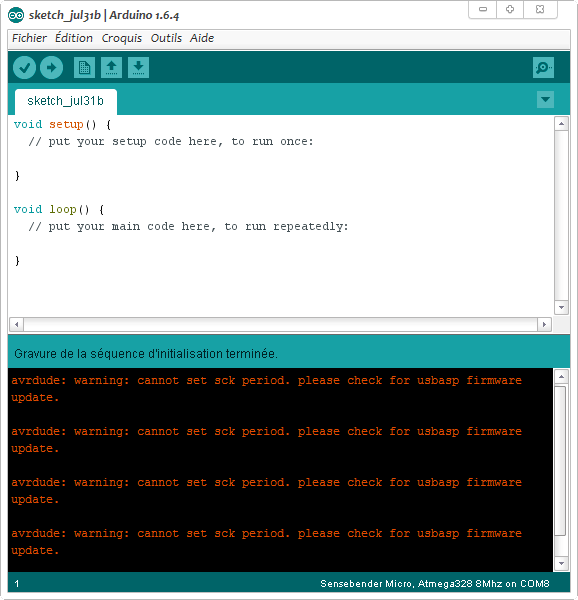
    • Click Tools\Burn bootloader. You will get few SCK warning but that's not a problem, it's because I have an usbasp clone.
      Note: you could use avrdudess to burn the bootloader too.

    0_1458993400230_236880arduino1.png

    0_1458993479899_889671arduino2.png

    Yeah, our OTA bootloader is burnt :)

    In sketch

    To enable OTA in your sketch, you need to add

    #define MY_OTA_FIRMWARE_FEATURE 
    

    or uncomment it in Myconfig.h

    OTA management is completely transparent. Everything is well handled in process() and wait() methods (when you do a gw.wait or mynode.wait for instance...)

    Important note :

    • Don't forget a sleeping node can't receive an OTA. You can wait after wakeup for instance to see if you have somethings coming or I have not tried it yet but it seems now in mysensors libs there is smartsleep() wich manage the wait() after wake up.
    • when you upload the new sketch, it is done during runtime, so you have to handle/optimize this in sketch. The best is if you detect an OTA msg, to pause process or sensors readings during the process or it will affect the speed of the OTA. I mean for instance if you read sensors, sometimes there are some delays in libs, all these things will delay ota or timeout it during main loop. Plus, if these optimization are not done and you run on battery, the longer time in TX/RX radio for the update, the more battery energy wasted. OTA can be fast 15-30sec if nothing slow it, or x minutes if not optimized :open_mouth:
      So it's up to you to manage this, use non blocking/asynchronous code. The rest of the process is again completely transparent. Great!

    How to upload a new sketch just with OTA

    For this I use MYSController. It's not an .ino file that you will upload but the .hex one. So to easily get this file:

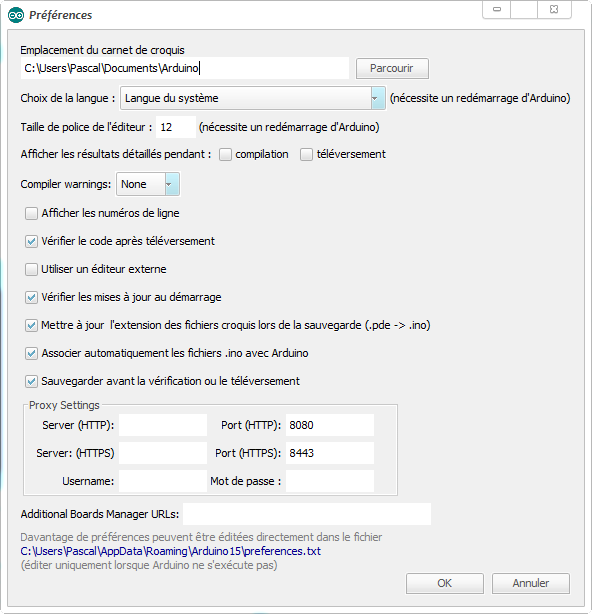
    • In Arduino ide, go to File\Preferences, on bottom click on preferences.txt. It opens preferences.txt.

    0_1458993573312_121153arduino3.png

    • Keep this file opened and close arduino ide (otherwise your changes will be erased).
    • In preferences.txt, at the end, add this
    build.path=C:\Arduino-Output\
    

    or another preferred path. It will be there you will find your .hex compiled sketch files.

    • Open arduino ide and compile/check your node project. You should now see your compiled files in the path you have set.
    • Copy the .hex to Firmware path of MYSController

    Launch your OTA update

    • Launch MYSController and in Config/Serial, check the right serial com port.
    • Click on "Refresh FW repo" so you can use your new .hex file.
      Note : When I tested this it didn't work for me so I needed to do this
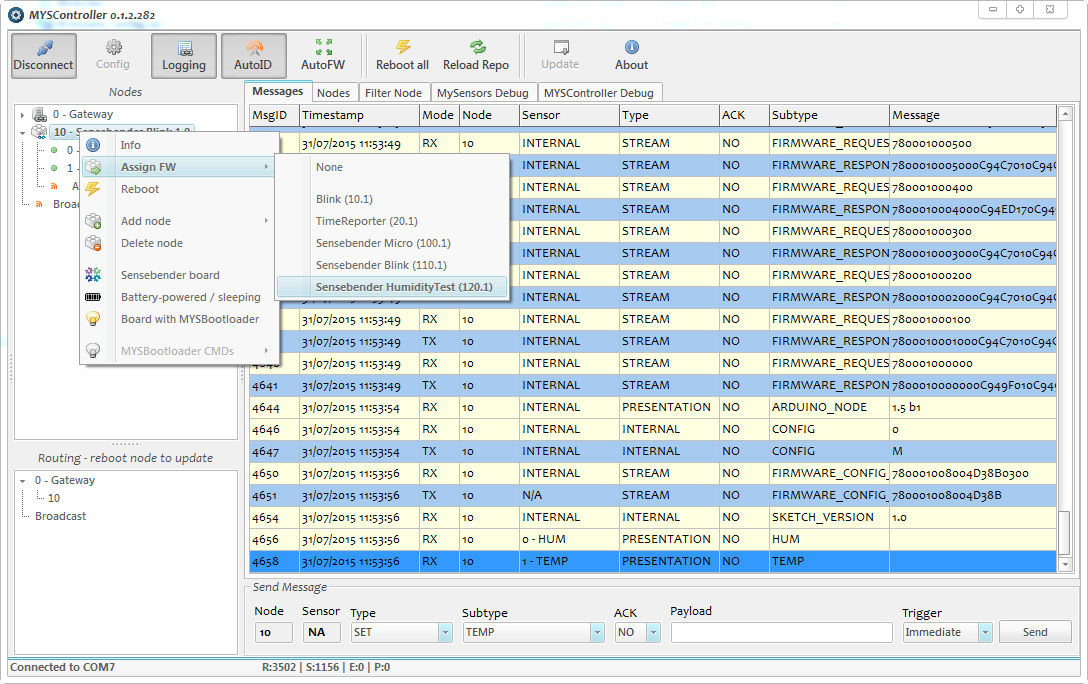
      In Firmware folder, edit firmware_config.csv and manually add your .hex. Here an example where I added a Humidity .hex file for tests.
    Type,Name,Version,File,Comments
    10,Blink,1,Blink.hex,blinking example
    20,TimeReporter,1,TimeReporter.hex,TimeReporter
    100,Sensebender Micro,1,SensebenderMicro.cpp.hex,Sensebender Micro
    110,Sensebender Blink,1,SensebenderBlink.cpp.hex,Sensebender Blink
    120,Sensebender HumidityTest,1,HumiditySensor.cpp.hex,HumidityTest
    
    • Now to wirelessly send your new sketch to your node, simply right click on the node you want to update. For sleeping battery node, choose "Battery powered Sleeping". So when your node will wake up, MYSController will resend the update. Awesome!
    • click on Assign FW,
    • choose the sketch

    and voilà! OTA should start, and then your node will reboot.

    0_1458993734904_399014arduino4.png

    I hope to have not missed something important. Please tell me, and I will add in this post.
    This howto was made some months ago, so I'm note sure if it's exactly still the same, but that should be almost ok. Try and test ;) and tell me. I hope it will help at least, as it is something often asked..If all is ok, don't hesitate to put it on a better place (I'm not sure if it's the best place here)

    Enjoy!

    Hardware

  • My other PIR multisensor, on coin cell
    scalzS scalz

    Hi :)

    I will show you here a board I have roughly drafted last night (one night=one board lol :blush: ). I was bugging on something and wanted to distract my brain with an other thing..and it was too long time that doing this board was tempting me!

    Briefly the context:

    • I have already done a multisensor with PIR on one cell with booster:http://forum.mysensors.org/topic/2951/my-mysx-multisensors-board
      Not released, because I need to fix few things in my files (like maybe remove the ws2812b led which doesn't work well for me at 3v, 8Mhz. Works ok at 16mhz..and few others things). The PIR controller, here is too much exotic, to be a durable sourcable solution. I have enough of these PIR ic for me but not enough for family, friends...
      The new board, presented here, will follow my custom box.
    • I have already made an eval board for PIR which needed some tuning, based on discrete components, no exotic chip: http://forum.mysensors.org/topic/2387/low-power-pir-breakout-board-for-mysensors-and-evaluation
      Based on ST AN4368 app note.
    • and some time ago, I felt in love with this design note from TI, http://www.ti.com/lit/ug/tiduau1a/tiduau1a.pdf
      This design note is a POC for a 10years PIR on coin cell! I felt so in love that I have almost designed an eval board for this crazy CC1310 mcu that I absolutely want to try since so long time (yep, there is RF, but like some people says, read books and follow the 5 master rules, btw I have a spectrum analyzer, not a network one unfortunately! will see what I get. I know I'm maybe too much geeky :)
      So, this design appnotes uses the CC1310 which is a very well optimized mcu with optimized power domains for sensors and RF. With a well written software, they get this excellent result of theoretical 10years.

    So, what if we applie these two appnotes to our favorite 328p mcu?? And my board was born :) My first coincell multisensors board (never say never!).

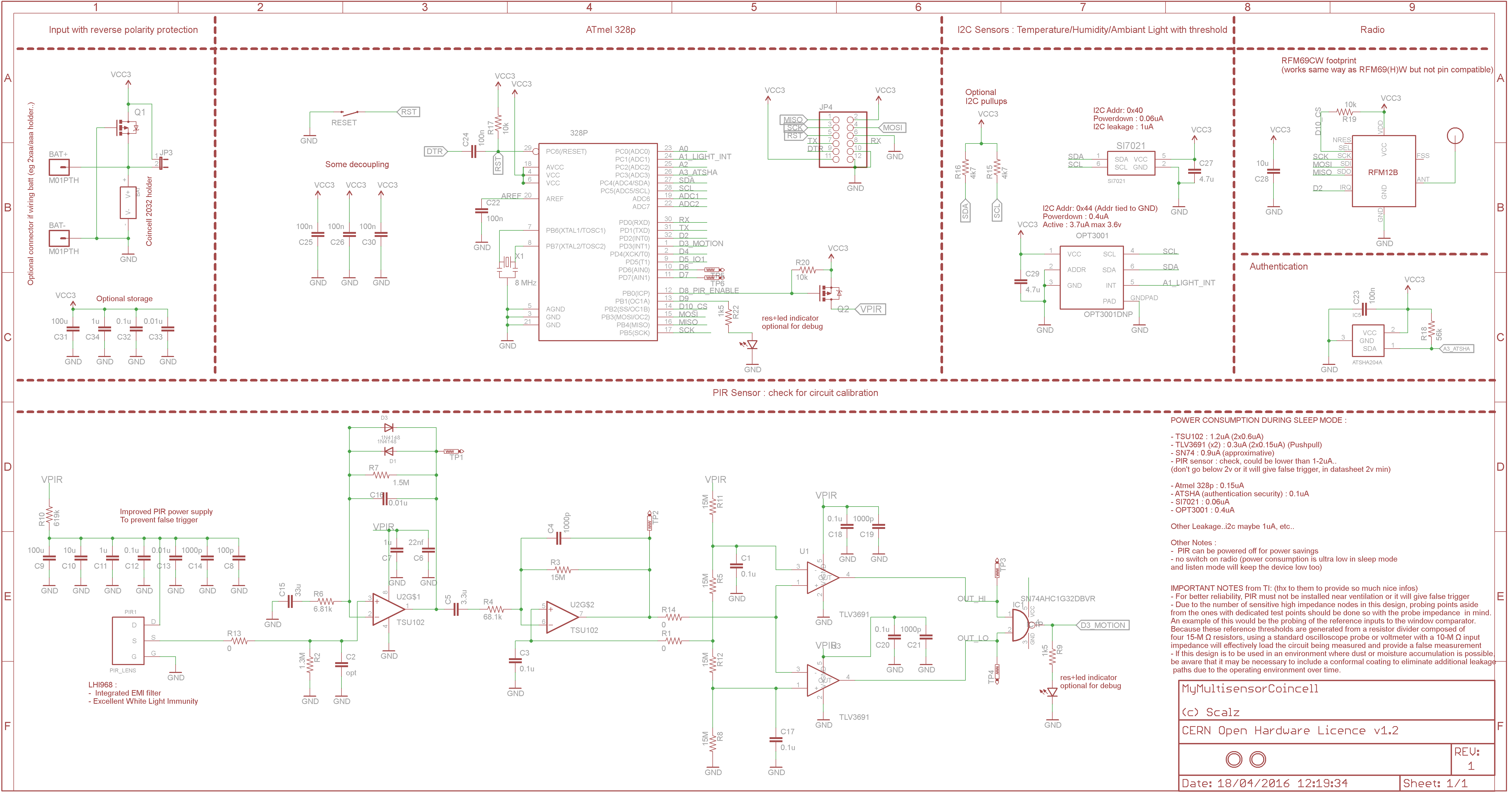
    First, the schematic ;) I will send it to fabhouse at the end of the week end, to let me more reflexion and see your feedback:

    0_1464434489502_sch.png

    Very basic, isn'it? You see, here, I'm taking another direction:

    • direct battery, no regul so 3.3V max.
    • coincell holder footprint, and two pads to connect a 2xaa/aaa holder for instance to extend the maintenance. This devices, coincell, is designed to be slim, so I would go for aaa lithium.
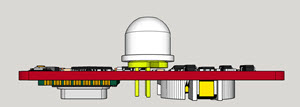
    • Sensors : the well know SI7021 temperature/humidity, OPT3001 for the light, LHI968 PIR
    • The PIR can be enabled/disabled, thx to a pmosfet
    • Authentication (ATSHA204A signing)
    • Radio : RFM69
    • no external eeprom this time, I will use MYSBootloader on this one
    • debug points for PIR circuits, no potentiometer, I will make it at hand, fixing parts values.
    • reverse polarity protection

    Important note : if you want to take this schematic and make your own...I hope you will take care of the routing on the PIR part because it's very important (false trigger is not far..). This part will, I'm almost sure, need some calibration. Maybe some caps could be removed but for proto I prefer to keep them. Plus it helps for reliability.

    About power consumption:

    You can see on the schematic few notes about this, this should give us, perhaps, roughly, 5-6uA in sleep mode with PIR enabled. No need to disable the radio (it's a camel in sleep mode + i plan to use the listenmode).

    • Few simple maths because it can vary with PIR trigger, coincell quality: but for a coincell of 230mAh, I plan for 200mAh usable energy. Sleep mode :5uA, 30mA in radio transmit during says 40ms (can be more time with signing...), 10 wakeups/hour. That gives us a theoretical estimation of 2.33 years. Not so bad..It can be more if you disable pir for some periods,or less if bad software..
    • that will need some software to improve the sleep mode, blind time, low power during blind time and retrigger..nice challenge ;)

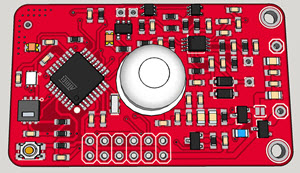
    Few 3d previews, size is 49x30 (so 3 boards on a 10x5cm or 6 on a 10x10, 2mm for vcut)

    0_1460207032902_2016-04-09_14-42-35.jpg

    0_1460207042832_2016-04-09_14-43-18.jpg
    Slim ;)

    One question do you prefer to have PIR High and low signals directly connected to atmel inputs, or like maybe I do, use a nanopower OR gate for one input???

    If you have any remarks, I will be very happy to make some changes (basic) before ordering my pcb. Does it sound good to you?

    Humm, I'm not sure, but @Samuel235 you have here an example of mosfet use to enable power if you want.

    See you soon :)

    Hardware

  • What did you build today (Pictures) ?
    scalzS scalz

    That was yesterday.. :blush:

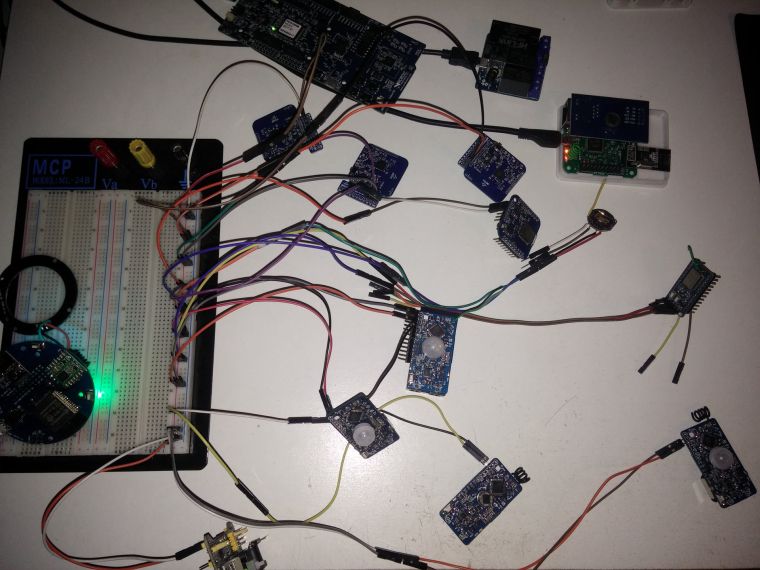
    @tekka and I tested some new features he made, so here was my humble and fun test setup

    0_1510566539991_IMG_20171112_203729.jpg

    Of course the Halo GW didn't disappoint us! All boards (mixed mcus and radios nodes) were attacking it at an agressive rate (100ms rate), and there was no crash at all. Halo GW was laughing & kidding us saying "Please give me more, I like doing this" :) (but I was lazy to assemble more, there was 13 nodes on the table..).
    Too strong @tekka ;)

    General Discussion

  • 💬 Sensebender Gateway
    scalzS scalz

    Tea time..

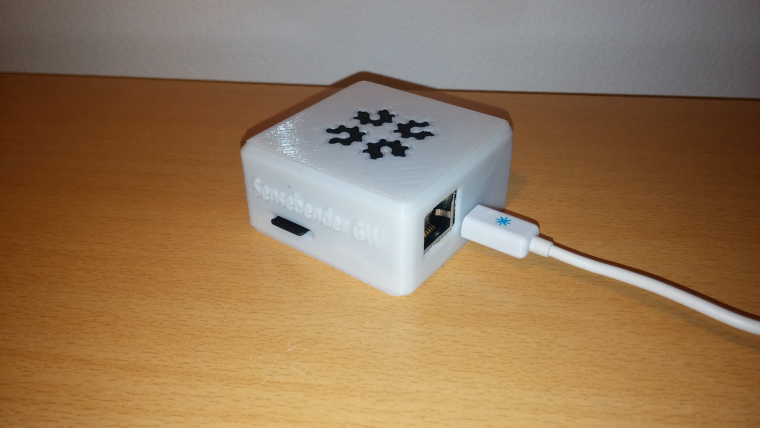
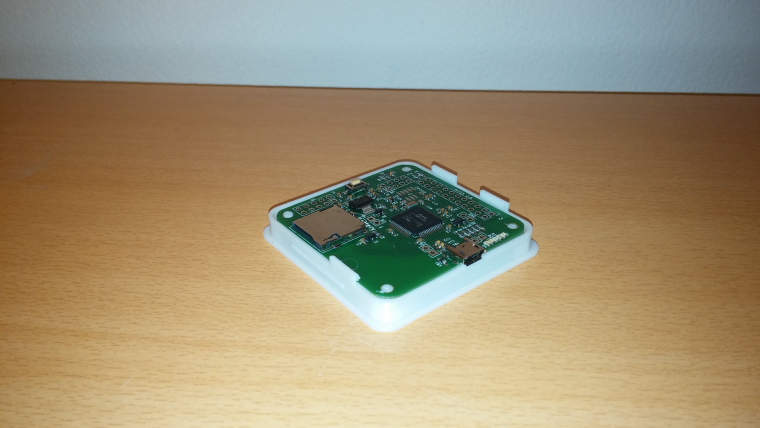
    Here is my custom box for your RFM69 Sensebender GW ! Beautiful board though ;)

    No nail no screw :)

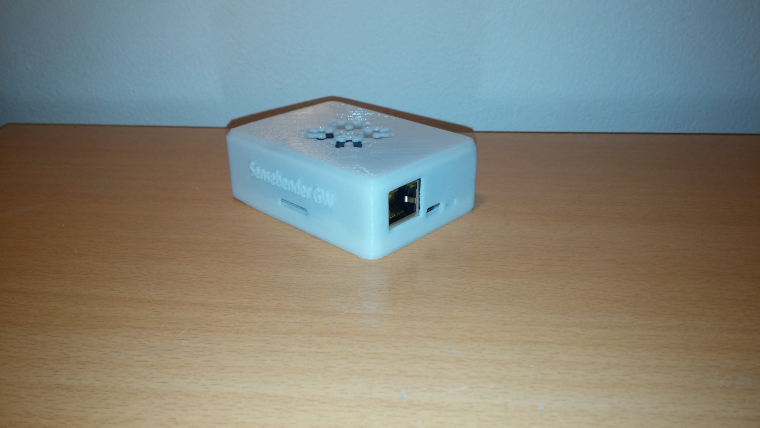
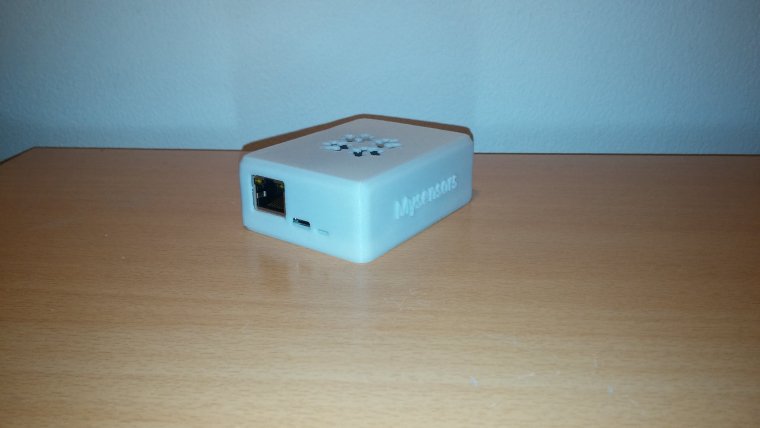
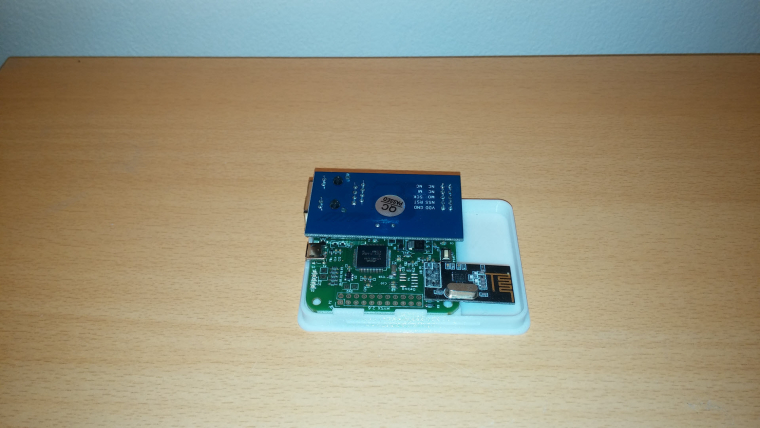
    0_1486052016552_Custom box for Sensebender GW.jpg

    0_1486052034817_Plate for Sensebender GW.jpg

    0_1486052057656_Bottom plate for Sensebender GW.jpg

    Last final minor check and i release the files, sure! (i've done one for nrf too in case..)

    OpenHardware.io mysensors gateway samd

  • Low power PIR breakout board for Mysensors and evaluation
    scalzS scalz

    Hi,

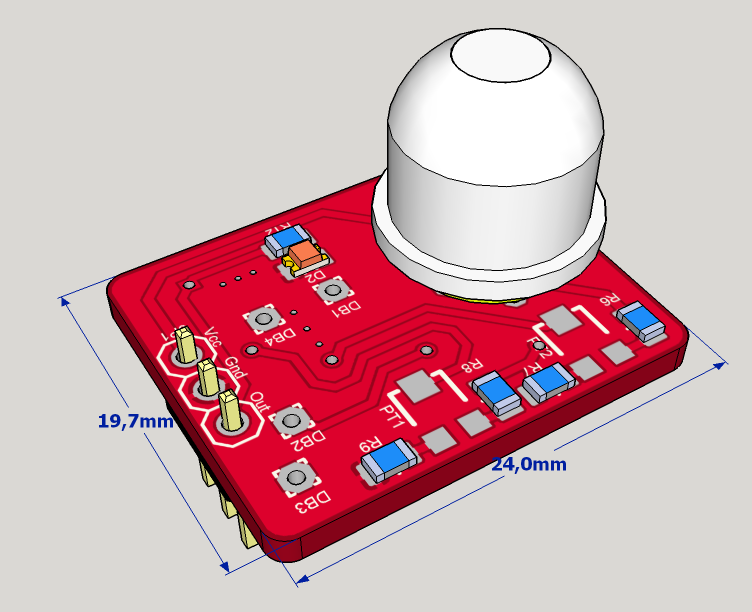
    I like to make my boards small as I can (with my "little" knowledge, lol) and, like lots of you I needed a small, slim and of course low power PIR sensor. I don't like chinese HC-SR504 board because there are big capacitor on it. Not easy to integrate in small enclosure. So I decided to re-design this chinese board with smd capa.
    But, Anticimex pointed to me a very interesting app note : ST AN4368. Thanks to you @Anticimex for your valuable advise :wink:

    Note : I ordered pcb few weeks ago, it should not take lot of time now to get them. I ordered it at oshpark, as board is small, price is cheap.

    So this board is based on this ST appnote, and especially on the first schematic in it (based on TSU104 opamp, more low power).As app note state, it should be somewhere 23uA. I am using a nanopower nand gate. I didn't find better for this ref..so the board should be 1uA more. I hope it will stay between 23-25uA which is not bad I think..

    I have made few changes for easy testings:

    • 2x potentiometer added
    • debug points
    • optional led on Out Signal (for debug)

    Size : 24x19.7 (mm)
    Components size 0805.

    Now some screenshots:
    3dview.png

    https://www.youtube.com/watch?v=Lc4ZXmKnMNw

    Boards can be ordered here : https://oshpark.com/shared_projects/Dc6Tlrt1

    Eagle files and BOM on my git, here : https://github.com/scalz/MySensors-HW/tree/development/LowPowerPIR_Breakout

    So it should work, as I followed app note. Changes I made are minor. And I have taken care of routing to try to not have problem on analog trace...

    Enjoy!

    Hardware

  • MySensors vs Zigbee
    scalzS scalz

    @alowhum said in MySensors vs Zigbee:

    It would rock if the NRF24 that it uses for MySensors could somehow also do Zigbee at the same time. Sharing the radio. Would that even be possible? Or does MySensors 'hog' it?

    Zigbee is an open standard (and since recently so is Z-wave), so in theory implementaton should be do-able..

    Yes it would, but I don't think you'll see it soon (>months), and not with nrf24..
    Like I said previously, this imply "some" hardware and software changes, not very backward compatible, so that's not a very top feature in todo (the native zigbee/mysensors bridge) even if we already talked about this for fun ;) There are others things to improve imho..

    @fhenryco said in MySensors vs Zigbee:

    More specifically, what was the point to develop the mysensor protocol when BLE is available with very low cost modules (which is not the case for zigbee in general much more expansive) ?

    I don't know exactly about MySensors roots (I wasn't there), but it's good to remember that MySensors focus always been on simple hardware in arduino for beginners like 328p, nrf24 etc. so far.
    And you can't run BLE stack on all kind of hardware. BLE for example has a heavier footprint than MySensors (and zigbee too) and needs more resources.

    Is it that BLE is constrained to remain on 2.4 GHz when mysensors protocol can run on many frequencies kind of transmitters ?

    Yes, even if at the beginning MySensors was 2.4ghz only. Lot of people use it for sub-Ghz (433,868 etc).

    Is it that mysensors can be even cheeper ?

    This depends on your project.

    As far as i have understood a similiratity is that both are not IP based nor mesh protocols.
    BLE is a much more complex protocol up to the application layer however the success of mysensors in the DiY community seems to imply that much of the extra offered capabilities by BLE (security?, complete endpoint identification to the network?, network management capabilities? ) are of little value for most domotics applications ...(?)

    Yes BLE stack is more complex. And in some case you can run less nodes in a network than MySensors. That depends on implementation, manufacturers etc.

    MySensors can be as secured and more.. Imho, regarding security, I like the idea to use proprietary protocol, for example in 2.4ghz like MySensors, than BLE which is compatible with phones. I prefer to use a gw..Especially for HA, as in general, we use advanced controllers. Of course, it depends on your project and needs.

    You can easily access to the MySensors stack to make any change..
    For example, easy to say this stack or this one is now open source, less fun when you have to dig in sources ;) always the question of is it worth it? why? as a dev do we really need it, or is it just for challenge but waste of time as there could be others priorities? what are the compromises, pros&cons etc.

    Or may be it's just that BLE is not designed to allow the BLE nodes to declare themselves to controllers such as domoticZ , ...

    That depends on the controller used, sometimes you're limited to a type/brand of devices. You can also tinker with nodered as proxy.

    Finally:

    • if using zigbee or BLE, what would you miss?
    • if using MySensors, what would you miss?
    • and if the point is just about some sort of universal compatibility, to have possibility to buy cheaper hw, then is ROI worth the effort? Couldn't it be solved with nodered? etc

    Recently @yveaux showed us this cartoon. I think it fits well here :)

    0_1531838071661_standards.png

    Sometimes, proprietary stuff, or standards, can be a business source too.
    I can't disagree with you, it's too messy :)

    General Discussion

  • 💬 MyMultisensors
    scalzS scalz

    Yo,

    for those who have not seen my latest rev..apologize, I'm working hard to release all my stuff ;)
    It's still working well btw. this is the revision i will release i think (i have few other nice iteration but that's enough!).
    0_1474116844076_20160915_212045.jpg
    0_1474116860159_20160915_212143.jpg

    • Size is 25mmx49mm (same size as a nodemcu)
    • Same specs as before, plus OTA. So optimized for very low power and coincell management. Temp/hum/pir/lux/contact door input
    • Thickness depends on the battery used. That's great as now it's possible to use different kind of battery holder :) CR2032 for the thinnest (8mm without PIR) very thin!, CR2450, or through hole 2xAAA holder
    • you can see a test I want to try: a special antenna i saw on the forum. I will compare it with straight wire antenna, and coiled wire antenna.

    See you soon :)

    OpenHardware.io 328p motion atsha204a multi sensor humidity temperature pir ambiant light low power coincell

  • Roller Shutter
    scalzS scalz

    Hi,

    A friend asked me if I would be able to make a RollerShutter node which could open/close his roller shutters 0-100%. Yeah, new challenge for me! I am happy to share with you my work :smile:
    Another thing, the board can be used as a simple relay board of course :wink:

    Note : it is still dev, even if I have successfully debbugged my previous revision of this board. But I have not ordered yet this new one. As I have made some changes, I am still afraid to have a small hidden mistake, lol. That is why I say this but I have hope. And I will update this note when I will be 100% sure!
    There are some people who will order pcb and help me to betatest this board. Thanks to them and for their advice too (I am thinking to @Fabien, and some jeedom users.)

    Ah, of course, I would be very happy if you have any feedbacks, remarks about my schematics or layout. I'm not an electronician :wink:

    How is Rollershutter motor controlled:
    On-board, there are 2x10Amp Relays. Rollershutter motor don't use 10Amp of course, nor 5Amp. So maybe if relays are 10Amp rated, no need of snubber (I hope). If needed, it should be external, there is no enough space onboard.
    That said, for a simple relay board too, you can control lot of thing with 10amp.
    So, we have 2 relays, for a rollershutter:

    • 1x NO : which enable/disable power on the second relay. It is like "Stop Motor".
    • 1X NO-NC. you can toggle it, and drive Up, or Down the rollershutter motor. Remember this relay need to be enabled by the previous one.
      So relays are "interlocked", you can't enable "Up" and "Down" outputs to motor at same time and burn your motor.

    How to open/close 0-100%

    • We need to know the up and down ends. It is managed by the onboard ACS7125 sensor. It senses motor current flow and we read it with ADC on arduino. So when motor is active, we have a power consumption.
      When an up or down end is toggled, the motor stops (because of mechanical switch...). So there is no power consumption. So you can see, with ACS712, we can know in which state we are. We are able to read some kind of power consuption curve too if needed and no mechanical ends switch available..
    • We need to know how long it takes to open the rollershutter, and to close too (it may be not the exact timing open vs close time). So, here it is a story of millis chrono, taking some sample, making average etc...software stuff
    • good care of states in the sketch. no loop inside to not block anything, etc...

    General specs (also visible on my github) :

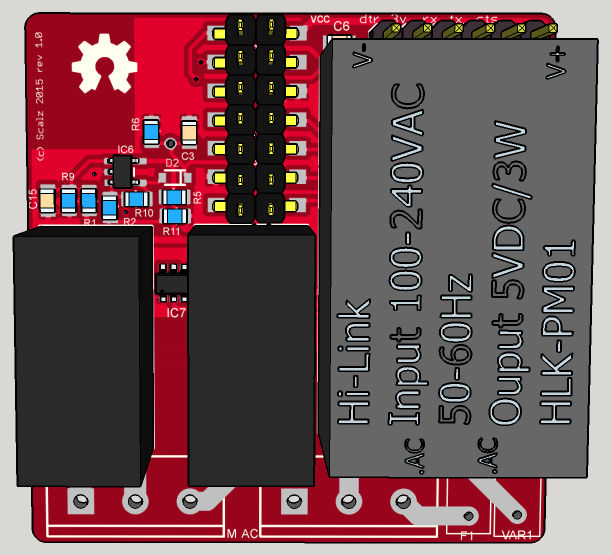
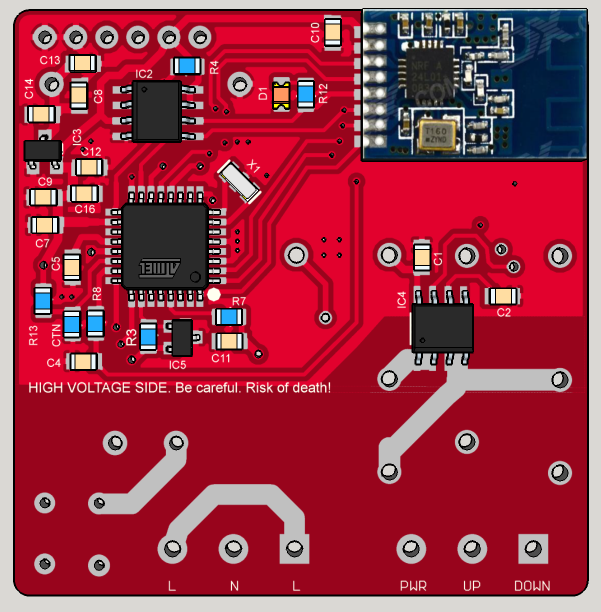
    • Components size 0805. Board size 47*48mm.
    • Can drive 12V up to 220V motors (for 12-24V just connect power source to PWR connector, for 110-220V connect one L connector to PWR connector)
    • AC/DC step down 220v-5v
    • 2x10amp relays, G5Q type, 1xNO, 1xNO-NC
    • ACS712 0-5A current flow sensors
    • Inputs for UP, DOWN, STOP
    • Some securities. On AC input, there are varistor+5Amp fuse. A CTN thermistor, on pcb bottom, under the AC/DC step down, to know board temperature in case. A dual relay driver to manage relays and parasite.
    • ATSHA chip footprint for authentication
    • Eeprom chip footprint for OTA update
    • Connector for ftdi
    • Connector with AVRSPI, I2C for external breakout (tactile switch, gesture...), 2 available I/O (D3 int, D4)
    • two versions : NRF24 smd or RFM69(H)W
    • Screwterminal 5mm pitch

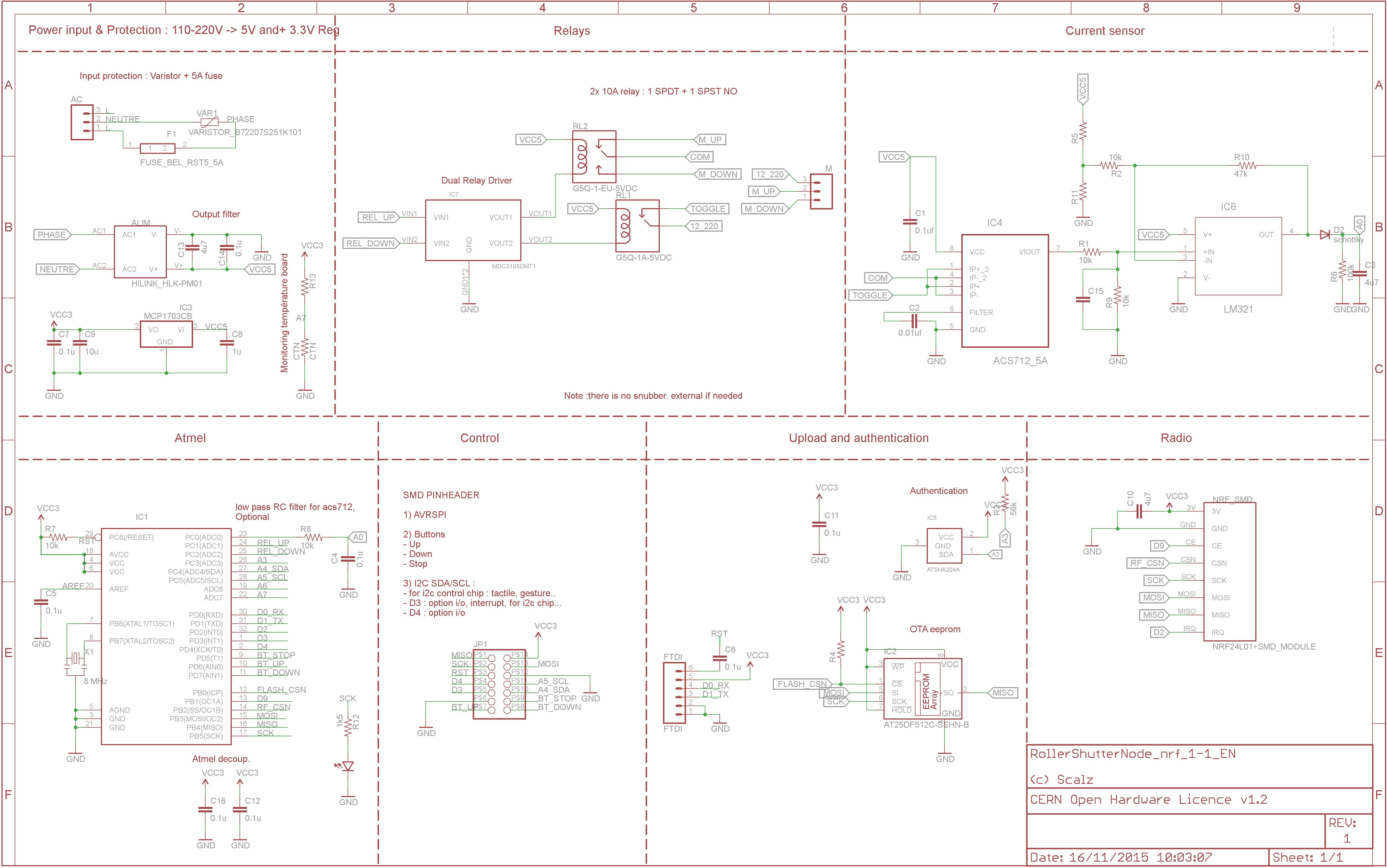
    Here is the schematic:
    Schematic_nrf_1-1.png
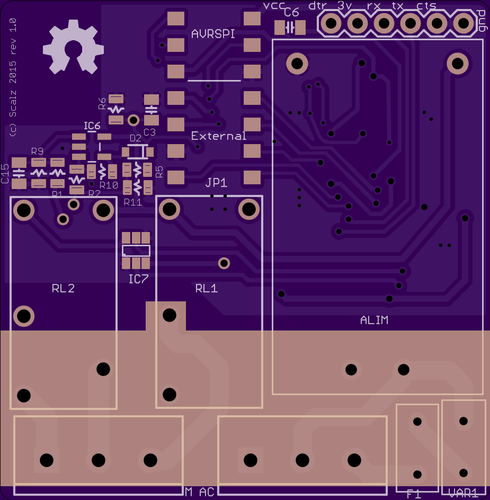
    Here some pcb views:
    top_pcb.png
    bottom_pcb.png
    Some 3d views:
    top_overview1.png
    bottom_overview.png
    For fun, a first idea for a rollershutter custom box, with holes on cover for luminosity+gesture
    https://www.youtube.com/watch?v=bKaH_GUuFAI

    Sketch
    Sketch is almost done but not tested yet. I will post an example soon, before I need to clean and update it as it was for my previous rev.

    All my files (including gerbers) are here : https://github.com/scalz/MySensors-HW/tree/development/RollerShutterNode

    Important
    **Note **: it is a project in progress. I repeat it just in case lol. It is hobby, opensource, and I share the little time I have for this with others projects in progress too. It costs some money of course, we are all in same boat with diy. So all these parameters can make the project longer. Very sorry for this
    But all the stuff is almost done. It just need to test now!
    Note 2 : As I said, I debugged my previous rev. All seems good, but I don't want to say it is a stable version until I am 100% sure.

    Thanks for all your feedbacks.

    Hardware

  • 💬 Carte Fil Pilote MySensors NRF24L01
    scalzS scalz

    Hey guys!

    If you can try to keep things in English, that would be great!
    for Mysensors creator at least :) and the rules paragraph 6 https://forum.mysensors.org/topic/610/forum-user-guidelines
    And also because that looks messy..

    I know there are no sub language forums and i don't know if there will be, but don't show that French are english lazy! No shame lol
    I'm french too ;) Imho i prefer english, because it's more universal for sharing.

    I'm not big fan of translating foreign language i don't know..so if there would be sub german etc.. i would never read it, no time to spend with google translate. So i could miss nice stuff, or little nice tips in comments. Plus trickier moderation i can imagine.

    I hope you understand. For the moment it's like this, who knows in future.

    Translation in french..

    I'm joking :)

    OpenHardware.io chauffage nrf24l01 fil pilote

  • My first multisensor daughter board
    scalzS scalz

    Hi!

    I am happy to present my first daughter board for MyTinyCamel (my other board in progress).
    All this work is in progress, but I like to share my work and it was rather lot of work ! but I think I will have something small&modular finally :smiley:

    I have made another version of MyTinyCamel with onboard sensors, but what about if I need a PIR sensor, or a gesture sensor. and want to keep things small. So I made this little daughter board.

    multisensor_dboard.png

    And a small vid to see how it looks with MyTinyCamel and 2xaaa:
    https://youtu.be/4ULY3P-F-Fo

    Technical descriptions (all optional):

    • 0805 NTC thermistor for temperature
    • SI7021 : temperature and humidity
    • BMP180 : pressure, barometer
    • VEML6070 : UV
    • TSL2561: ambiant light & IR
    • APDS-9960 : ambiant light & RGB & Gesture
    • PIR motion with mini lens (schematic is based on HC-SR501), with H-pad & trimmer footprint for sensibility
    • PIR can be enabled/disabled by onboard mosfet on daugther board
    • enlarged footprints for sensors (I hope to be able to handsolder them by adding a small drop of paste and heating the pad, otherwise I will have to build a reflow oven...)
    • solder jumper for each sensor to choose : VCC3 from MyTinyCamel or VCC_Sensors from Mytinycamel by mosfet

    There are 2 footprints for PIR. Why? because MyTinyCamel can have RFM69 or NRF24 smd. When nrf24 is used as you can see in the vid, it is a little wider. I wanted PIR sensor centered on top of a custom enclosure, in each case, so...

    Some notes :

    • as it is small, you can't use Gesture chip and PIR motion in same time. it is selectable by jumper. This jumper let you use : PIR or Gesture or External IO (smd pad).
    • When Gesture chip is soldered (APDS-9960), the onboard mosfet is used to enable/disable the internal IR led of the sensor. But it can still sense ambiant light by its VCC.
    • if it works well, I will make another version of this daugther boad for @Anticimex motherboard. I have thought a lot about I could make this compatible but I needed to stick to MyTinyCamel for this rev...

    I ordered one set of board to see, at oshpark... But your feedback are welcome of course, as now I need to design a small custom enclosure for this..

    And it gives me lot of other idea, like a micro-usb connector for usb powered or Hi-link AC-DC step down for something in wall mounted...

    See you soon!

    Hardware

  • 💬 Sensebender Gateway
    scalzS scalz

    Little gift.. :)

    Custom box for the NRF non PA version:

    0_1486135733912_20170203_161524.jpg

    0_1486135777240_20170203_161550.jpg
    A bit enlarged for NRF.

    0_1486135802750_20170203_162026.jpg

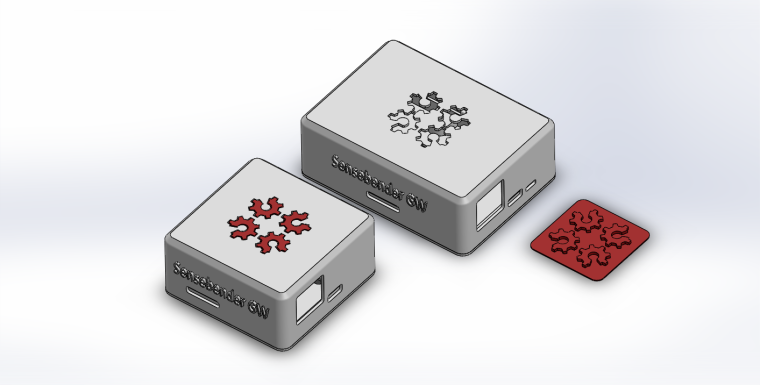
    And here the 3d preview for both versions with my little cheat for bicolor as i've still not added this feature to my printer
    0_1486135971628_assembly_rfm69_nrf_1.png
    You can see i've added a little slot near usb on the NRF version, it's for the leds indication in case box wouldn't be white (no need for white box, you can see it by transparency). I'll do the same for rfm69, and put variant stl with it or not.

    Next Nrf PA version, and that'll be fine ;)

    OpenHardware.io mysensors gateway samd

  • 💬 Aeos : a NRF52 versatile, up to 9in1, device
    scalzS scalz

    Here is a pic of Aeos rev 1.0. (the revision with 4layers and custom antenna for better perf, but not tuned yet).
    Working well though :)

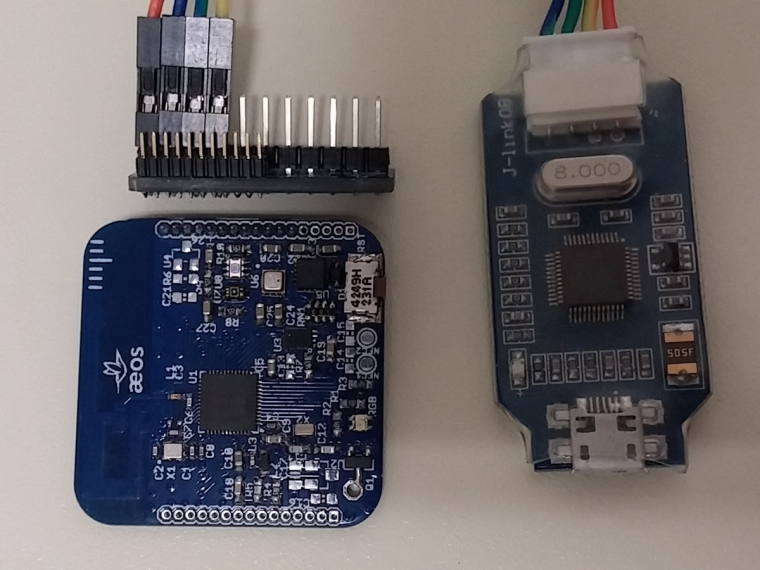
    0_1500930592781_20170724_225631.jpg

    With a simple adapter to my segger OB for programming it, or ftdi and some IOs. (actually playing a bit with ble for a change). Need to print a box!

    OpenHardware.io motion nrf52 pressure weather accelerometer light lux humidity microphone air quality door contact ble temperature security nfc multisensors

  • 💬 HALO : ESP32 multi transport GW/Bridge for Mysensors
    scalzS scalz

    thx guys, always glad to hear.

    With this project, I don't intend to replace a rpi controller of course. I'm using one too.
    This was something I wished for a while, also wanted nice tools (hw & sw) for debugging/using lot of transports.

    But more important, is family and friends, to easily get them started in HA. I think for the moment HA still looks a bit complicated for lot of people..often making people smile or looking at you with wide open eyes.

    Heard things like : "you're a crazy geek!" , "wow..well that's cool, sure, but I don't think I need this at home, or later maybe." "nice! but what I woud need is robot vacuum cleaner" :smile: "seems complex, what about privacy, hacking", "why do you want to datalog temperature, humidity.." :thinking_face:

    I know lot of smart non computer people who don't have time to become sysadmin, use CLI tools, json, rpi linux, blablabla.
    Or even if everything is in place, they wouldn't have time to learn how to use controllers+UI..pity.
    Also would your wife be able to add a timer, plan an action, add a new node in network, know where to click? is it too complicated to use?! So don't ask them to setup or tune their HA with Nodered!
    In fact they are much more interested in something lean and easy to use. Like commercial products do!
    But often cloud, or chinese UI??, not opensource fw (you can't change behaviour of a switch button without a controller..) etc

    So to make this simple, my setup will work like this:

    • get a Halo GW of course ;) and simply burn fw with a ftdi adapter. I'll prepare it for my friends. then it's simply a matter of wireless updates. No 'OS' updates, dependancies blabla simply a small file to update by air
    • same for a node.
    • with phone or computer, go to Halo UI app, and simply follow step by steps for first setup and pairing! I'm trying to make UI very easy to use.

    That's all, you now can interact with your network! no need to setup a rpi, nodered etc..

    Finally, "cherry on cake": I made a MySensors App+skill/action for Snips

    • buy or make a Snips voice assistant
    • download the MySensors Halo App for Snips from their app market (not published yet)
    • go to Halo gw UI and setup Snips

    Voilà you can voice control your MySensors network. Again no external rpi as controller. Only gw and snips device. Nothing complicated to use.. lean and low power :four_leaf_clover:
    Once you're used to it, then you can link the gw to a more powerful controller of course. it's a MySensors gw after all ;)
    I'll try to make a video of the setup.

    OpenHardware.io nrf24 bridge wifi rfm95 can rgb blaster esp32 ble rfm69 serial wi-fi sniffer bluetooth gateway

  • Your workshop :)
    scalzS scalz

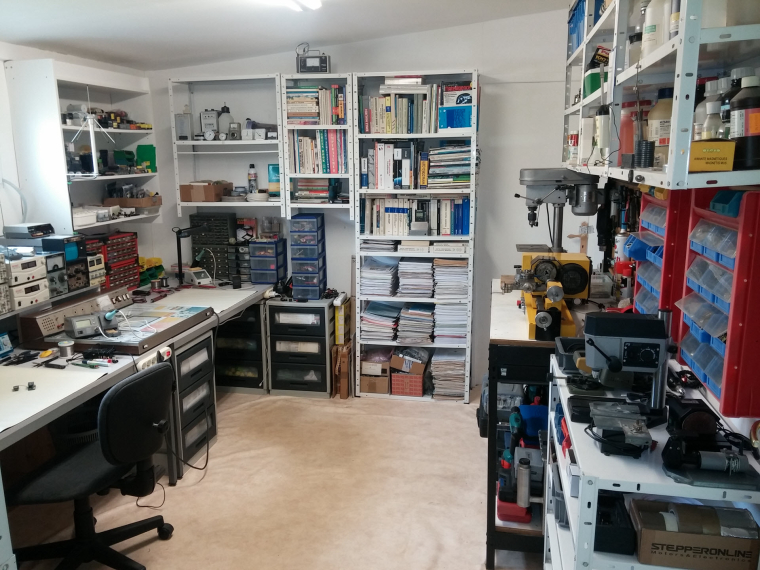
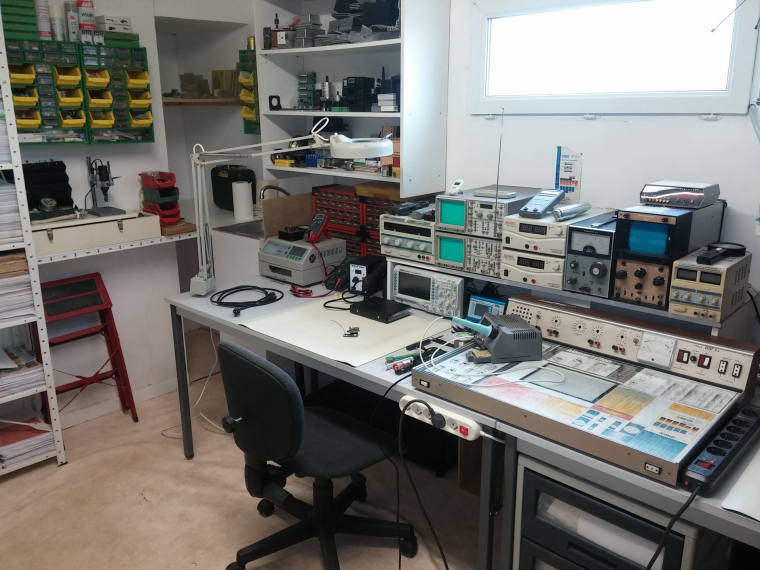
    As i'm actually tidying up thing, i can show some pics where i spend some tinkering time.

    0_1494186632144_20170501_133058.jpg
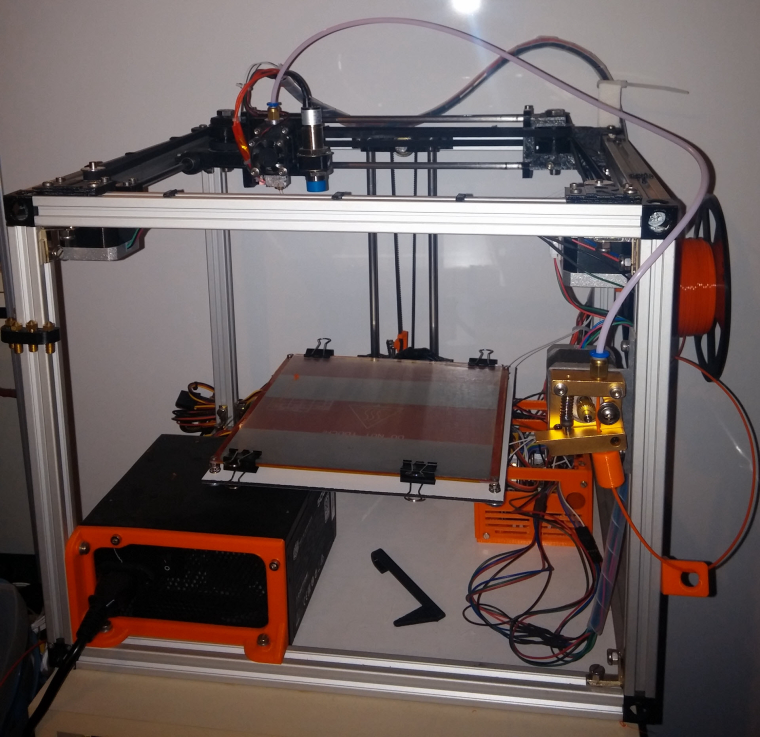
    I'm planning to renovate it, because i'm also missing place for my 3d printer and some others stuff.
    There is a lathe and a drill but it's for quick hurry work, there is another room for more dirty mechanical stuff.. but i can't show you, it's dirty :)

    0_1494186714267_20170501_133220.jpg
    My favorite tools :

    • my super mini TS100 solder iron. But if you ask me, for tiny SMD like DFN for instance, i prefer my Weller Magnastat with a 0.2mm tip. The tip is thinner even if i've bought the thinnest tip for the TS100.
    • hacked Rigol Ds1054Z. Really worth the price!
    • hacked T962 reflow oven. Very cool too (better for leaded solder though)
    • smd books
    • my magnifier of course!

    for the rest, there are also great tools like power supply, a spectrum analyzer, generators..

    0_1494187237909_20170507_213449.jpg
    My 1st 3d printer, i like it, works very well. I'm planning to build a new, bigger and enclosed one.

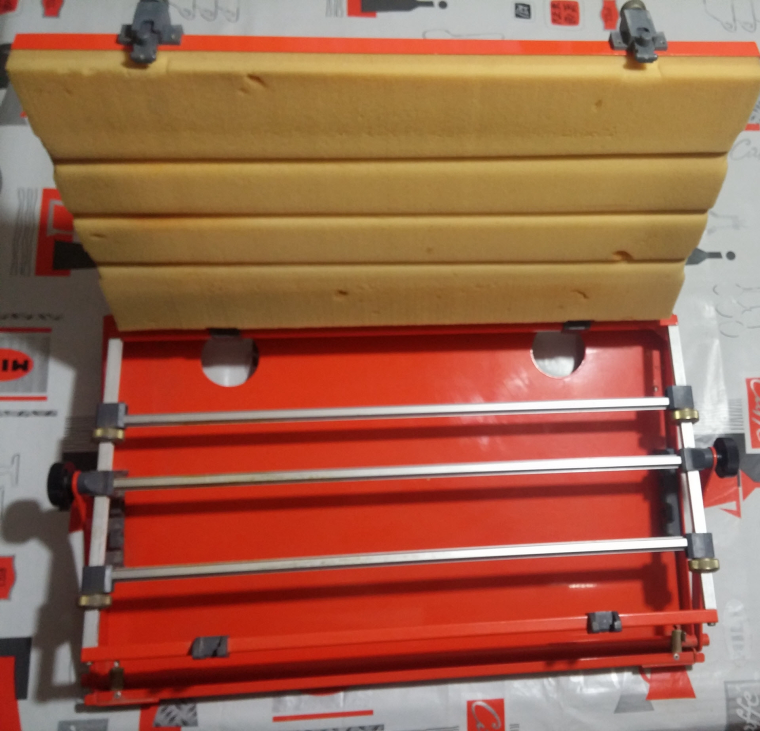
    Talking about soldering vise, i have this old tool i don't use it often, but when i need it, i'm happy to have it.
    0_1494187460902_20170507_212626.jpg
    I'm pretty sure this is not hard to reproduce with some T-Slots and so on ;)

    When you have a 3d printer, this thingiverse design can be helpful, for debugging stuff, or can be used for soldering but with care else plastic would melt.
    http://www.thingiverse.com/thing:801279

    General Discussion

  • some problem in sensor + repeater !
    scalzS scalz

    @Reza
    @boozz has already answered you how to. You should try, that does not hurt, and you may be happy by the result. You don't want a sleeping repeater? better a waiting repeater!
    That said i would not use the wait, it's possible to code this quicker. But it's a little bit more advanced.
    I advice you to read some reference about Arduino etc... and try. always try or you don't learn anything!
    An howto which could be useful for you, perhaps later, is the blink led without delay from Arduino Reference for instance. And lot of other things. That's not always easy to write code for others, can take time or not same config. and others don't learn then..

    Development
  • Login

  • Don't have an account? Register

  • Login or register to search.
  • First post
    Last post
0
  • MySensors
  • OpenHardware.io
  • Categories
  • Recent
  • Tags
  • Popular