Skip to content
  • MySensors
  • OpenHardware.io
  • Categories
  • Recent
  • Tags
  • Popular
Skins
  • Light
  • Brite
  • Cerulean
  • Cosmo
  • Flatly
  • Journal
  • Litera
  • Lumen
  • Lux
  • Materia
  • Minty
  • Morph
  • Pulse
  • Sandstone
  • Simplex
  • Sketchy
  • Spacelab
  • United
  • Yeti
  • Zephyr
  • Dark
  • Cyborg
  • Darkly
  • Quartz
  • Slate
  • Solar
  • Superhero
  • Vapor

  • Default (No Skin)
  • No Skin
Collapse
Brand Logo
  1. Home
  2. Troubleshooting
  3. CE line on sensor node?

CE line on sensor node?

Scheduled Pinned Locked Moved Troubleshooting
29 Posts 6 Posters 10.4k Views 1 Watching
  • Oldest to Newest
  • Newest to Oldest
  • Most Votes
Reply
  • Reply as topic
Log in to reply
This topic has been deleted. Only users with topic management privileges can see it.
  • aquaproA aquapro

    Yes, checked with 5 Arduinos (all different vendor's) and 8 radios. Same Problem. I am totally confused.

    RJ_MakeR
    RJ_MakeR
    RJ_Make
    Hero Member
    wrote on last edited by
    #6

    @aquapro

    Have you tried all new wiring?

    RJ_Make

    1 Reply Last reply
    0
    • hekH
      hekH
      hek
      Admin
      wrote on last edited by
      #7

      If you show a few pictures also (closeups!) it might help.

      1 Reply Last reply
      0
      • aquaproA
        aquaproA
        aquapro
        wrote on last edited by
        #8

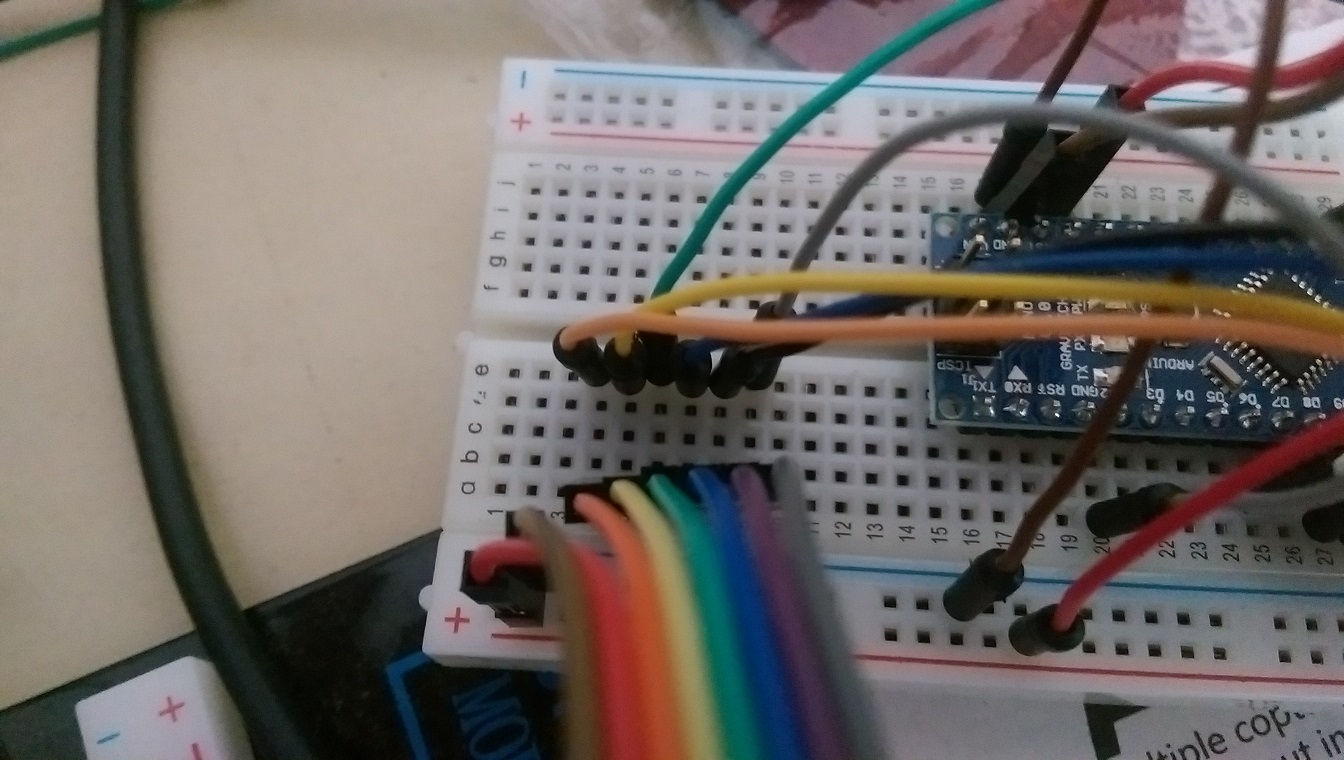
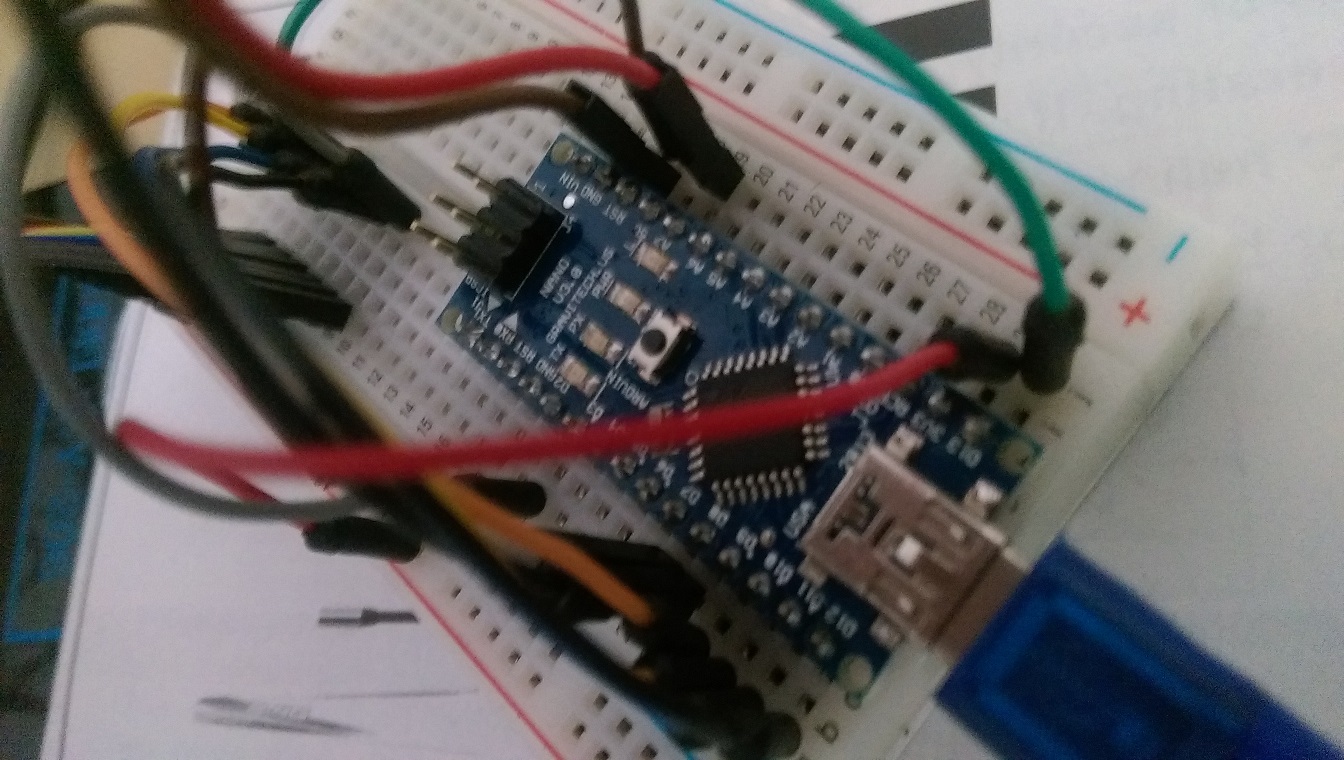
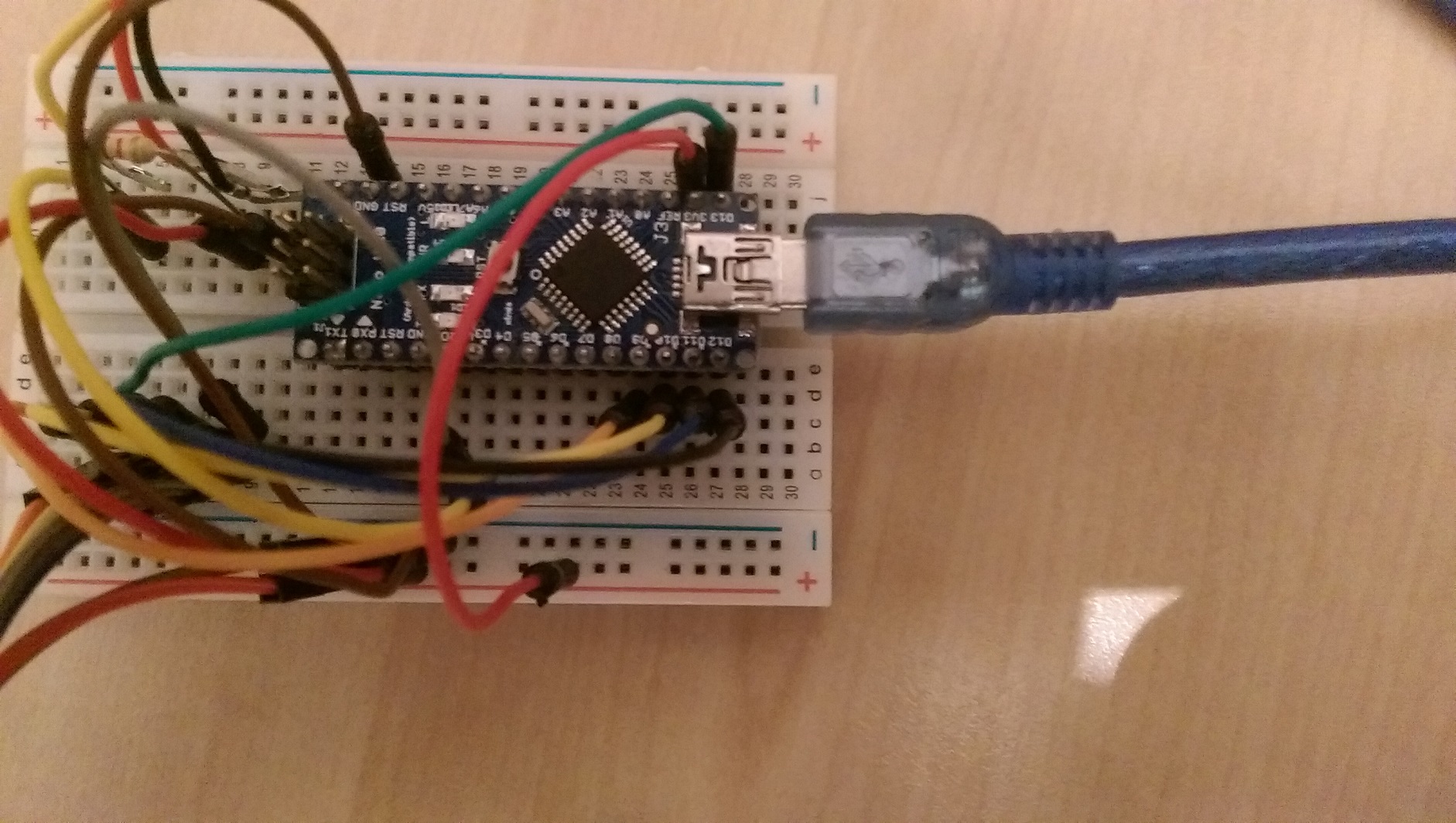
        If I disconnect orange wire (red marker on first sensor picture), sensor works fine.

        Sensor figures:
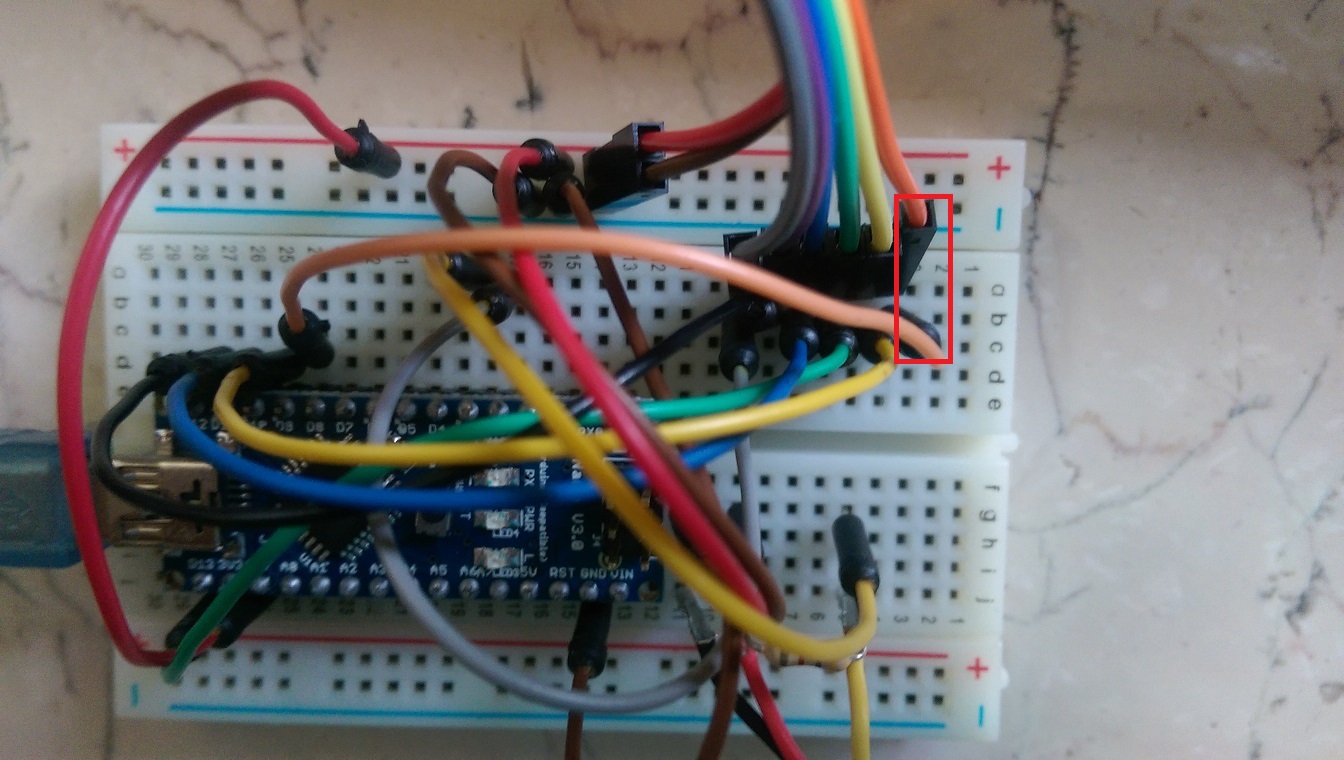
        IMAG0483a.jpg
        IMAG0484.jpg
        IMAG0485.jpg

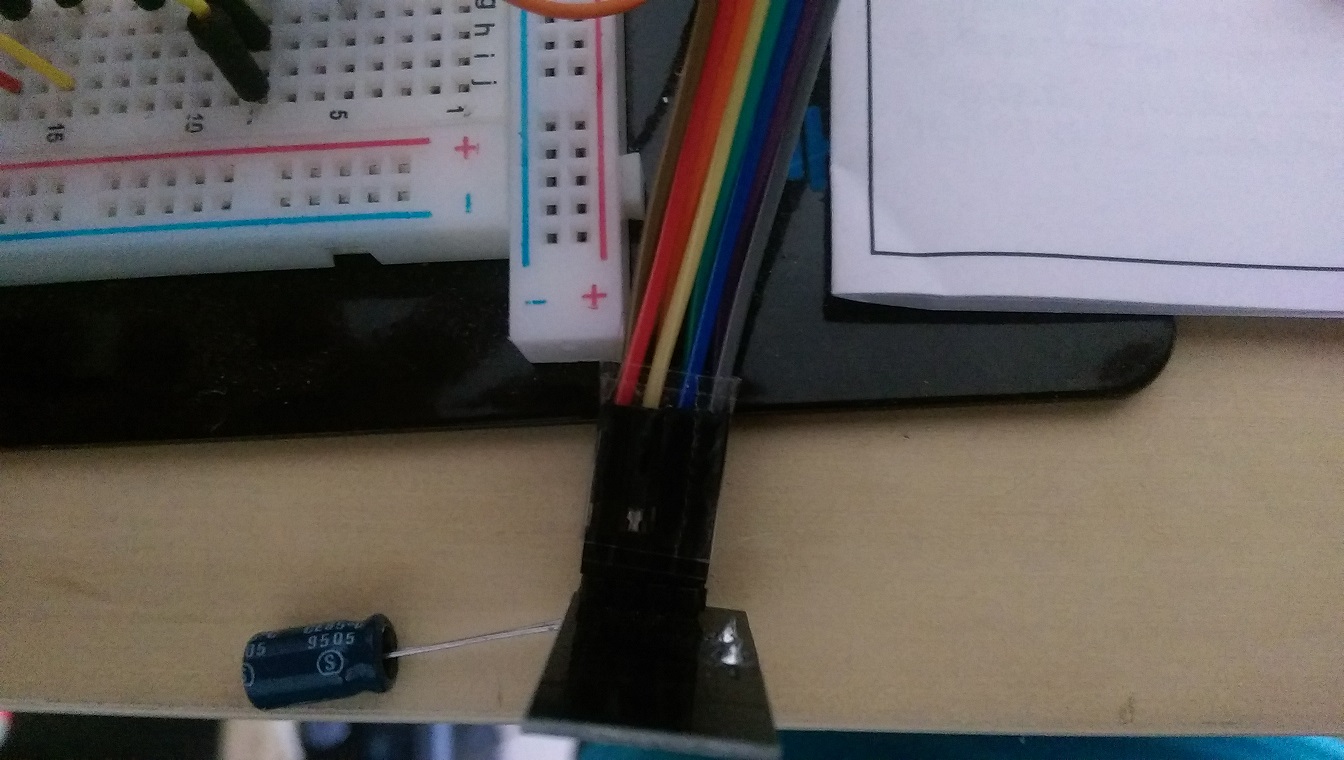
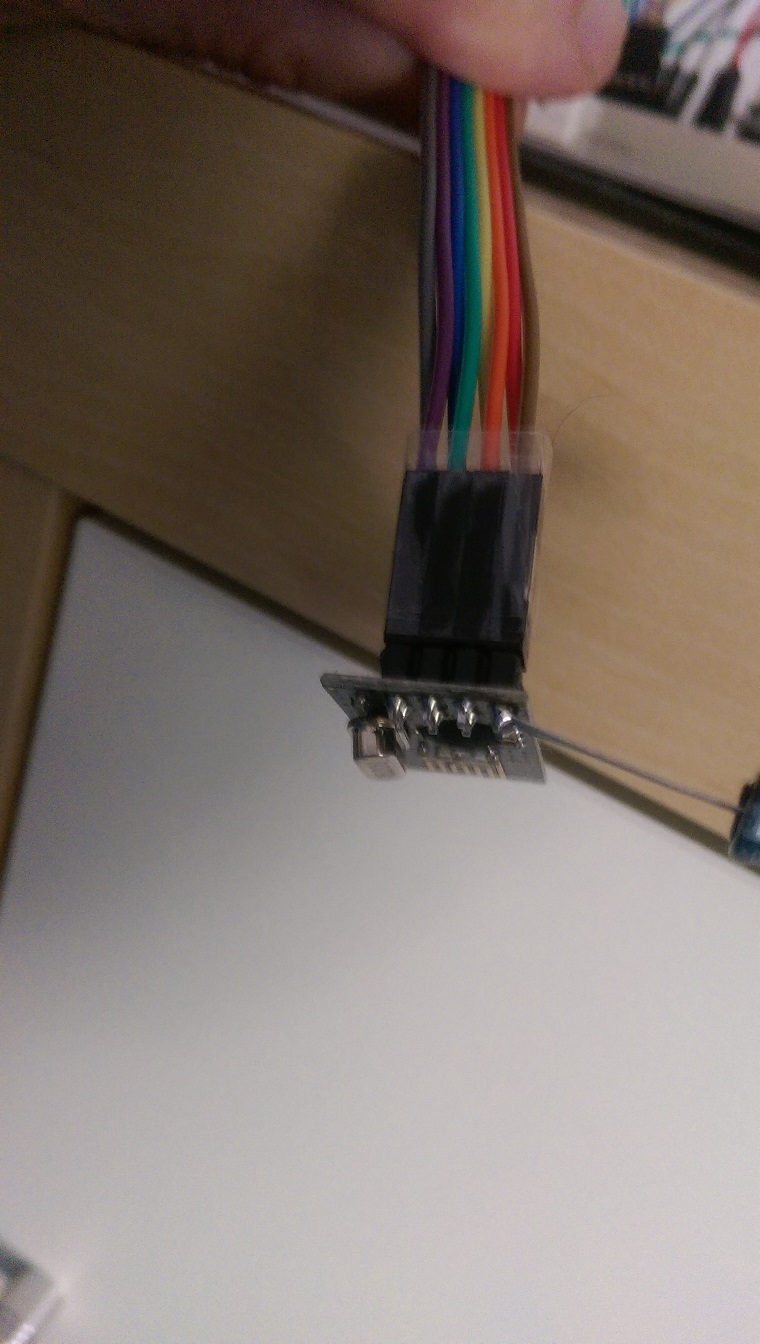
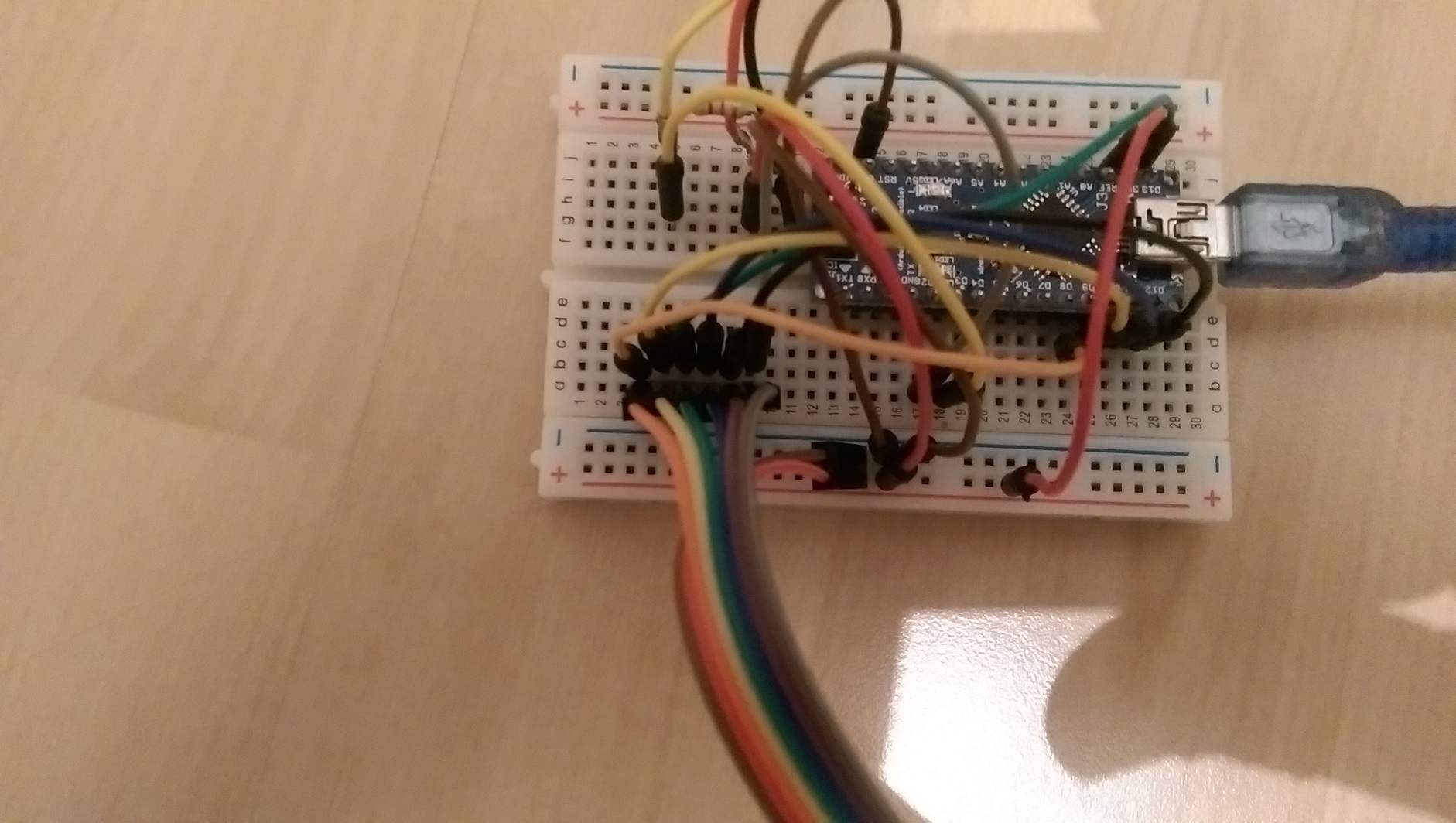
        Gateway figures:
        IMAG0486.jpg
        IMAG0487.jpg
        IMAG0488.jpg
        IMAG0490.jpg

        RJ_MakeR YveauxY 2 Replies Last reply
        0
        • aquaproA aquapro

          If I disconnect orange wire (red marker on first sensor picture), sensor works fine.

          Sensor figures:
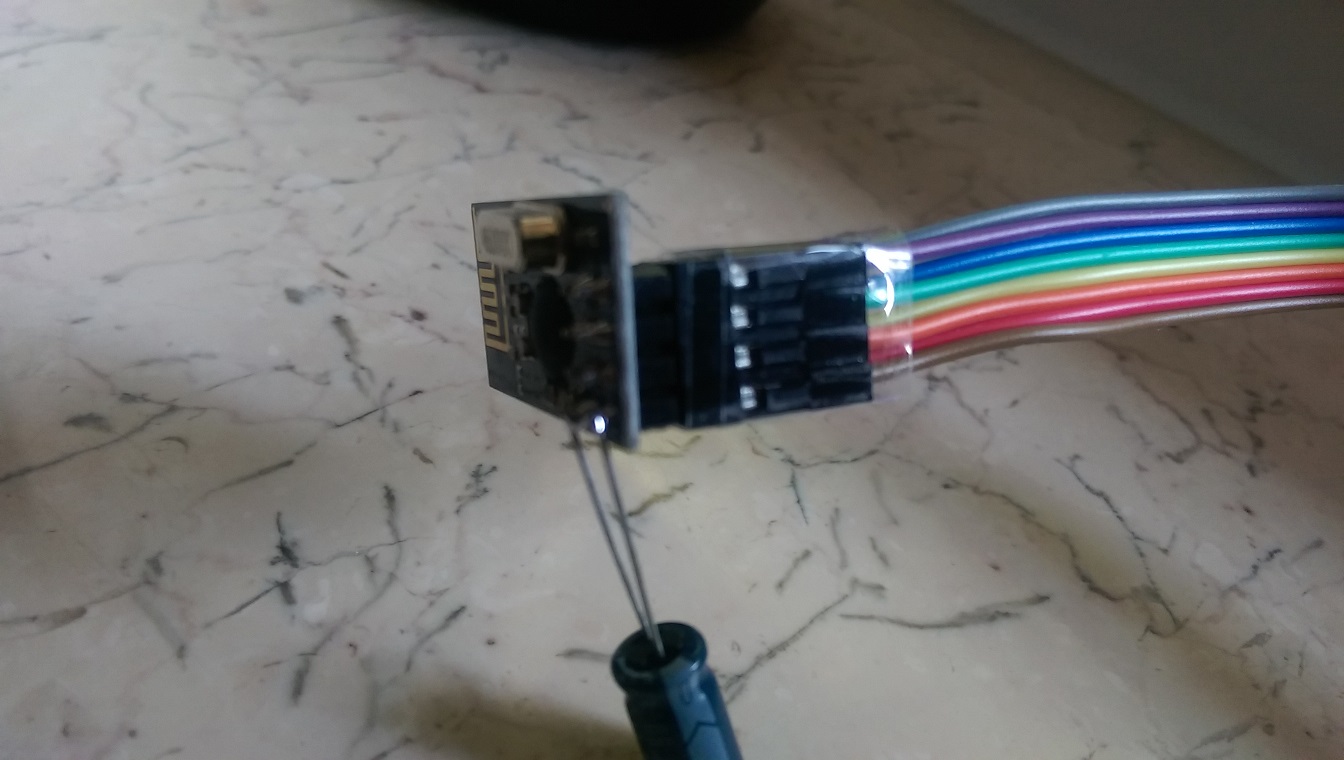
          IMAG0483a.jpg
          IMAG0484.jpg
          IMAG0485.jpg

          Gateway figures:
          IMAG0486.jpg
          IMAG0487.jpg
          IMAG0488.jpg
          IMAG0490.jpg

          RJ_MakeR
          RJ_MakeR
          RJ_Make
          Hero Member
          wrote on last edited by
          #9

          @aquapro

          I think I would connected the radio directly to the breadboard pins next to the Arduino with new wiring.

          RJ_Make

          1 Reply Last reply
          0
          • aquaproA
            aquaproA
            aquapro
            wrote on last edited by
            #10

            @aquapro sagte:> Hi,

            I have tested 1000 times, wasted complete weekend. Rechecked with built up the wiring from scratch. Same Problem.
            Suppose I have swap the cables, which I doubt, why it works when I disconnect it completely?

            I have all the cables replaced, also new from different suppliers. I used the next pins on the Arduino. For the pictures I have to build something stretched to better overview.

            RJ_MakeR 1 Reply Last reply
            0
            • aquaproA aquapro

              @aquapro sagte:> Hi,

              I have tested 1000 times, wasted complete weekend. Rechecked with built up the wiring from scratch. Same Problem.
              Suppose I have swap the cables, which I doubt, why it works when I disconnect it completely?

              I have all the cables replaced, also new from different suppliers. I used the next pins on the Arduino. For the pictures I have to build something stretched to better overview.

              RJ_MakeR
              RJ_MakeR
              RJ_Make
              Hero Member
              wrote on last edited by
              #11

              @aquapro
              So the pictures don't reflect the current wiring?

              RJ_Make

              1 Reply Last reply
              0
              • aquaproA
                aquaproA
                aquapro
                wrote on last edited by
                #12

                Pictures reflect the curren?t wiring! Same Problem with closer wiring

                1 Reply Last reply
                0
                • aquaproA aquapro

                  If I disconnect orange wire (red marker on first sensor picture), sensor works fine.

                  Sensor figures:
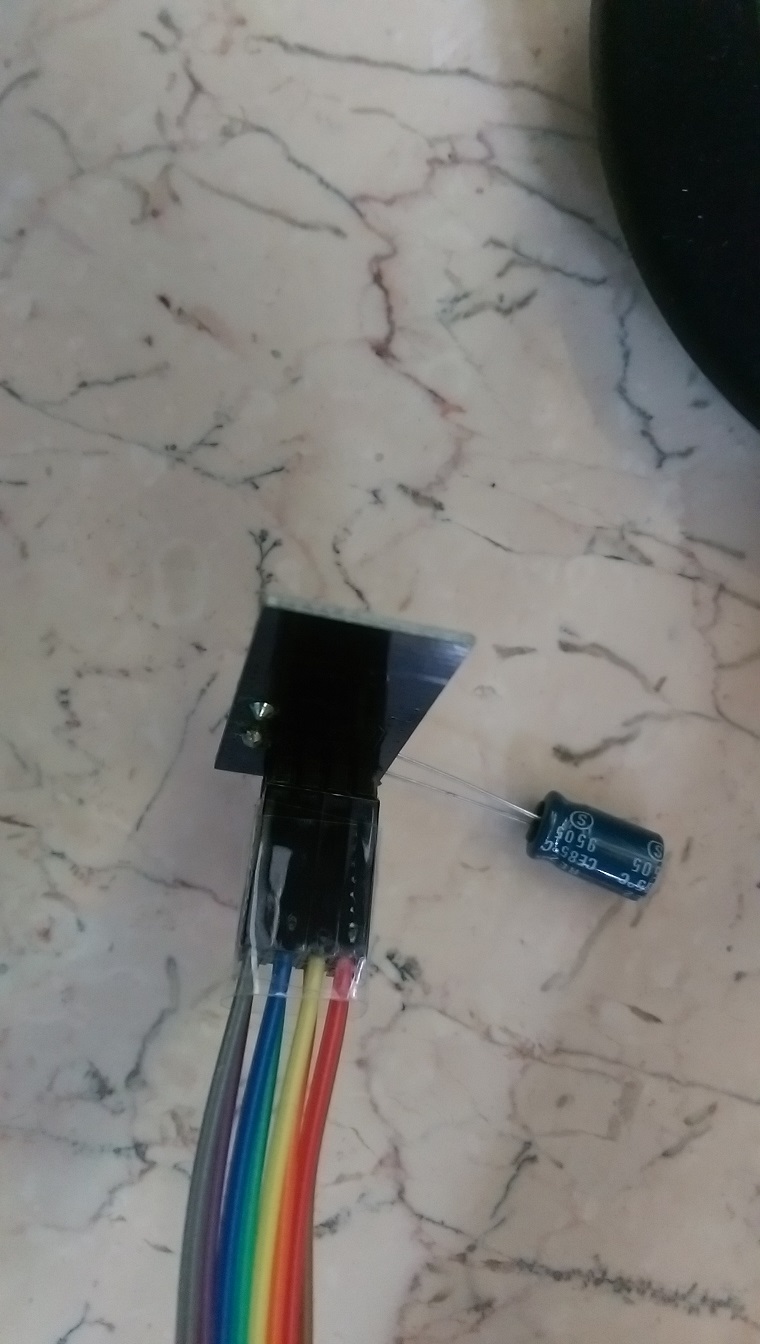
                  IMAG0483a.jpg
                  IMAG0484.jpg
                  IMAG0485.jpg

                  Gateway figures:
                  IMAG0486.jpg
                  IMAG0487.jpg
                  IMAG0488.jpg
                  IMAG0490.jpg

                  YveauxY
                  YveauxY
                  Yveaux
                  Mod
                  wrote on last edited by
                  #13

                  @aquapro The MySensors site (http://www.mysensors.org/build/connect_radio) gives the following wiring:

                  Arduino     nRF24
                  9           CE
                  10          CSN
                  13          SCK
                  11          MOSI
                  12          MISO
                  2           IRQ
                  

                  These are the defaults for the library. CE & CSN you can adapt through the constructor of MySensor (did you do that?)

                  Looking at the pictures I have a hard time figuring out the connections for pins 8..12, while these are just the interesting part...

                  http://yveaux.blogspot.nl

                  aquaproA 2 Replies Last reply
                  0
                  • aquaproA aquapro

                    hello,
                    very good project!
                    I currently testing version 1.4b1 and I have a problem. Only if I disconnect the CE line on the sensor, the values ​​are transferred.
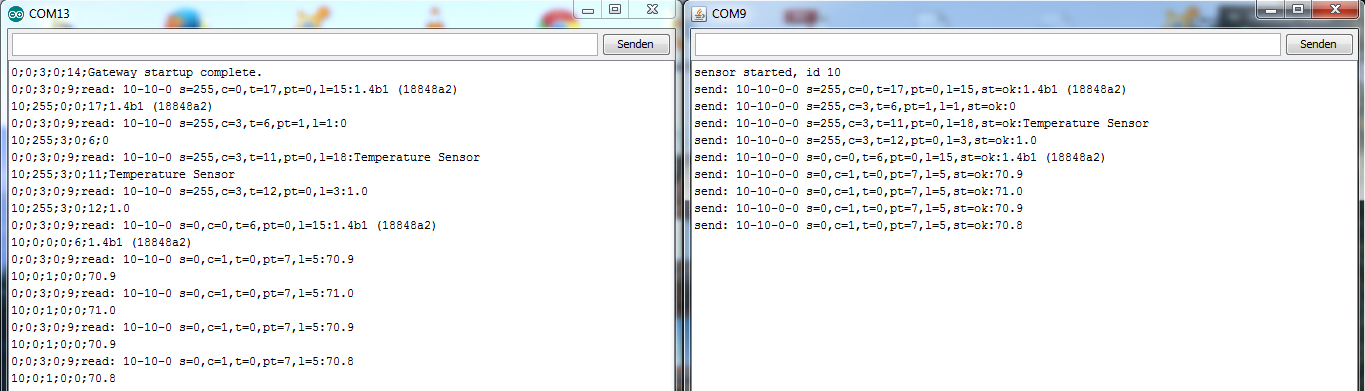
                    If the CE line is connected, only one part will be sent, see Figure 1, the LED on the sensor remains on. As soon as I disconnect CE line, all values ​​are not sent are transmitted (Figure 2) and the LED goes out and lights up briefly in the next transmission.

                    Does anyone have an idea?

                    greeting

                    aqua

                    1_4_test_1.PNG
                    Figure1

                    1_4_test_1b.PNG
                    Figure 2

                    DammeD
                    DammeD
                    Damme
                    Code Contributor
                    wrote on last edited by Damme
                    #14

                    @aquapro Hmmmm
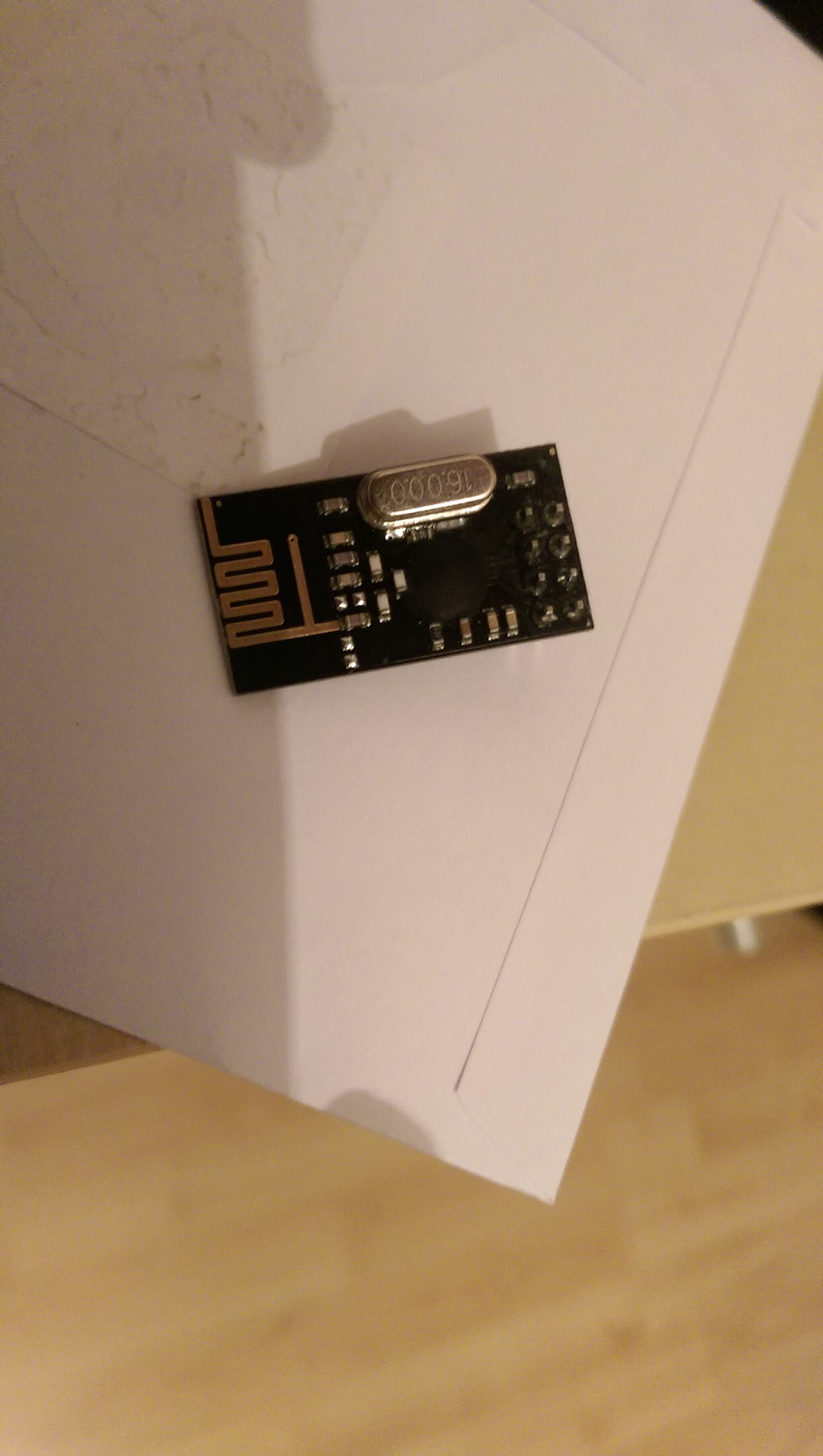
                    The chip on your looks like a blob more than this; You might have gotten a chinese ripoff .. I dont remember the chip name... Hmmmm hard to see!

                    edit:

                    maybe : http://forum.mysensors.org/topic/300/rfm73-experience/ ?
                    inverted CE?
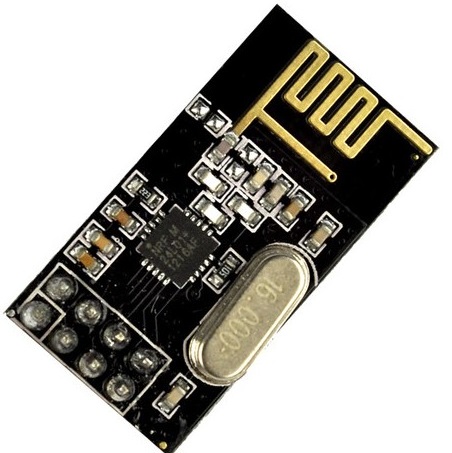
                    nrf24L01-black.jpg

                    YveauxY RJ_MakeR 2 Replies Last reply
                    0
                    • DammeD Damme

                      @aquapro Hmmmm
                      The chip on your looks like a blob more than this; You might have gotten a chinese ripoff .. I dont remember the chip name... Hmmmm hard to see!

                      edit:

                      maybe : http://forum.mysensors.org/topic/300/rfm73-experience/ ?
                      inverted CE?

                      nrf24L01-black.jpg

                      YveauxY
                      YveauxY
                      Yveaux
                      Mod
                      wrote on last edited by Yveaux
                      #15

                      @Damme Sharp observation, dude!

                      Have a look at these: http://www.aliexpress.com/item/Free-shipping-10pcs-lot-NRF24L01-wireless-data-transmission-module-NRF24L01-wireless-module/1996222121.html

                      Claimed to be nRF24L01+!!

                      http://yveaux.blogspot.nl

                      1 Reply Last reply
                      0
                      • DammeD Damme

                        @aquapro Hmmmm
                        The chip on your looks like a blob more than this; You might have gotten a chinese ripoff .. I dont remember the chip name... Hmmmm hard to see!

                        edit:

                        maybe : http://forum.mysensors.org/topic/300/rfm73-experience/ ?
                        inverted CE?

                        nrf24L01-black.jpg

                        RJ_MakeR
                        RJ_MakeR
                        RJ_Make
                        Hero Member
                        wrote on last edited by
                        #16

                        @Damme
                        Nice Catch Indeed!

                        RJ_Make

                        1 Reply Last reply
                        0
                        • YveauxY Yveaux

                          @aquapro The MySensors site (http://www.mysensors.org/build/connect_radio) gives the following wiring:

                          Arduino     nRF24
                          9           CE
                          10          CSN
                          13          SCK
                          11          MOSI
                          12          MISO
                          2           IRQ
                          

                          These are the defaults for the library. CE & CSN you can adapt through the constructor of MySensor (did you do that?)

                          Looking at the pictures I have a hard time figuring out the connections for pins 8..12, while these are just the interesting part...

                          aquaproA
                          aquaproA
                          aquapro
                          wrote on last edited by aquapro
                          #17

                          @Yveaux yes I checked wiring with (http://www.mysensors.org/build/connect_radio)
                          more detail picture, hope so. (bad light)
                          IMAG0491.jpg

                          IMAG0493.jpg

                          @Damme
                          Chip is covered.
                          IMAG0494.jpg

                          1 Reply Last reply
                          0
                          • YveauxY Yveaux

                            @aquapro The MySensors site (http://www.mysensors.org/build/connect_radio) gives the following wiring:

                            Arduino     nRF24
                            9           CE
                            10          CSN
                            13          SCK
                            11          MOSI
                            12          MISO
                            2           IRQ
                            

                            These are the defaults for the library. CE & CSN you can adapt through the constructor of MySensor (did you do that?)

                            Looking at the pictures I have a hard time figuring out the connections for pins 8..12, while these are just the interesting part...

                            aquaproA
                            aquaproA
                            aquapro
                            wrote on last edited by
                            #18

                            @Yveaux

                            Looking at the pictures I have a hard time figuring out the connections for pins 8..12, while these are just the interesting part...

                            Pin 8?

                            YveauxY DammeD 2 Replies Last reply
                            0
                            • aquaproA aquapro

                              @Yveaux

                              Looking at the pictures I have a hard time figuring out the connections for pins 8..12, while these are just the interesting part...

                              Pin 8?

                              YveauxY
                              YveauxY
                              Yveaux
                              Mod
                              wrote on last edited by
                              #19

                              @aquapro said:

                              Pin 8?

                              It looked like you could have a connection to pin 8, but apparently (in the better pictures) you haven't...

                              http://yveaux.blogspot.nl

                              1 Reply Last reply
                              0
                              • aquaproA aquapro

                                @Yveaux

                                Looking at the pictures I have a hard time figuring out the connections for pins 8..12, while these are just the interesting part...

                                Pin 8?

                                DammeD
                                DammeD
                                Damme
                                Code Contributor
                                wrote on last edited by
                                #20

                                @aquapro I dont think you got a nordic semiconductor nrf24l01, What I can find they are only in QFN package.
                                http://www.nordicsemi.com/eng/Products/2.4GHz-RF/nRF24L01

                                So the specs on that chip may be different. Maybe CE is inverted?

                                1 Reply Last reply
                                0
                                • aquaproA
                                  aquaproA
                                  aquapro
                                  wrote on last edited by
                                  #21

                                  hm ... if CE inverted, ping sample should not work?! CE must switch between hight and low for TX and RX right? But Ping sample send and receive works.

                                  1 Reply Last reply
                                  0
                                  • aquaproA
                                    aquaproA
                                    aquapro
                                    wrote on last edited by
                                    #22

                                    Hi,

                                    I have bought the new modules (right on pic), which operate without modification. I simply swapped and all is fine.
                                    What do I do with the other. How can I test inverted.
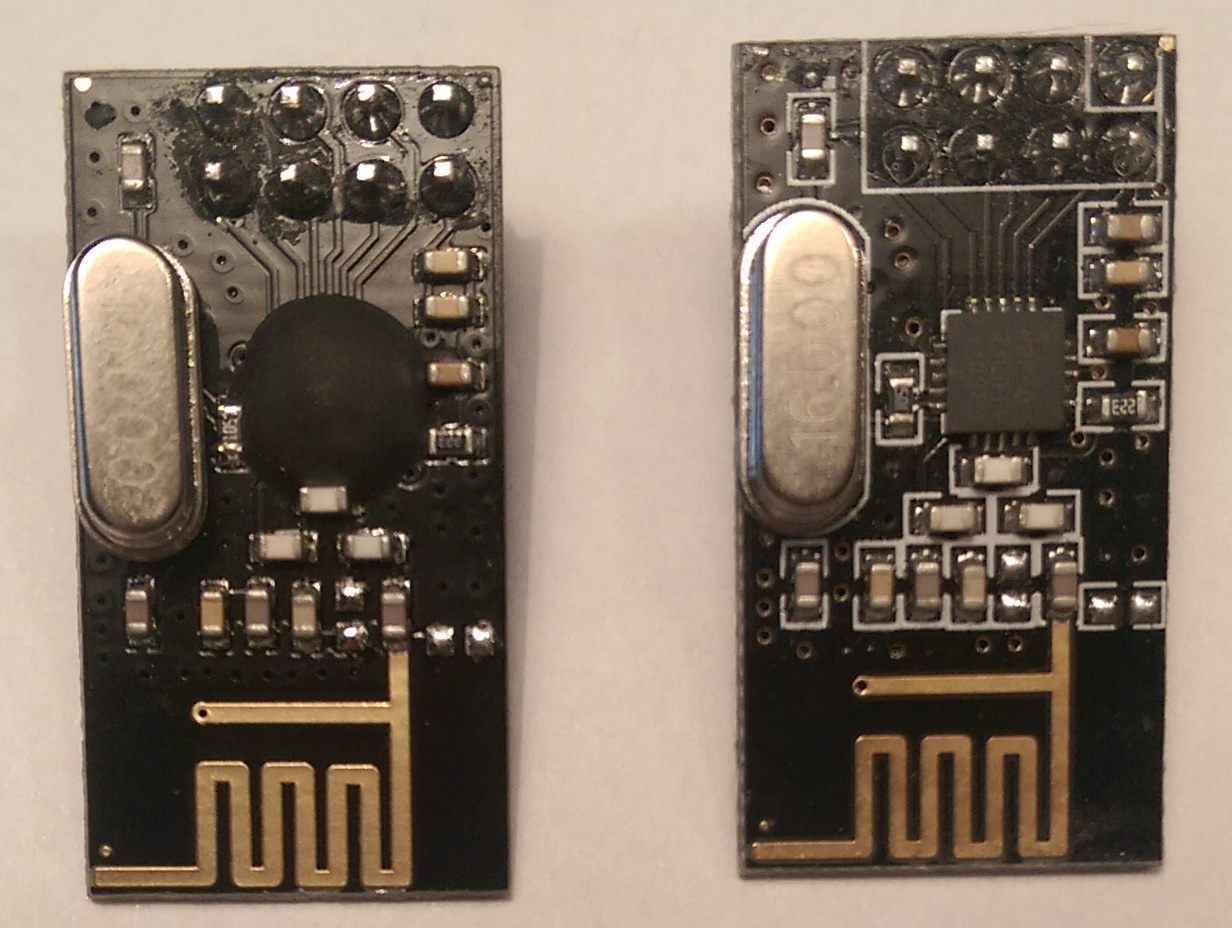
                                    new.jpg

                                    hekH 1 Reply Last reply
                                    0
                                    • aquaproA aquapro

                                      Hi,

                                      I have bought the new modules (right on pic), which operate without modification. I simply swapped and all is fine.
                                      What do I do with the other. How can I test inverted.

                                      new.jpg

                                      hekH
                                      hekH
                                      hek
                                      Admin
                                      wrote on last edited by
                                      #23

                                      @aquapro

                                      I hope you didn't get the left one when purchasing through the links in the MySensors "store"?

                                      1 Reply Last reply
                                      0
                                      • aquaproA
                                        aquaproA
                                        aquapro
                                        wrote on last edited by
                                        #24

                                        I got the left one from other eb..-"store".

                                        1 Reply Last reply
                                        0
                                        • aquaproA
                                          aquaproA
                                          aquapro
                                          wrote on last edited by
                                          #25

                                          The left one works with MySensor-Coding, but only with disconnected CE line.

                                          1 Reply Last reply
                                          0

                                          Hello! It looks like you're interested in this conversation, but you don't have an account yet.

                                          Getting fed up of having to scroll through the same posts each visit? When you register for an account, you'll always come back to exactly where you were before, and choose to be notified of new replies (either via email, or push notification). You'll also be able to save bookmarks and upvote posts to show your appreciation to other community members.

                                          With your input, this post could be even better 💗

                                          Register Login
                                          Reply
                                          • Reply as topic
                                          Log in to reply
                                          • Oldest to Newest
                                          • Newest to Oldest
                                          • Most Votes


                                          13

                                          Online

                                          12.4k

                                          Users

                                          11.2k

                                          Topics

                                          113.5k

                                          Posts


                                          Copyright 2025 TBD   |   Forum Guidelines   |   Privacy Policy   |   Terms of Service
                                          • Login

                                          • Don't have an account? Register

                                          • Login or register to search.
                                          • First post
                                            Last post
                                          0
                                          • MySensors
                                          • OpenHardware.io
                                          • Categories
                                          • Recent
                                          • Tags
                                          • Popular