Skip to content
  • MySensors
  • OpenHardware.io
  • Categories
  • Recent
  • Tags
  • Popular
Skins
  • Light
  • Brite
  • Cerulean
  • Cosmo
  • Flatly
  • Journal
  • Litera
  • Lumen
  • Lux
  • Materia
  • Minty
  • Morph
  • Pulse
  • Sandstone
  • Simplex
  • Sketchy
  • Spacelab
  • United
  • Yeti
  • Zephyr
  • Dark
  • Cyborg
  • Darkly
  • Quartz
  • Slate
  • Solar
  • Superhero
  • Vapor

  • Default (No Skin)
  • No Skin
Collapse
Brand Logo
sundberg84S

sundberg84

@sundberg84
Hardware Contributor
About
Posts
2.1k
Topics
32
Shares
0
Groups
2
Followers
28
Following
5

Posts

Recent Best Controversial

  • Clearance, creepage and other safety aspects in "MySensors" PCBs.
    sundberg84S sundberg84

    I have been reading much lately about safety around PCBs and we also see a incresing numbers of PCBs @ openhardware.io which involves more than low DC power. With freeware CAD programs and cheap chinese pcb manufacturer alof of amatures like myself have the ability to create pcbs - in worst case not safe pcbs. This is what i gathered so far, so here we go:

    Terms used

    CREEPAGE

    The shortest path between two conductive parts, or between a conductive part and the bounding surface of the equipment, measured along the surface of the insulation (Figure 1).

    CLEARANCE

    The shortest path between two conductive parts, or between a conductive part and the bounding surface of the equipment, measured through air (Figure 1).
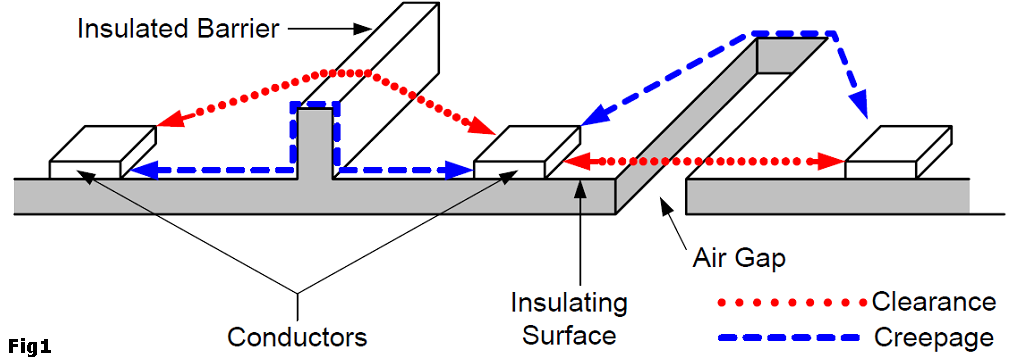
    0_1467050010441_Fig1.png

    A minimum clearance table for 150 and 300v [Ref]

    0_1467095683337_clearance.png

    MATERIAL GROUP / Insulant

    DIN EN 60664-1 (VDE 0110-1) divides the insulants according to their CTI values in four groups. These are:
    Insulant I: 600 ≤ CTI
    Insulant II: 400 ≤ CTI < 600
    Insulant IIIa: 175 ≤ CTI < 400
    Insulant IIIb: 100 ≤ CTI < 175
    [Ref][Ref]

    Fr4 material (normal cheap-as PCBs) is normally 175 - 250CTI which is insulation material group IIIa. Ask your PCB house for your CTI value to be able to determine your material group.

    POLLUTION LEVEL / Degree of contamination / Contamination level

    The influence of the contamination is considered with the calculation of air and creepage distances by degrees of pollution.

    • Contamination level 1
      No contamination or only dry, non-conductive contamination occurs. The contamination has no influence.
    • Contamination level 2
      Only non-conductive contamination occurs. However, occasional temporary conductivity must be expected as a result of moisture condensation.
    • Contamination level 3
      Conductive contamination occurs; dry, non-conductive contamination which becomes conductive as a result of moisture condensation may also occur.
    • Contamination level 4
      Impurities in the form of conductive dust, rain or humidity result in permanent conductivity.
      [Ref]
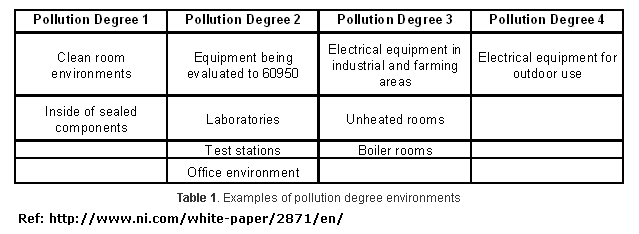
    0_1467050235504_Pollution2.png

    Note that if you put a PCB inside a sealed component you get pollution level 1

    ISOLATION/INSULATION

    This is one of the most important parts - by knowing your isolation group/type you need to have for safety you enter this into the creepage calculator to get your creepage distance.

    “Isolation means that no direct electrical connection, or conductor, exists between two or more circuits or between circuits and accessible parts.” … “You use safety isolation to isolate hazardous, or "live," voltages greater than 30V rms and 42.4V peak or 60V dc from user-accessible SELV (safety extra-low-voltage) circuits. Safety isolation also minimizes the possibility of transient voltage arc-over or -through insulation to user-touchable circuits and enclosures.”[Ref]

    Isolation and insulation
    Users have access to voltage and current through touchable connectors, cables, and user-interface devices you find on most products. Voltages must be less than or equal to 42.4V÷60 peak dc to meet safe limits and to be SELV. SELV circuits are considered safe to touch and are double-insulated from hazardous voltages in case of a single fault. SELV circuits are commonplace and find use in product inputs/outputs and interconnection, such as logic circuits for printers, PC keyboards, and telecommunications devices.[Ref]

    There are five types of insulation: functional, basic, supplementary, double, and reinforced. Functional insulation is necessary only for the correct functioning of a product. Functional or operational insulation does not protect or isolate against electrical shock. Basic insulation is a single level of insulation that provides basic protection against shock. Supplementary insulation is an independent insulation that manufacturers apply in addition to basic insulation to reduce the risk of electrical shock in the event of a failure of basic insulation. Double insulation comprises both basic and supplementary insulation. Reinforced insulation is a single insulation system that provides electrical-shock protection equivalent to double insulation.[Ref]

    Double, reinforced, and basic insulations are the most important insulation types for safety isolation. The minimum spacing requirements for safety insulation are double from hazardous live to SELV—for example, 3 mm on printed-wiring board. You use functional insulation between circuits to maintain the operation of the product, but you do not rely on it for safety isolation.

    You should use basic insulation between hazardous voltage circuits, but the requirement depends on the applicable safety standard, function of the product, environment, and testing.[Ref]

    When a breakdown can create a hazardous voltage on user accessible conductive parts (such as in case of insulation between mains circuits and low-voltage secondary circuits), a double or reinforced insulation is required. [Ref]

    • Functional insulation is that which is only
      necessary for circuit operation. It is assumed
      to provide no safety protection.
    • Basic insulation provides basic protection
      against electric shock with a single level;
      however this category does not have a
      minimum thickness specification for solid
      insulation and is assumed to be subject to
      pinholes. Safety is provided by a second level
      of protection such as Supplementary
      insulation or protective earthing.
    • Supplementary insulation is normally used
      in conjunction with Basic insulation to
      provide a second level of protection in the
      event that the Basic level fails. A single layer
      of insulating material must have a minimum
      thickness of 0.4 mm to be considered
      Supplementary insulation.
    • Double insulation is a two-level system,
      usually consisting of Basic insulation plus
      Supplementary insulation.
    • Reinforced insulation is a single-insulation
      system equivalent to Double insulation. It
      also requires a minimum thickness of 0.4 mm
      for use in a single layer. [Ref]

    How does this all come togheter?

    The main question is how much space do I have to have between my traces/components on my PCB to make it safe? To know there are many calculators and tables online. One example is http://creepage.com/. To be able to use these calculators or to read the tables you need to figure out all this above.

    For example, we want to know the space between AC traces for a PCB that can be used in all enviroments.
    If we enter this into a calculator for example creepage.com we get this:

    Insulation: Basic (we know it should be basic from above)
    Pollution Degree 3 (for example, we want it to work in areas where condensation occurs)
    Material Group IIIa or IIIb (we know it should be IIIb from above since its a normal FR-4 PCB)
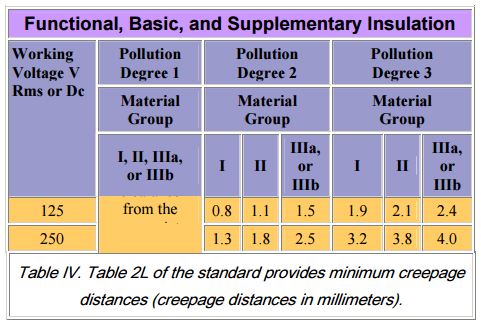
    Working Voltage 250 Vrms or Vdc

    Creepage is 4.0 mm or 157.5 mils
    We need 4.0mm between AC circuit to be on the safe side!

    Also if you have a AC (primary) hazardous side and a DC low voltage/SELV ciriut if we want to have a PCB within ALL limits we need to have reinforced insulation and then hits 8mm creepage between AC and DC side.
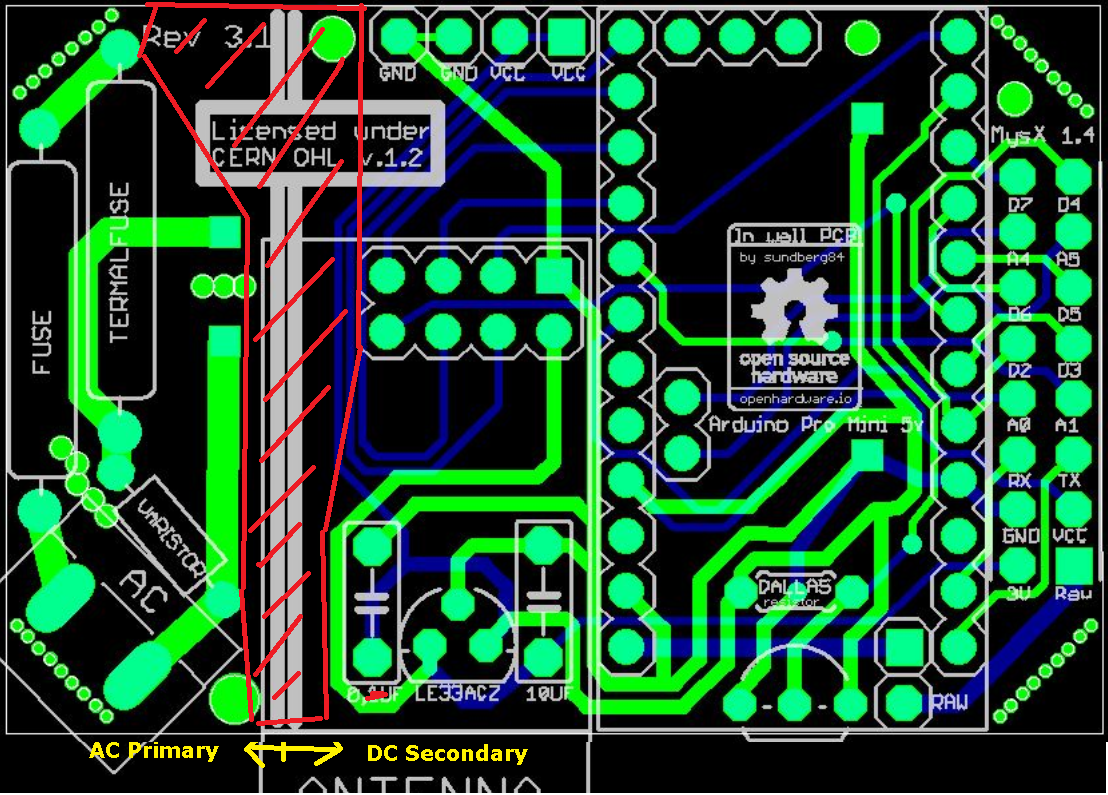
    0_1467060461797_insulation.png
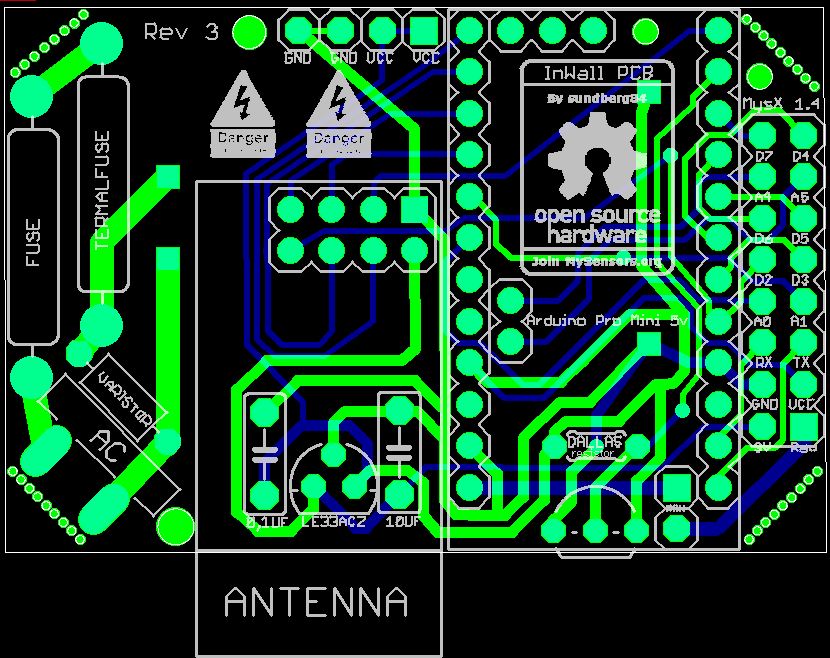
    This is a example of a AC primary and DC secondary - but the distance is not 8mm between so it does not meet the reinforced insulation rules if you have a pollution degree of 3 or more.

    More about that here:

    "PCB shall be constructed so that creepage distances are not less than those appropriate for the working voltage, taking into >account the material group and the pollution degree. Hence creepage distance depends of the CTI's material (Comparative Tracking Index) and pollution degree. European main standard are for Household Appliance (EN60335) and Information technology (EN 60950). As Reference value, in the worst case (Household appliance), for reinforced insulation between High voltage (220 Vrms) and low voltage (<50Vrms) on the same layer (top or bottom), you should an 8mm creepage distance between tracks (Fig. 1) as required for standard EN 60335-1-2, table 17. These distance are lower with better CTI and Pollution degree. If you can’t maintain these distances, you need a milling (cutting of material large at least 1.5mm) between the two points that do not meet the minimum safety distances (fig.2)." (Link)

    Same general tip from this article

    "A minimum of 8 mm separation between primary and secondary circuits also prevents problems. "

    Conclusion

    First of all its important to not mix AC high voltage and DC low voltage systems. These should be seperated with a "reinforced insulation".
    Assuming MySensors nodes are normally in a normal indoor enviroment (Pollution dgr 2) we need to have atleast 5,0mm seperation between AC circuit and DC circuit if you are using 240v.

    Also the distance inside the AC circuit between the high voltage traces should be 2,5mm since this insulation is recommended to be "basic".
    0_1467050340590_MinCreepage.JPG

    Conclusion 2

    If you seal your box completely (see IP classifications) to avoid contamination from your environment you can design your board with distansens from pollution degree 1. This means pretty much clearance and creepage are the same. This means you need at 250v 0.56 mm [ref] between AC circuit (basic insulation) and 3.3mm between AC high voltage and DC low voltage. This has alot to do with material quality so I would add some extra space to be sure.

    Conclusion 3

    If you can’t maintain creepage distances, you need a milling (cutting of material large at least 1.5mm) between the two points that do not meet the minimum safety distances.

    Disclaimer:

    My disclaimer is still: I can not guarantee this info is safe! I have not made any professional tests. This is DIY and do not use this if you dont know what you are doing. It may hurt or kill you and damage your property. This thread is more of a question and discussion than a statement. Do not reference this thread. My goal is to figure out the safest way to make a MySensors PCB and the info above might not be correct.

    Other Links

    http://www.denverpels.org/Downloads/Denver_PELS_20090915_Aldous_Insulation_Coordination.pdf)
    http://blog.optimumdesign.com/clearance-and-creepage-rules-for-pcb-assembly
    http://learnemc.com/pcb-layout
    http://www.itesafety.com/en_e3.pdf
    http://sisko.colorado.edu/CRIA/FILES/REFS/Electronics/IPC_2221A.pdf
    https://en.wikipedia.org/wiki/Insulator_(electricity)

    The end?

    Please add your thoughts, questions and most of all knowledge to this thread. I will update the first post to make it easy to find info. Try to keep it in a amature language and avoid technical terms without explaining them.
    Hardware pcb ac power creepage clearance acdc

  • Easy/Newbie PCB for MySensors
    sundberg84S sundberg84

    "Update - please use https://forum.mysensors.org/topic/2740/easy-newbie-pcb-for-mysensors to discuss this PCB"

    Hello!

    I have created my own PCB.
    This is a PCB that only contains the basic functions for MySensors but is somewhat dynamic.
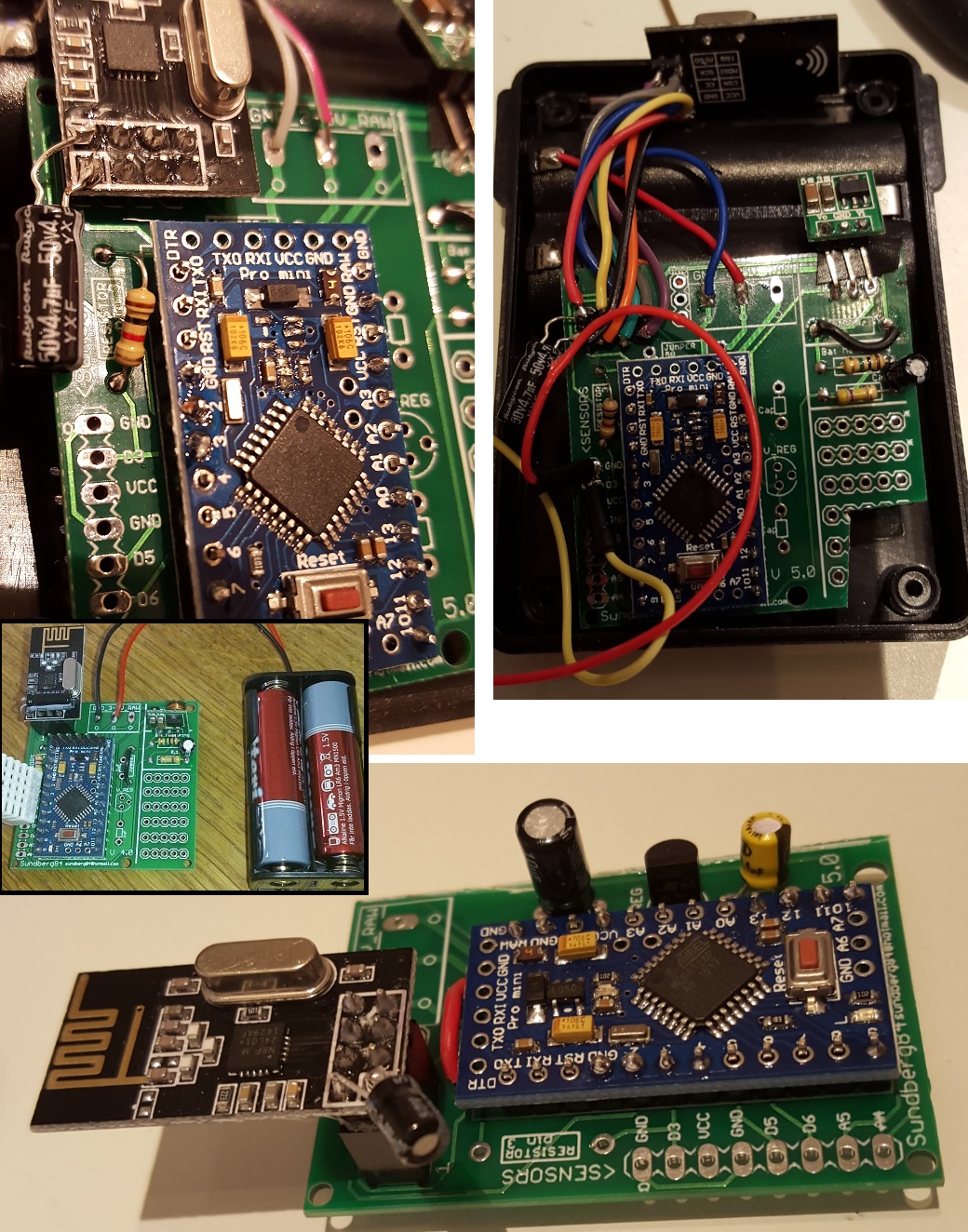
    The main goal was to eliminate the build time soldering wires between the Arduino Pro Mini and the Radio.
    Its a PCB for all newbies that wants to do basic nodes like myself out there... :)

    It is a PCB for all that only wants the basic part of MySensors documented in the website!
    This cuts my work with one node from a couple of hours soldering wires to 20-30min

    All info can be found @ https://www.openhardware.io/view/4

    3.jpg

    Hardware

  • In wall - PCB, (AC to DC 5v)
    sundberg84S sundberg84

    This post is archived!
    Please use this thread to post questions:

    https://forum.mysensors.org/topic/2783/in-wall-ac-dc-pcb-for-mysensors

    Project can be found here:
    https://www.openhardware.io/view/13/In-Wall-ACDC-Pcb-for-MySensors


    Hi!

    As i mentioned in another post i had this idea to stack two PCB on top of each other to fit inside a wall appliance box. This idea has evolved (see below).

    Im aware of the big security risk here, and have tried to read:

    • http://forum.mysensors.org/topic/1607/safe-in-wall-ac-to-dc-transformers
    • http://forum.mysensors.org/topic/1540/110v-230v-ac-to-mysensors-pcb-board

    EDIT 03/1/2016
    After discussion on this here are the findings of this thread (as of now):

    I will update this post with BOM and eagles files as soon as i get a node running.

    1.JPG

    ...............................
    BOM/README: http://1drv.ms/1kCzue5
    GERBER: InWallMySensor3.0.rar
    EAGLES: InWallMySensor3.0Eagles.rar
    Build images: http://1drv.ms/1lsleox
    ...............................

    If you are using this design, please know about the risks when you work with high power. This design has no guarantee s so use it on your own risk!

    Hardware pcb inwall

  • What did you build today (Pictures) ?
    sundberg84S sundberg84

    Some weeks ago I made a video with my children and i had this idea to do something with electronics... so mostly as a testproject I made a introduction video for EasyPCB. I kinda like it... but my English isnt the best in some places.

    https://youtu.be/pZTy71tRa1s

    General Discussion

  • What did you build today (Pictures) ?
    sundberg84S sundberg84

    I think we need a thread (and it would be fun) where old and new users can post a picture with a small text with "look what I did today". Its a steal from another forum i watch but its a really fun thread to follow like-minded people in their daily work.

    The rules are simple - keep it simple with one picture (or a few) with a small text including a small explanation. If you want to comment on a particular post please create a new thread ("Reply as topic") or keep it really short. The idea is to get a flow with pictures. It does absolutely not needs to be a finished project - it can be a sketch of an idea or a process of something. Anything you can take a picture off from the MySensors / Home automation world.

    I hope this is not violating any forum rules and if it does, please remove - but I think this can be a fun addition to the forum.

    Let me start!
    0_1508438347617_171019-IMG_20171019_203715.jpg
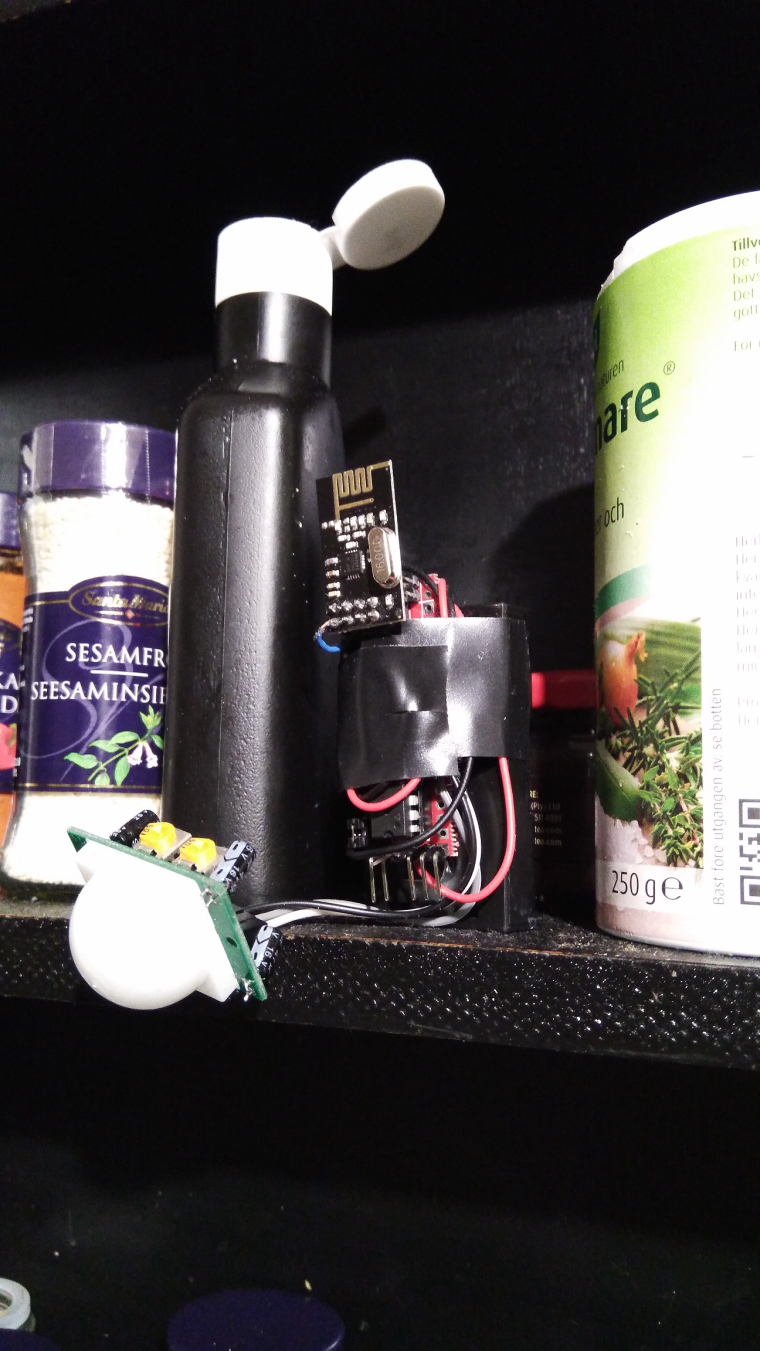
    Today i created a second motion detector based on Slim Node from @m26872. Its a 1mhz bootloader and modified hc-sr501(3.3v "hack"). Its currently "deployed" in my kitchen (replaced the old one) in the spice-rack above the stove... low WAF but high camouflage! Might work :)

    General Discussion

  • What did you build today (Pictures) ?
    sundberg84S sundberg84

    Today I introduced my 5 year old to soldering...

    0_1510237029170_171109-IMG_20171109_151533.JPG

    General Discussion

  • 💬 In Wall AC/DC Pcb (with Relay) for MySensors (SMD)
    sundberg84S sundberg84

    Everything is moving along slowly... :)

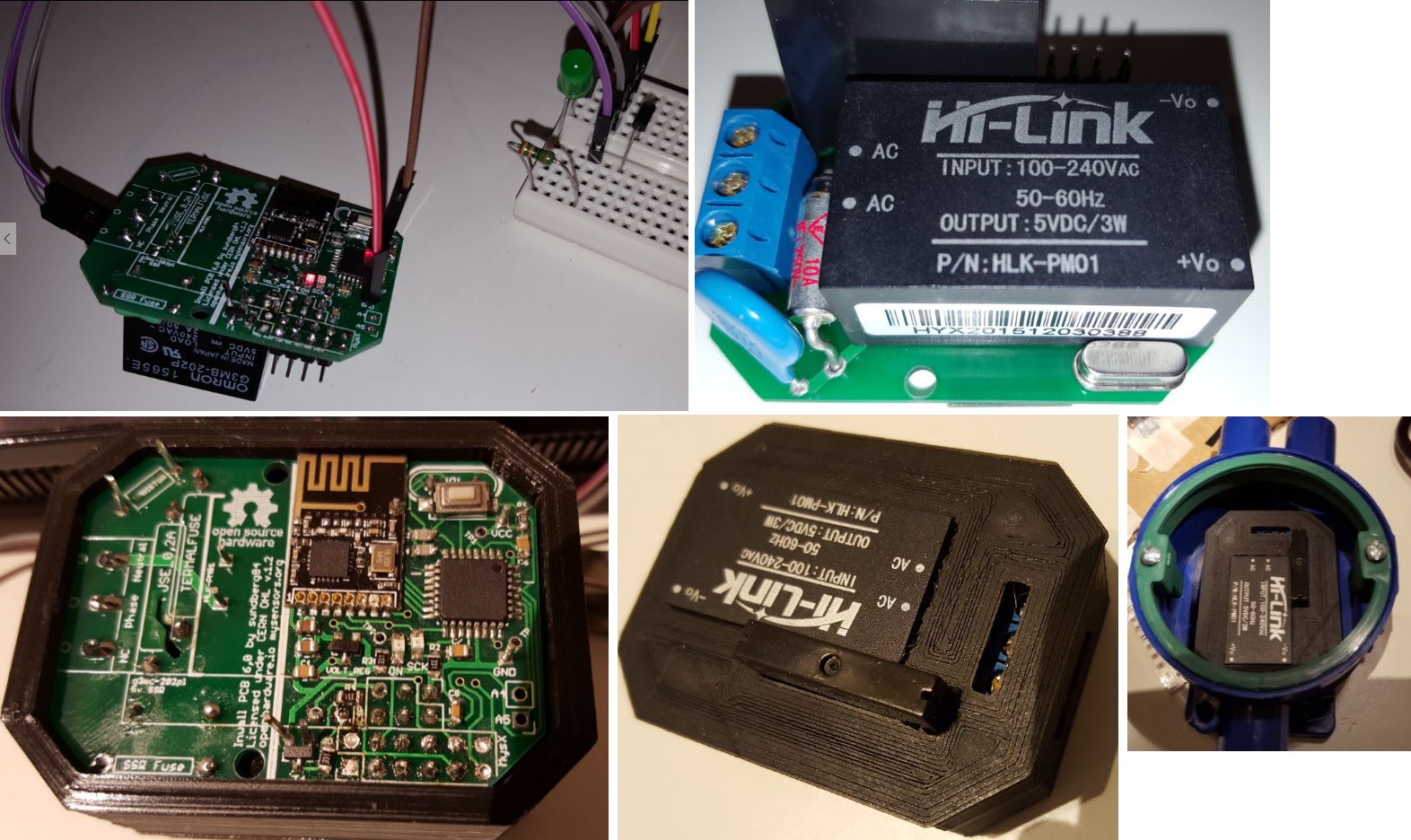
    Today i tested the relay function, the AC - DC (HLK) and if everything fitted inside the 3d box.

    Found some issues with the relay... it opens ok, but I cant close it again so the relay remains open... I need to figure out (or ask) if there is something wrong with my schematics or if the relay I used was bad.

    Also I have to add some mm on the 3dbox in the holes for the relay and HLK.

    0_1470155716207_1.jpg

    I have uploaded some images and the eaglesfiles - but I would not recommend to create any pcbs yet - im not satisfied with the result and things will change on the layout and other.

    OpenHardware.io switch in-wall relay acdc hlk-pm01

  • What did you build today (Pictures) ?
    sundberg84S sundberg84

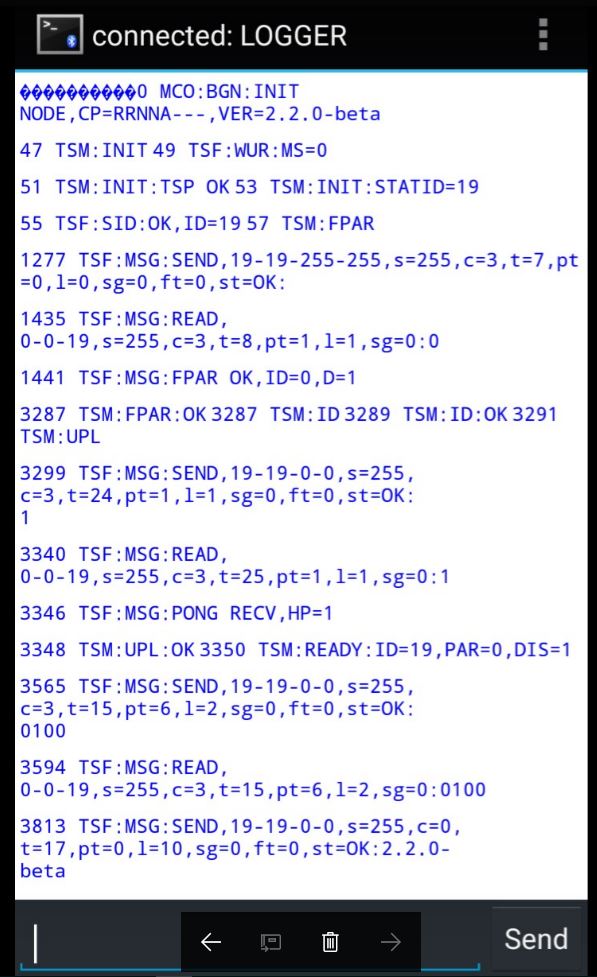
    Let me present - How NOT to deploy a MySensors Node! Here is how you do: 1) Skrew everything solid to a wall 2) Power it up and make sure you have shorted a SDA / GND or VCC on your BMP sensor just because you dont doublecheck the colors 3)Forget to enable # My debug 4)Fetch your last BMP sensor but drop it on the lawn (pitch dark outside) 5) Spend 30min with a flashligh in 5dgr C searching for the sensor and try it out once you find it. 6) Nothing works so Un-screw everything and connect it to FTDI inside at your computer, reupload the sketch with debug. - Now everything works fine (with the first sensor) for some unknown reason. 7) Skrew everything back again! 8) Find out the BMP sensor is not working 9) Debug Serial (atleast I got to use my new logger) 10) Find out a short on the MysX connector due to bent wire.

    0_1509477265850_upload-4cb4d2db-19b0-4c15-bb7c-85ae142145cc
    New and old sensor - side by side.

    0_1509477296115_upload-7e59bd8a-9c85-4db3-8a88-c86e21d1c7a4

    General Discussion

  • Robotic lawn mower supervisor
    sundberg84S sundberg84

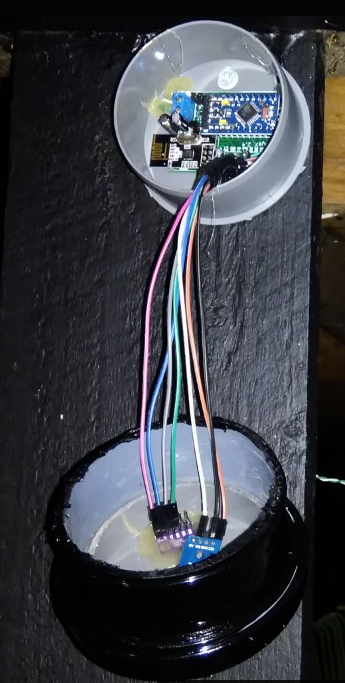
    Just dropping a small project i made here for the upcoming season.

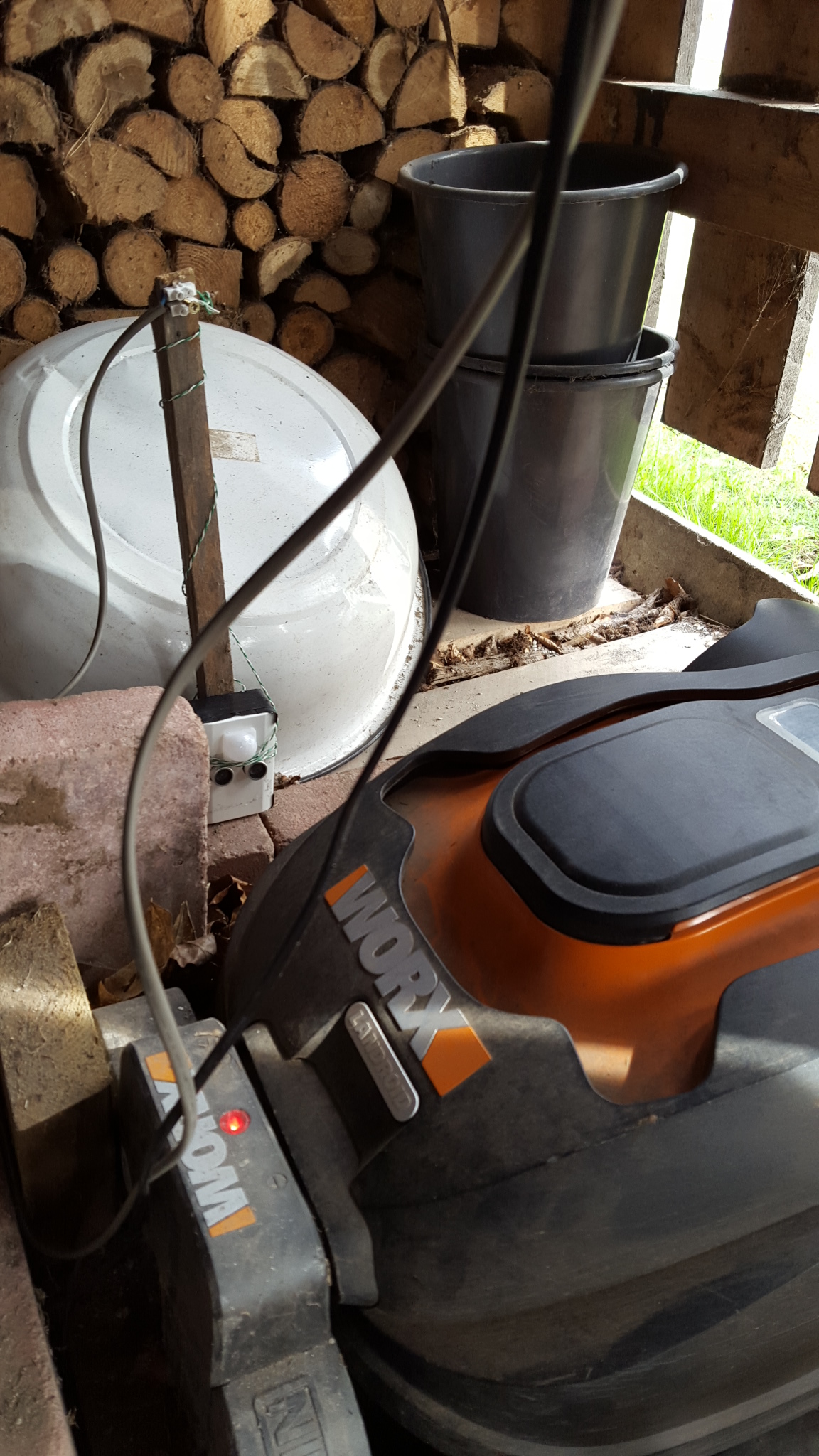
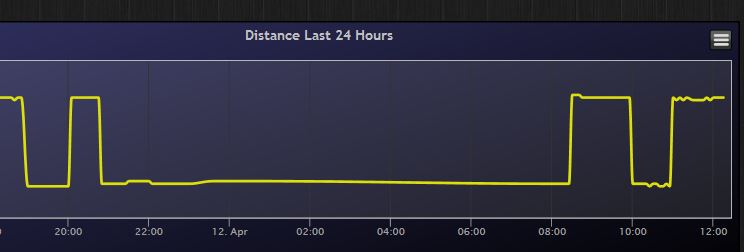
    Its a motion and distance combined sensor sitting besides my robotic lawn mower. Whenever there is a movement it measures the distance, and therefore I can see if my mower is out or charging.

    0_1460478573291_1.jpg

    Why not only a motion detector - well I have alot of other things happening in the shed as well (cats, children, rabbits) and i also wants to know if the mower is charging or out cutting gras.

    0_1460478679125_2.JPG

    With a small lua script in Domoticz i hope to achieve a push notise whenever its trapped outside for to long.

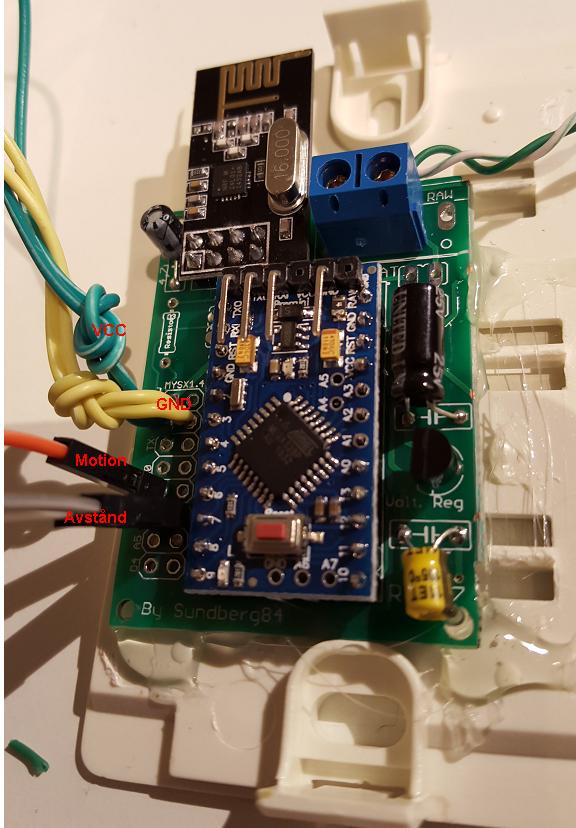
    Its made of my EasyPCB, a Arduino Pro mini 5v, Nrf24l01+ radio, HC-SR04 distance sensor and HC-SR501 motion sensor.

    0_1460478780523_3.JPG

    Code for 2.0

    // Enable debug prints
    #define MY_DEBUG
    
    // Enable and select radio type attached
    #define MY_RADIO_NRF24
    //#define MY_RADIO_RFM69
    
    // #define MY_NODE_ID 12
    
    #include <SPI.h>
    #include <MySensors.h>
    #include <NewPing.h>
      
    #define DIGITAL_INPUT_SENSOR 3   // The digital input you attached your motion sensor.  (Only 2 and 3 generates interrupt!)
    #define CHILD_ID 1   // Id of the sensor child
    #define CHILD_ID_DIST 2
    #define TRIGGER_PIN  6  // Arduino pin tied to trigger pin on the ultrasonic sensor.
    #define ECHO_PIN     5  // Arduino pin tied to echo pin on the ultrasonic sensor.
    #define MAX_DISTANCE 300 // Maximum distance we want to ping for (in centimeters). Maximum sensor distance is rated at 400-500cm.
    
    // Initialize motion message
    MyMessage msg(CHILD_ID, V_TRIPPED);
    
    // Initialize distance message
    NewPing sonar(TRIGGER_PIN, ECHO_PIN, MAX_DISTANCE); // NewPing setup of pins and maximum distance.
    MyMessage msgdist(CHILD_ID_DIST, V_DISTANCE);
    int lastDist;
    boolean metric = true;
    int oldTripped = 0;
    int tripped = 0; 
    unsigned long lastRequest = 0;
    
    void setup()  
    {  
      pinMode(DIGITAL_INPUT_SENSOR, INPUT);      // sets the motion sensor digital pin as input
      metric = getConfig().isMetric;
    }
    
    void presentation()  {
      // Send the sketch version information to the gateway and Controller
      sendSketchInfo("Distance and Motion", "1.3");
    
      // Register all sensors to gw (they will be created as child devices)
      present(CHILD_ID, S_MOTION);
      delay(100);
      present(CHILD_ID_DIST, S_DISTANCE);
    }
    
    void loop(){     
    
    unsigned long now = millis();
    
    //Read digital motion value
    tripped = digitalRead(DIGITAL_INPUT_SENSOR);
    if (tripped != oldTripped){
      lastRequest = now;
      
      // Distance?
      int dist = metric?sonar.ping_cm():sonar.ping_in();
      Serial.print("Ping: ");
      Serial.print(dist); // Convert ping time to distance in cm and print result (0 = outside set distance range)
      Serial.println(metric?" cm":" in");
      if (dist == 0){
        return; //read again if 0, because 0 is error!
      }
    
      if (dist != lastDist) {
          send(msgdist.set(dist));
          lastDist = dist;
      }
       // Motion?
      send(msg.set(tripped?"1":"0"));  // Send tripped value to gw 
      oldTripped = tripped;
    }
    
    if ((now - lastRequest) > (60UL * 1000UL * 60UL)){
    lastRequest = now;
    Serial.print("Heartbeat");
    sendHeartbeat();}
    }
    
    My Project

  • Your workshop :)
    sundberg84S sundberg84

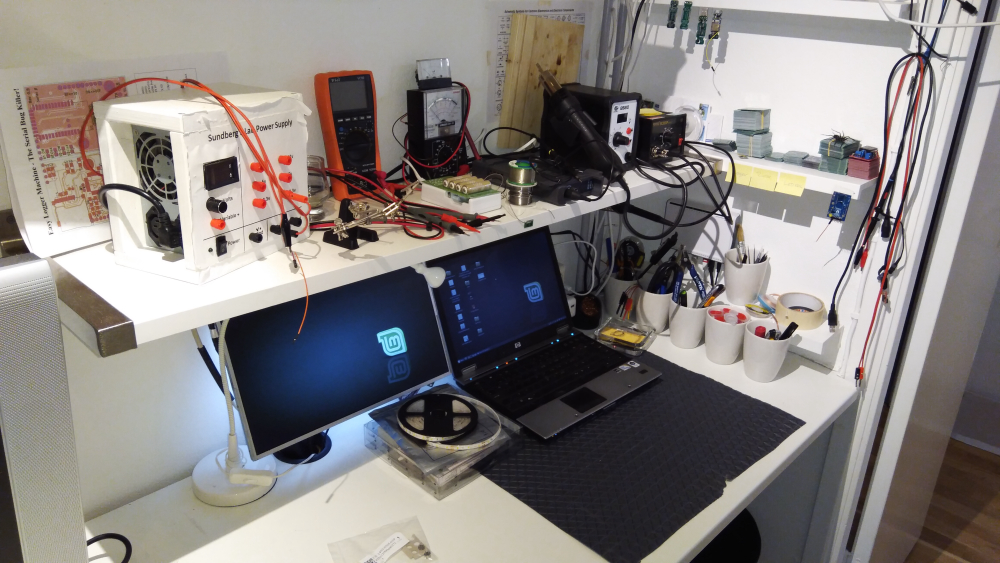
    0_1519674968503_IMG_20180226_203325.jpg

    After changing my HA and network to new location I made some changes to my workshop. Still some work in progress.

    General Discussion

  • Debug flowchart - feedback wanted.
    sundberg84S sundberg84

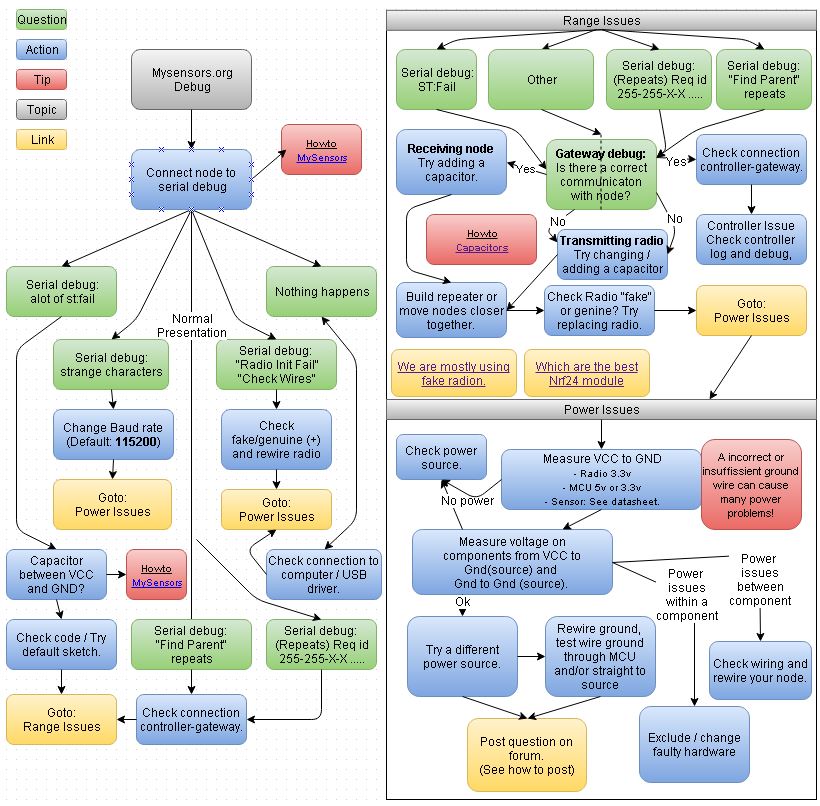
    Hi!

    I have created a flowchart to make it easier to debug - and now I need feedback.

    • Is it a clear flow?
    • I tried to collect the most asked questions in the forum and add them - is there anything you are missing?
    • Also, language - since english isnt my first language, please correct me if something is wrong or unclear.
    • Or anything else you can think of :) Lets try to make it as easy as possible for all...

    0_1454268203092_1.jpg

    Troubleshooting

  • 💬 In Wall AC/DC Pcb (with Relay) for MySensors (SMD)
    sundberg84S sundberg84

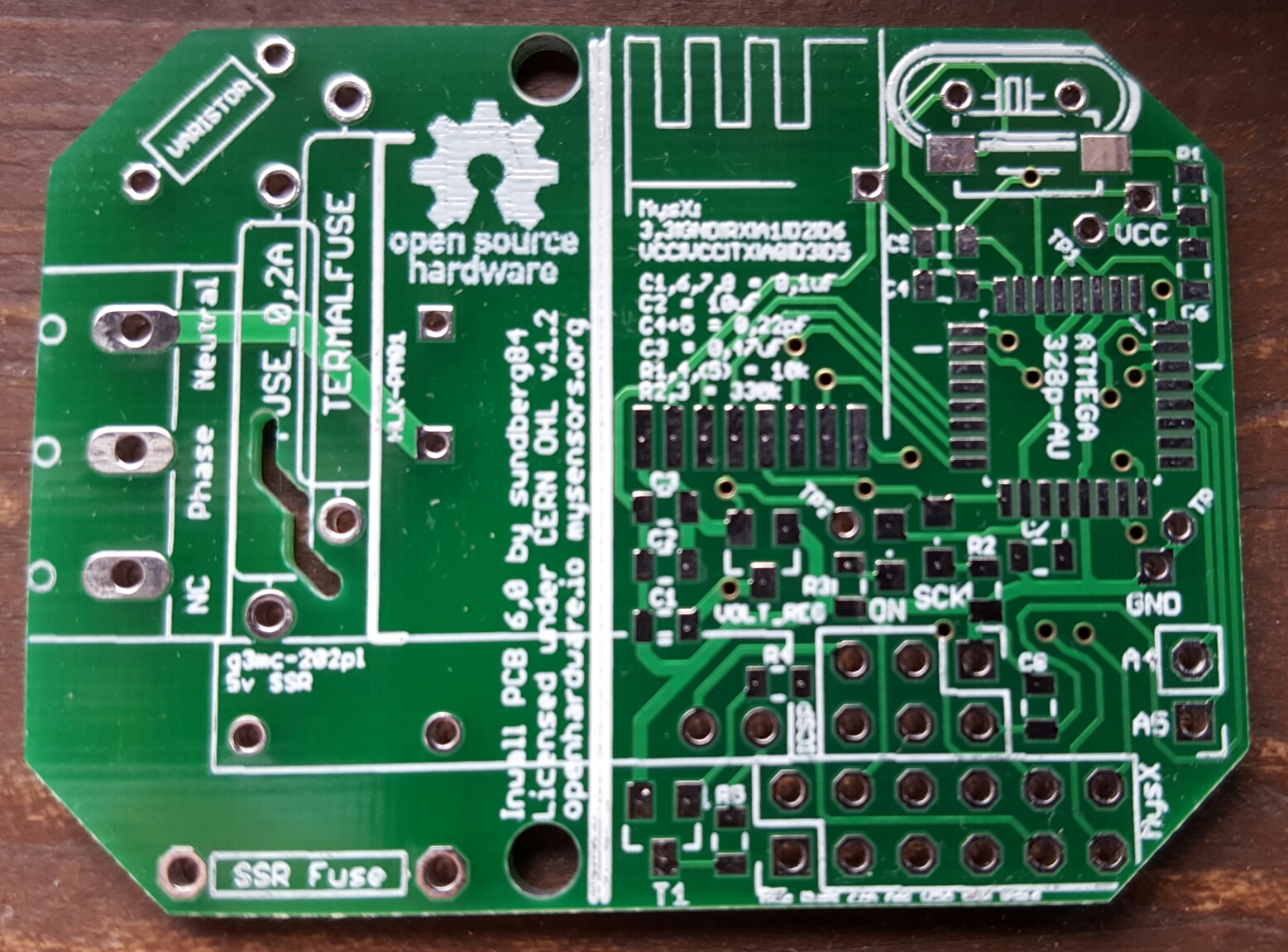
    I received my boards today. Away for a week but will assemble, test and release files asap.

    0_1468246194526_20160711_160848.jpg

    OpenHardware.io switch in-wall relay acdc hlk-pm01

  • Internet of Poultry - Fully automated chicken shed
    sundberg84S sundberg84

    Damn... now i have to get chickens ;)

    My Project

  • What did you build today (Pictures) ?
    sundberg84S sundberg84

    Another EasyPCB video - a complete build of a 5v node with a radiotest and cleareeprom.

    https://youtu.be/CNtBzNdDGdY

    General Discussion

  • 💬 In Wall AC/DC Pcb (with Relay) for MySensors (SMD)
    sundberg84S sundberg84

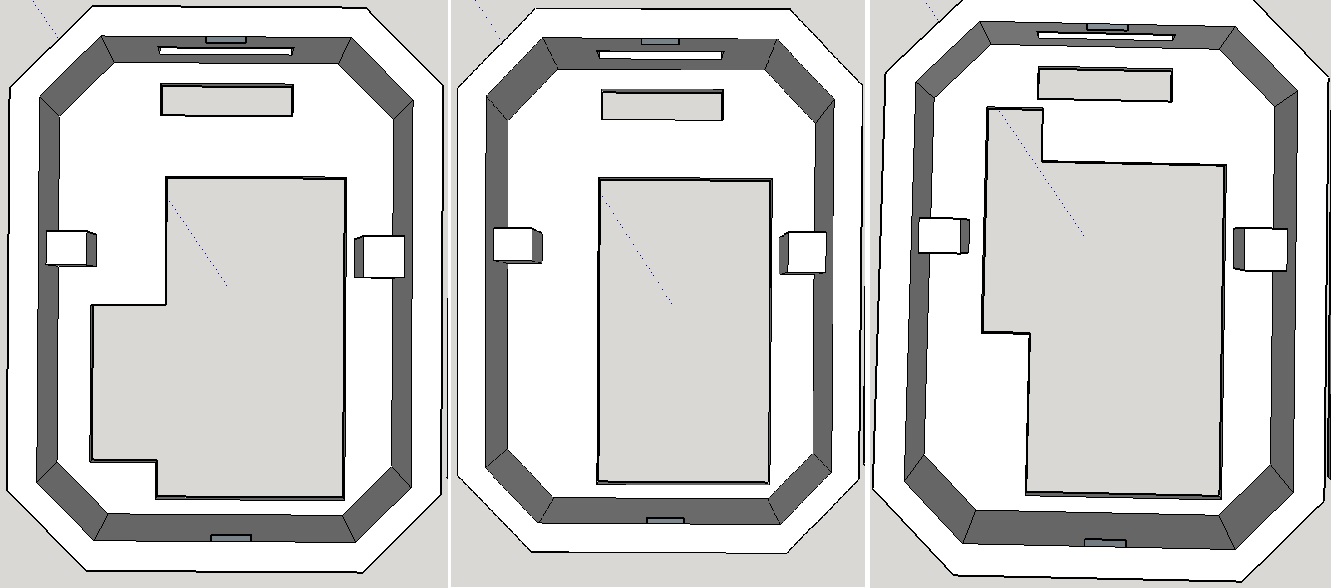
    Updated the 3dbox with some variants...
    From left...
    Box with access to MysX Connector
    Box wthout any access to inside (except AC screw terminal)
    Box with hole for a g3mc-202 relay and no other access.
    0_1471547221319_1.jpg

    OpenHardware.io switch in-wall relay acdc hlk-pm01

  • What did you build today (Pictures) ?
    sundberg84S sundberg84

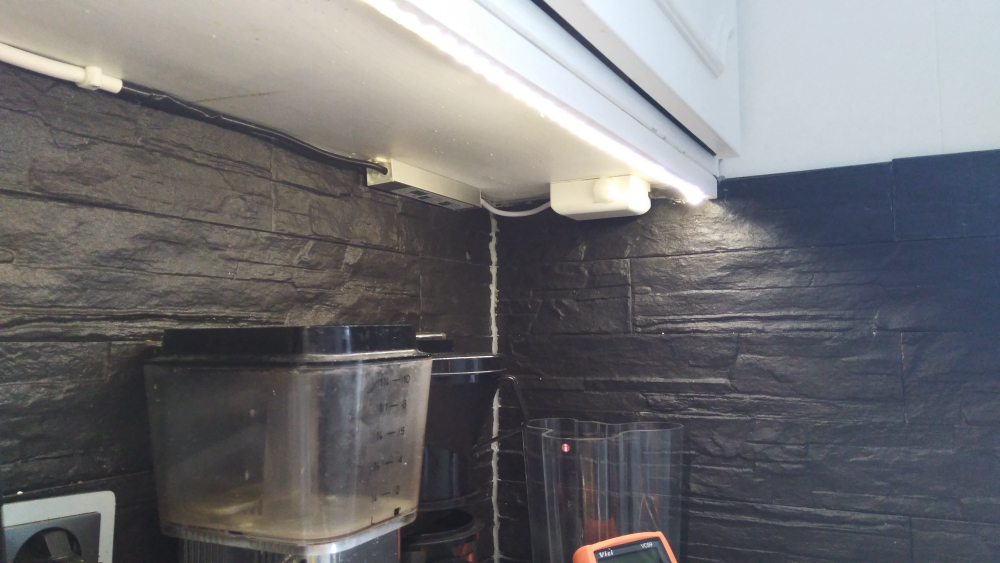
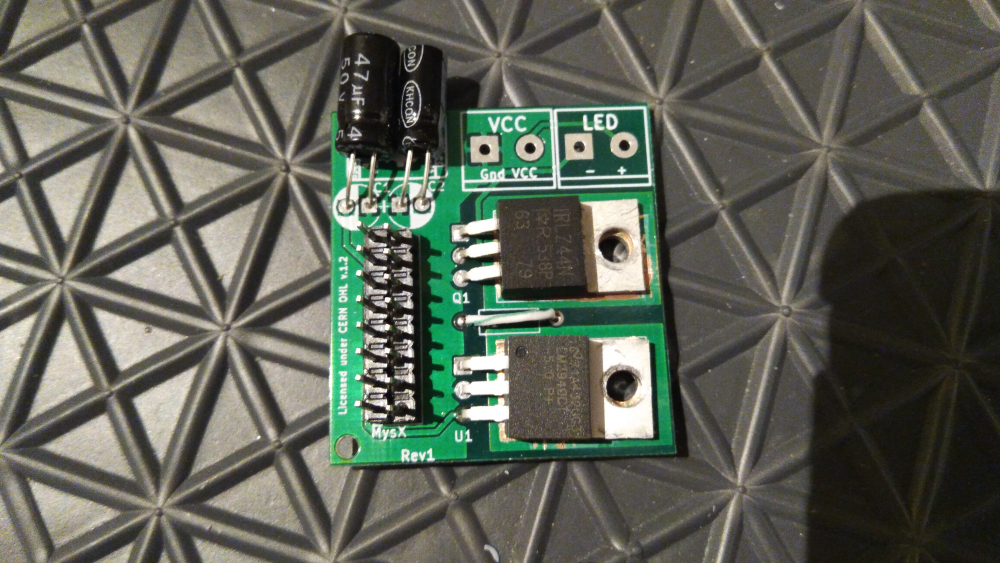
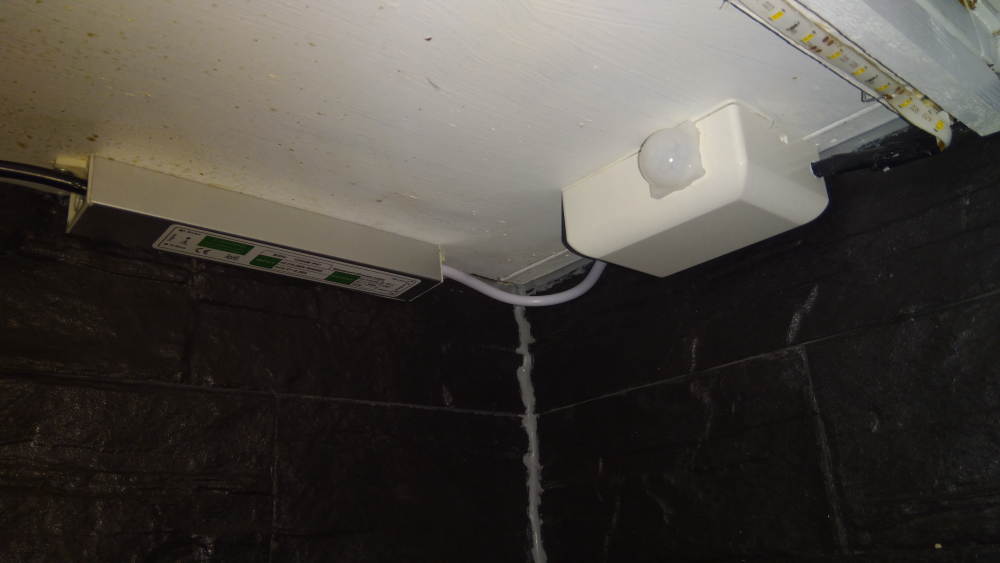
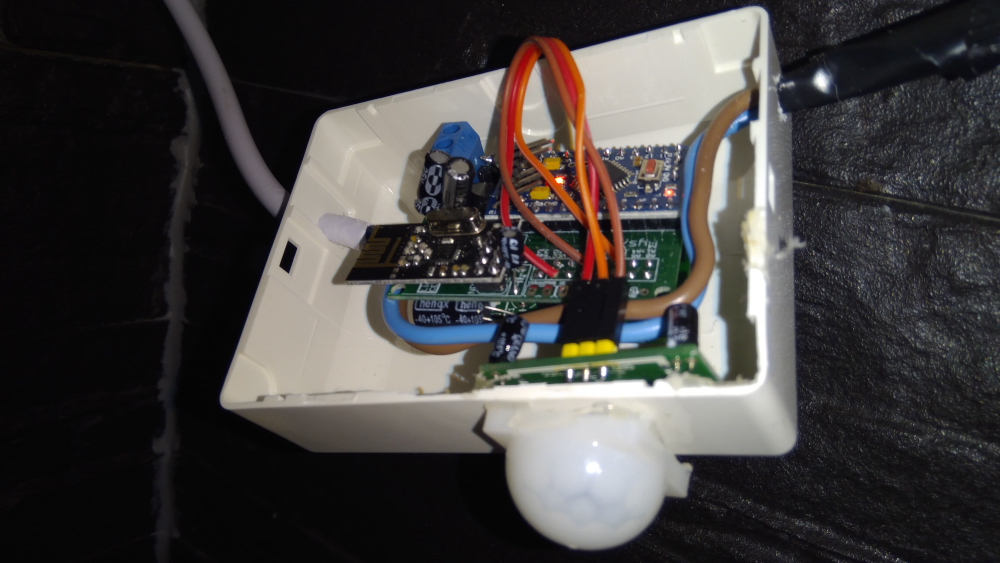
    Today I built a led dimmer and motion detector for my kitchen. Running on 12v and a led list of about 2m.

    0_1522338565517_IMG_20180329_174732.jpg

    Everything is built on my MysX led board and it was so easy to assemble everything and it's really small.

    0_1522338630780_IMG_20180329_174759.jpg

    0_1522338653800_IMG_20180329_174549.jpg

    0_1522338665121_IMG_20180329_174525.jpg

    I have documented this project and will show you in a video when edited.

    General Discussion

  • Debug to a sd-card module?
    sundberg84S sundberg84

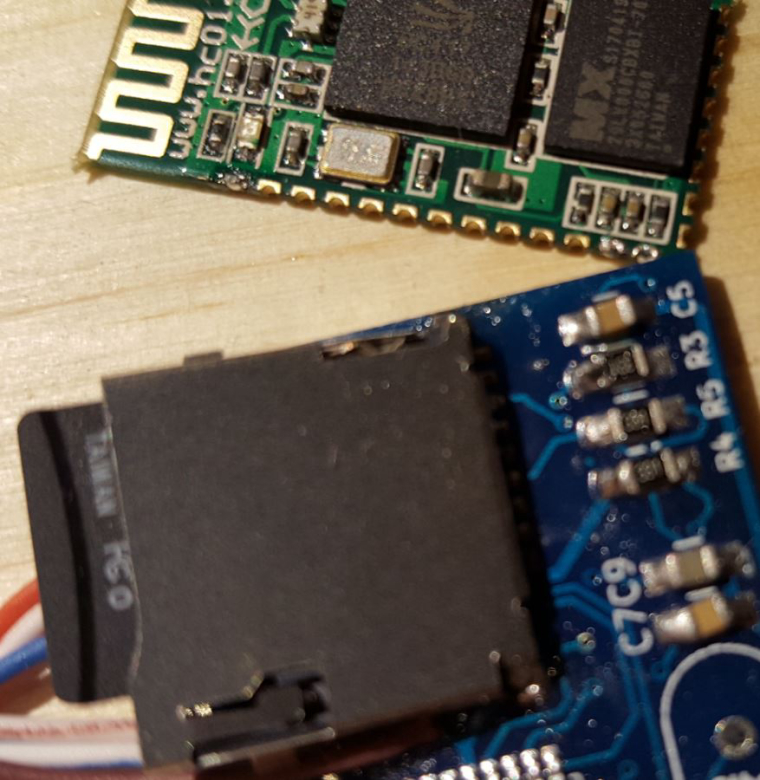
    Old topic, and I will probably create a project on openhardware but im making some progress with this... hardware section is under testing... software for SD-card needs to be developed so still some time ahead before finished. 2 revision of the PCB and it probably needs another round (6 weeks delivery, yay!)

    My next step as hardware developer will be some sort of sales from openhardware with assembled modules and not only PCB but my goal will be to sell them 1 and 1 for a resonable price for all that needs a debug machine.

    And the name? Easy Debugger Module - The Serial Debug Killer! :joy:

    0_1502273490834_1.JPG
    0_1502273919282_2.JPG

    Development

  • What did you build today (Pictures) ?
    sundberg84S sundberg84

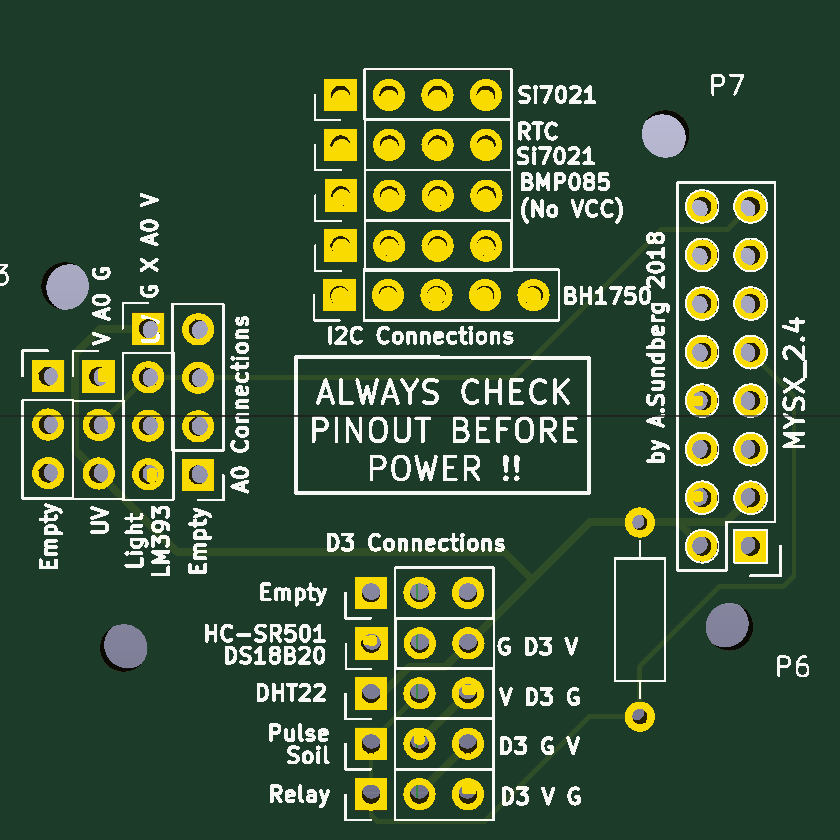
    Im getting so tired of soldering extra wires and stuff so today im doing a "MysX to All common sensors breakout board"...

    0_1540411084071_4f9ac007-2ce9-41a9-8bc6-b954f193b964-image.png

    Dont know if this will work... but worth a shot.

    General Discussion

  • What did you build today (Pictures) ?
    sundberg84S sundberg84

    Today i fired up my controller after 6 months houserenovation. Upgraded to new 2.3 version and instantly some old nodes started reporting again 😀. Yes, there were some without battery but several temp and binary nodes survived 6 months without supervision. 0_1577797816208_1577797801960606374482477635708.jpg

    General Discussion

  • $8 Lamp (Outlet) "Smart Plug" Module
    sundberg84S sundberg84

    @petewill
    Now i got three working relays thanks to you, so again, great video!
    Wanted to thank you and also show my sollution.
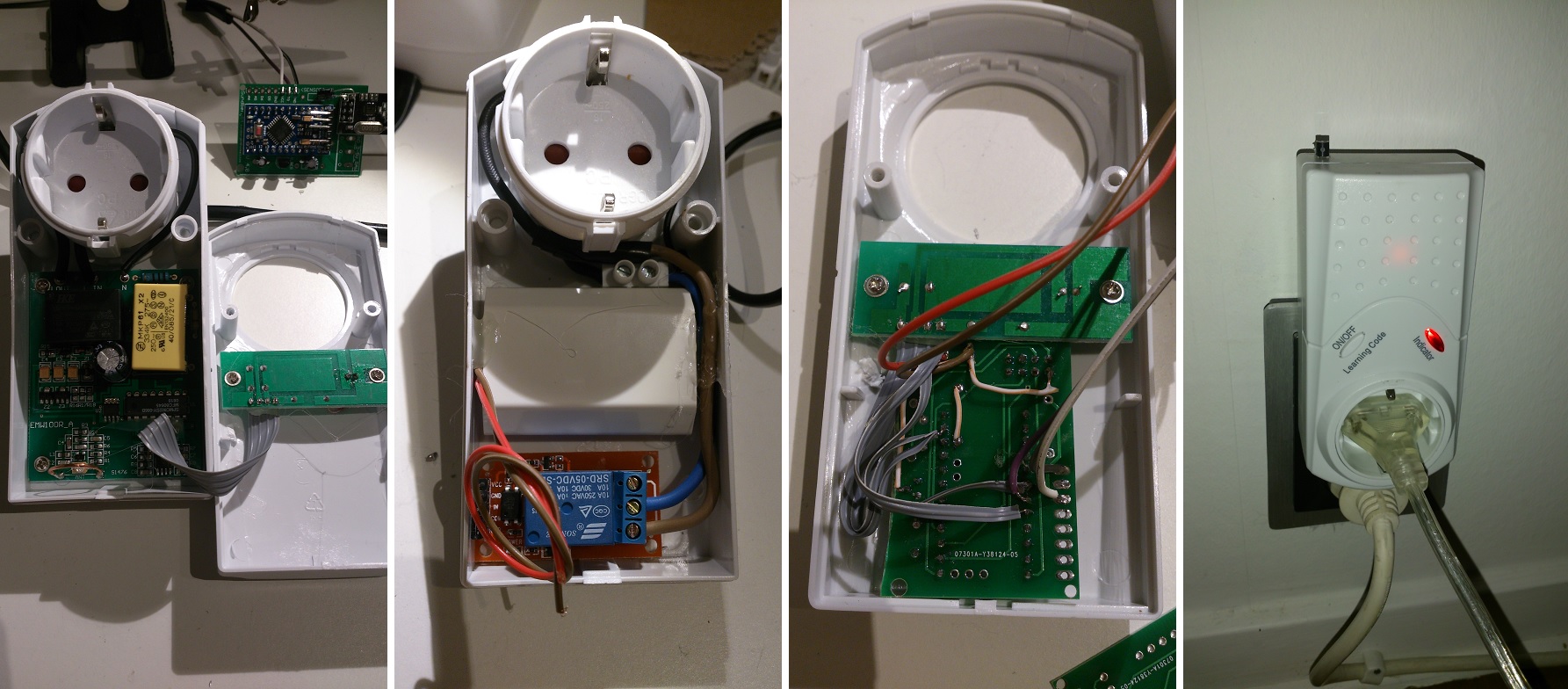
    I hade some 433mhz cheap (not good working) relays with perfect case i could re-use:
    The case had a status-led and a switch i use as well.

    Relay.jpg

    My Project
  • Login

  • Don't have an account? Register

  • Login or register to search.
  • First post
    Last post
0
  • MySensors
  • OpenHardware.io
  • Categories
  • Recent
  • Tags
  • Popular